Need help?
Do you have a question about the Alliance Laundry Systems SWNBC2PP112TW01 and is the answer not in the manual?
Allows owners to program cycle, vend, audit, and diagnostic functions.
Enables retrieval of stored audit data like coin counts and cycles.
Provides access to diagnostic tests for washer operations.
Allows quick advancement through active cycles or into cycles from Ready Mode.
Provides step-by-step instructions to enter the Manual Mode for advanced functions.
Lists the four available features within Manual Mode: Programming, Audit, Diagnostics, Rapid Advance.
Details options like vend price, coin amounts, cycle time, and configuration.
Explains how to set the vend price for the washer.
Lists specific error codes related to card reader communication.
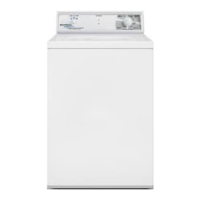
This document outlines the operation, programming, and maintenance features of the MDC Topload Washer, a commercial washing machine designed for user-friendly operation and owner-controlled customization.
The MDC control system is a programmable interface that allows the owner to manage various machine features through a sequence of keypad presses. This includes setting cycle times, adjusting vend prices, retrieving audit information, and running diagnostic tests. The washer is shipped from the factory with a default cycle (PERM PRESS/WARM) pre-programmed. A key feature of the control is its memory system, which retains programmed settings for up to 10 years, even in the event of a power failure, eliminating the need for reprogramming once electrical power is restored. It is crucial to ensure the washer has a positive ground connection and all mechanical and electrical connections to the control are made before applying power or operating the machine.
In the event of a power failure during an active cycle, the cycle status is saved. If European Community (EC) Power Recovery is disabled, the control automatically resumes the cycle once power is restored (provided the washer lid is closed). If EC Power Recovery is enabled and power is restored within two seconds, the cycle also resumes automatically. However, if the power failure exceeds two seconds, the user must press the START keypad to resume the cycle. For card reader models, the control is designed to communicate with third-party card readers, offering additional functionality.
The control panel features SELECT CYCLE keypads (NORMAL/HOT, NORMAL/WARM, PERM PRESS/WARM, and DELICATES/COLD) for cycle selection. The corresponding LED lights up when a cycle is chosen. The default cycle is PERM PRESS/WARM. These keypads become inactive after the first fill cycle. The flashing START keypad confirms the selection and initiates the cycle. The START keypad is also used to begin the wash cycle once the full vend price is met and the lid is closed. Both START and SELECT CYCLE keypads are integral for programming, retrieving audit data, and running diagnostic tests.
The display includes four 7-segment digits and LED status lights. The LEDs indicate the chosen cycle and current cycle status (WASH, RINSE, SPIN). The START LED flashes when the washer is ready to start (not in a cycle, vend price met, lid closed) and turns off when the START keypad is pressed. The WASH LED lights up during the wash portion, the RINSE LED during the rinse, and the SPIN LED during all spin cycles. The 7-segment digits display remaining cycle time, vend price, error messages, and descriptive codes. Time remaining is shown on the right, and vend price on the left.
Upon power-up, the control displays its software version for two seconds before entering Ready Mode. In Ready Mode, the default cycle LED (PERM PRESS/WARM) is lit, and the full vend price is displayed. Users can select a different cycle, which will flash the remaining vend needed. If the vend price isn't met within one minute, the control reverts to the default cycle. Vends can be satisfied via coin drop, start pulses, or a card reader. Once the vend is met, the START LED flashes. Pressing START begins the cycle, and the display shows remaining time. After a cycle, "00" is displayed until the lid is opened, a key is pressed, or a coin/card is entered, at which point it returns to Ready Mode. Opening the lid during a cycle pauses it and displays "LId"; closing the lid resumes the cycle. If the lid is opened in the last three minutes, the timer continues counting down.
The washer provides audible signals for keypad presses, coin/start pulse inputs, card insertions, and machine errors. These signals can be turned on or off via the Configuration Display.
Special features include programming control, allowing owners to customize cycle and vend information. Audit information, such as total coins, start pulses, and cycles, can be accessed manually or via a card reader. Diagnostic tests, including fill time, drain time, and production tests, can be performed by opening and closing the service door and pressing specific keypad sequences. The Rapid Advance feature allows users to quickly progress through an active cycle or enter a cycle from Ready Mode, useful for immediate testing. The control supports single or dual coin drops and start pulses from central card reader systems, with programmable values for each.
To enter Manual Mode for programming, testing, or retrieving information, ensure the washer is in Ready Mode, open the service door (coin drawer closed), and simultaneously press and hold the NORMAL/HOT and NORMAL/WARM keypads. The display will show "rAPd." Use the PERM PRESS/WARM (∧) or DELICATES/COLD (∨) keypads to scroll through options (Manual Programming, Manual Audit, Diagnostic Tests, Manual Rapid Advance) and press START to enter the desired feature. To exit any manual mode feature, ensure a programmable option (not a value) is displayed, then press and hold NORMAL/HOT and NORMAL/WARM keypads simultaneously.
Programming options include setting Vend Price (AtS), Coin #1 Amount (dEn1), Coin #2 Amount (dEn2), Start Pulse Value (PLSE), Cycle Time (CYCL), Configuration Display (CnFg), and Default Cycle (dCYC). Each option is accessed and adjusted using the SELECT CYCLE keypads to scroll and the START keypad to confirm. Vend prices and coin amounts can be set from 0 to 9999. Cycle time can be set to "SH" (Short Cycle) or "LO" (Long Cycle). Configuration Display allows enabling/disabling Card Reader Display Control, Audio Signal, Error Mode, Coin Drop #1, and EC Power Recovery. The Default Cycle can be set to NORMAL/HOT, NORMAL/WARM, PERM PRESS/WARM, or DELICATES/COLD.
Audit information includes Total Number of Coins #1 (C1), Total Number of Coins #2 (C2), Total Number of Machine Cycles (CYC), and Total Number of Start Pulses (SP). To access, enter Manual Mode, select Audit, and use the SELECT CYCLE keypads to scroll through options. Press START to view the four-digit audit value. To exit audit mode when using the coin vault open method, the owner must close the coin vault.
Diagnostic tests include Show Fill Time Test (F---) and Show Drain Time Test (d---), displaying average fill and drain times. The Production Test Cycle allows the control to advance through a sequence of test steps, including Keypad Test, Coin Drop Test, Service Door Switch Test, Coin Vault Test, Display Test, and various motor/valve tests. To enter, ensure the control is in Ready Mode, lid is closed, and access panel/coin vault is open, then press and hold NORMAL/WARM and PERM PRESS/WARM keypads. To exit, the control must be powered down.
Error codes include "E: dr" for maximum drain time exceeded or water sensed at the end of a spin step, and "E: FL" for maximum fill time exceeded. For card reader machines, "EC:19" indicates no card reader communication. For other card reader errors, consult the card reader manufacturer.
The default washer settings include a Long Cycle Length, Coin #1 Value of 25, Coin #2 Value of 100, Start Pulse Value of 100, Vend Price of 100, Control Configurations of 76 (Card Reader Display Control OFF, Audio Signal ON, Error Mode ON, Coin Drop ON, EC Power Fail OFF), and a Default Cycle of PERM PRESS/WARM. The PERM PRESS/WARM cycle has default times for Wash Fill (4:00), Wash Agitate (9:00), Wash Pause (0:10), Wash Spin #1 (3:00), Wash Spin/Spray (0:30), Wash Spin #2 (0:45), Rinse Spin/Spray (1:52), Rinse Spin (1:50), and Final Spin (7:00). Only the cycle length can be reprogrammed; other times are not programmable.
 General
| Brand | Alliance Laundry Systems |
|---|---|
| Model | SWNBC2PP112TW01 |
| Category | Washer |
| Voltage | 120V |
| Frequency | 60 Hz |
| Control Type | Microprocessor |
| Water Temperature Settings | Hot, Warm, Cold |
| Type | Commercial |
| Capacity | 11.2 kg |
| Cycle Options | Multiple |


 To Next Page