11
Instrument Panel
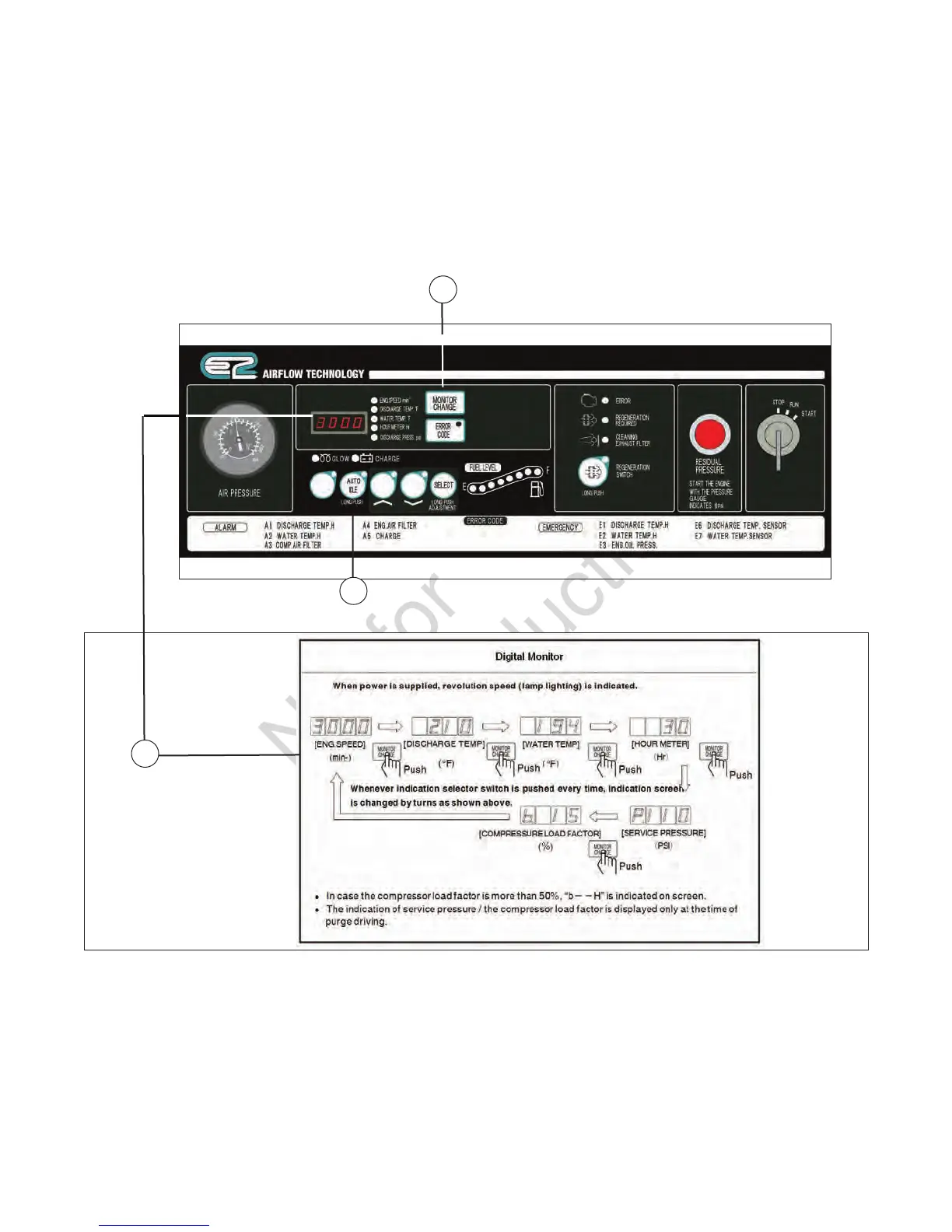
Each display of the operation panel is illustrated as follows.
Read and fully understand the explanations and be sure to operate safely.
A - Monitor Change / Error Code Switch — When
this switch is pushed while lamp is blinking,
it displays error code. When starter switch is
turned to STOP, display screen resets. See
Troubleshooting for details of the blinking state
warning and the illumination state (trouble) of failure
codes.
B - Auto Idle Switch — The switch is used for
minimizing fuel consumption at no-load operation.
It functions when the lamp goes on.
C - Digital Monitor — When power is supplied,
revolution speed (lamp lighting) is indicated.
A
B
C


 To Next Page