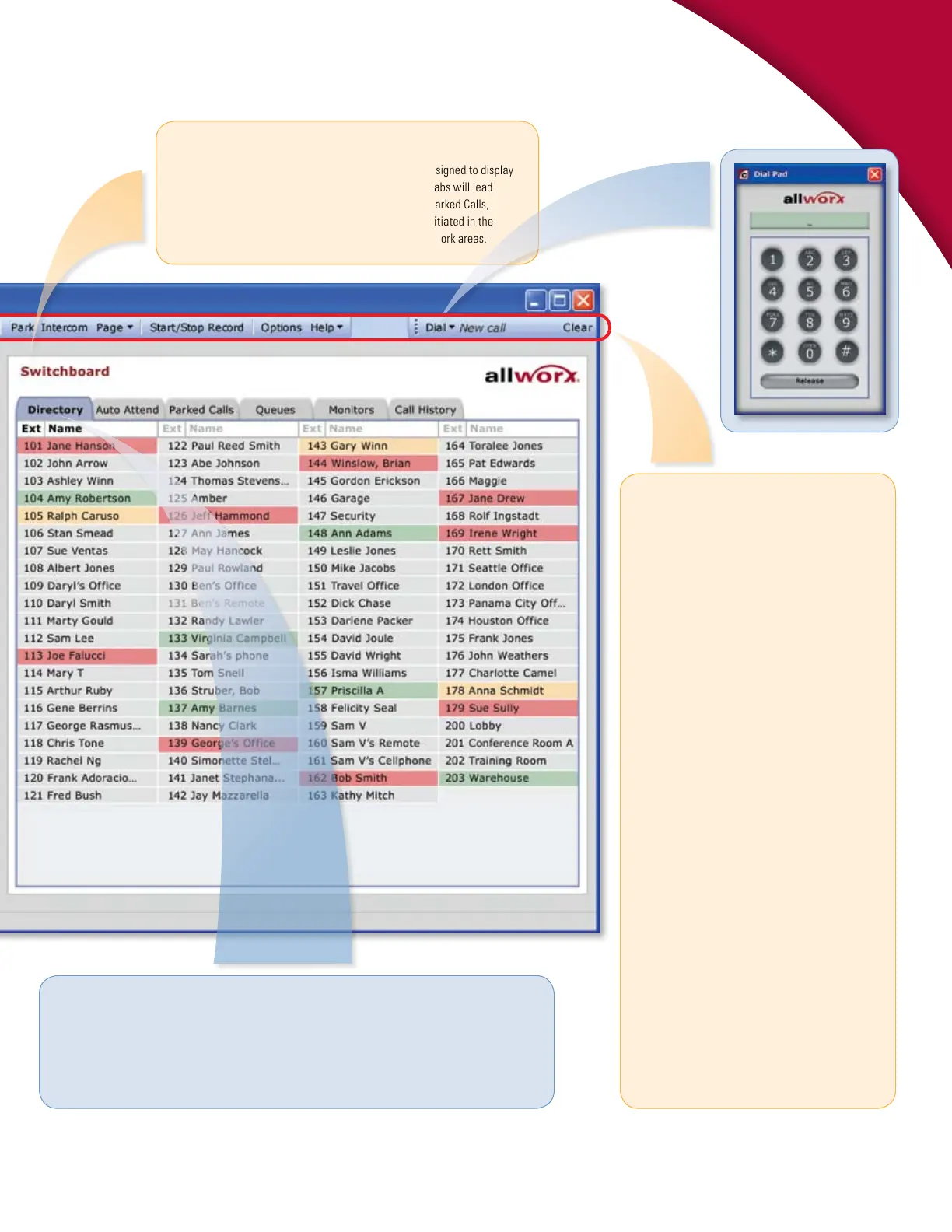
Switchboard
The Switchboard is a multifunctional, interactive area designed to display
Directory and other system information. Clicking on the tabs will lead
to screens dedicated to Auto Attendants, Call Queues
1
, Parked Calls,
Call Monitors, and Call History. Various actions can be initiated in the
Switchboard in combination with the task bar and other work areas.
D i r e c t o r y
The Directory displays all the Allworx system users with an extension number and a color indicating
current status. As in the Outside Lines area, green indicates Ringing, red indicates Active, and gray
indicates Inactive. In addition, amber indicates Do Not Disturb. Various actions can be initiated in the
Directory in combination with the task bar and other work areas.
Task Bar (Main Menu)
All key calling functions are conveniently placed at
the top of the screen and can be accessed through
either mouse or keyboard commands.
Answer – pick up an incoming call.
Release – end or drop a call.
Hold/Resume – place call on hold; take off hold.
Transfer – move call to another person, extension,
group, queue or location, either as a blind transfer or
attended transfer.
Transfer to Vmail – send caller directly to
voicemail.
Cancel Transfer – cancel a transfer in progress.
Park – place call on system hold so it can be picked
up from any phone.
Intercom – Intercom(Direct Station Selection –
DSS) allows for direct access to another phone/
extension.
Page – make an announcement over the paging
system.
Start/Stop Record – start recording a live call;
stop recording.
Options – set configuration options.
Help – simple explanations of color indicators and
key functions.
Dial – dials a new call or selected extension.
Clear – clears out whatever was previously
selected for dialing.
Allworx Call Assistant, Page 3



 To Next Page