Allworx
®
Connect™ Server Family Installation Guide
866.ALLWORX * +1 585 421 3850 Page 5
www.allworx.com
Version: F Revised: June 21, 2018
Chapter 2 Overview
This section describes the Connect server:
• packing contents,
• front and rear chassis views, and
• physical and environmental specifications.
2.1 Packing List
Open the box and carefully unpack it. Save all shipping and packaging materials. Verify all items
against the parts list shown in the table below. If any items are missing, contact the dealer or Allworx
Customer Support at 866-255-9679.
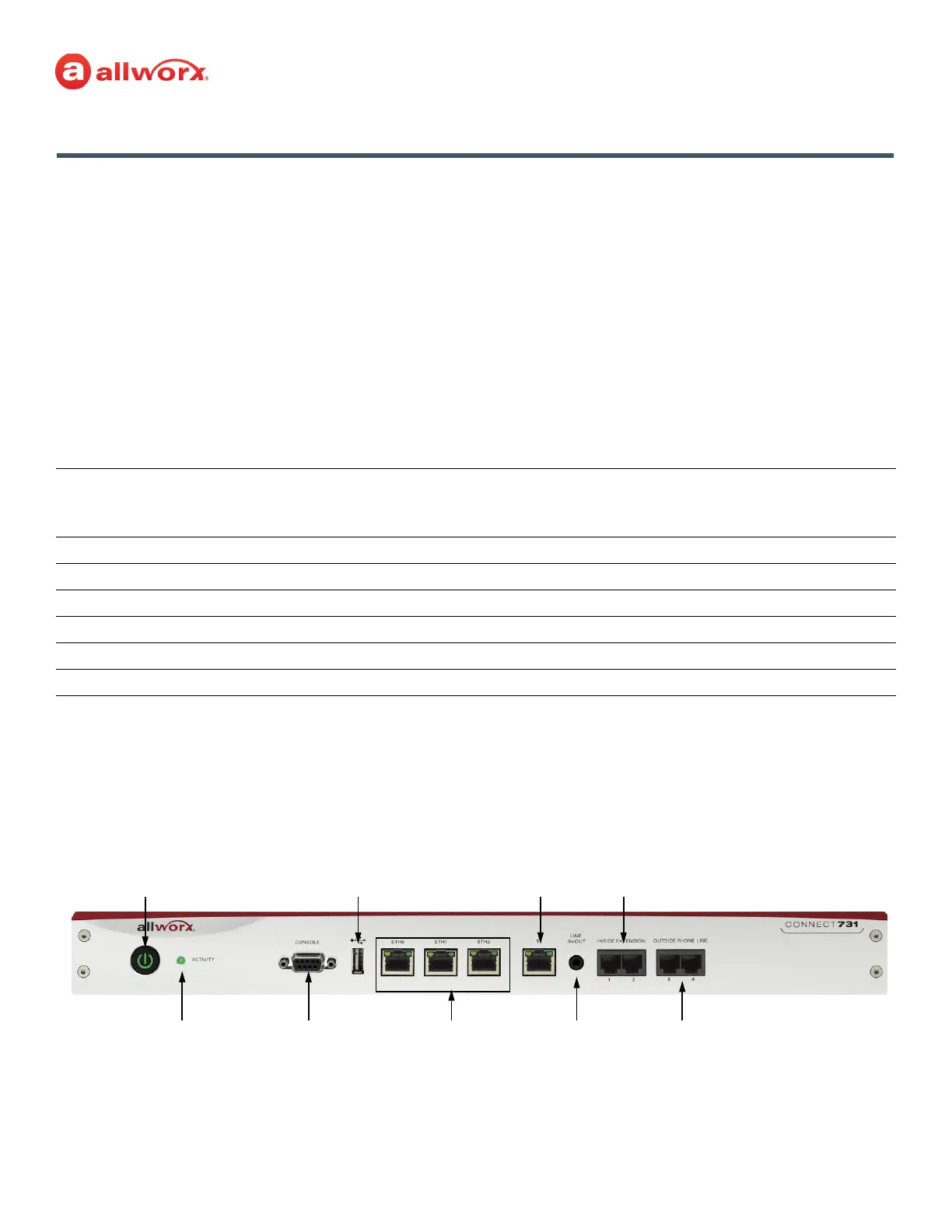
2.2 Front Chassis Views
The following views indicate the features available on the front of each Connect server.
2.2.1 Connect 731 Server
Connect Server Family
Parts List 300 Series 500 Series 731 Series
Allworx Connect Server
XXX
Power Cord
X
12 VDC Power Supply
XX
4 Rubber Feet (for Table Mount)
XXX
Rack and Wall Mount Hardware Kit
XXX
Allworx Connect Server Quick Start Guide
XXX
Power
Button
Activity
Light
Console Serial
Connector
USB
Connector
Gigabit
Ethernet
Ports
T1 Port
Line Input
Jack and
Output
Inside Extension
Phone Port
Outside Phone
Line Ports



 To Next Page