APPENDIX
I. Calibration
To calibrate the v/oct tracking;
•
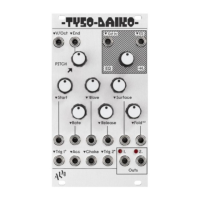
Ensure that no voltage is patched to the V/Oct input and that the Start Freq
control is set fully counter clockwise (CCW).
•
Power the module with the small ‘cal’ button held down (on PCB below fold
control on panel).
•
Out 1 & 2 LEDs will alt flash to indicate calibration mode active.
•
Patch a precise 1V from a voltage source into the V/Oct input and send a single
trigger into ‘Trig 1’ (you can use a ALM017 Pam output set to ‘On’ for a single
trigger when Pam is started)
•
Out 1 LED should stop flashing indicating trigger received.
•
Next send 3V into V/Oct followed by another trigger into ‘Trig 1’.
•
Out 2 LED will stop flashing indicating calibration complete.
TYSO ships pre-calibrated!
II. Firmware Updates
To Follow.
Please use only official firmware files when made available from the
BusyCircuits website.


 To Next Page