Need help?
Do you have a question about the almando Multiplay Surround and is the answer not in the manual?
Download and install the free ALMANDO CONTROL app from the Apple App Store or Google Play Store on your smartphone or tablet.
Connect the almando Multiplay Surround to the mains power supply. Loudspeakers and auxiliary devices should not be connected yet.
Press the Bluetooth button on the device and pair it with your smartphone or tablet via Bluetooth settings.
Connect Bang & Olufsen or other active speakers using Powerlink, RJ45 patch cables, or RCA cables as appropriate.
Connect audio sources via 8pin DIN (Powerlink), SPDIF, or Digital Audiolink for Loewe TVs.
Connect via Bluetooth and launch the almando app to access its start page for control and configuration.
The app's main control page displays inputs by priority, volume control, and navigation icons for other settings.
Configure general device settings, B&O specific data signals, trigger voltage, and input activation within the app.
Adjust volume levels for individual speakers and configure wireless speaker connections via the WISA module.
Adjust sound settings like treble, bass, loudness, and volume (gain) for each individual input source.
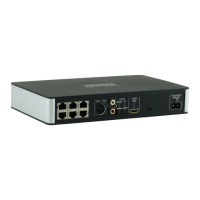
 Ports & interfaces
| RJ45 Powerlink inputs | 3 |
|---|---|
| RJ45 Digital Audiolink input | 1 |
| 8pin DIN / B&O Powerlink input | 1 |
| SPDIF input | 1 |
| RJ45 Powerlink outputs | 6 |
| RCA Pre-Out outputs | 6 |
| 12V Trigger Output (3.5mm Mono) | 1 |
 Power
Power| power supply voltage | 100-240 V |
|---|---|
| power supply frequency | 50/60 Hz |
 Weight and Dimensions
| weight | 0.76 kg |
|---|---|
| width | 254 mm |
| depth | 156 mm |
| height | 41 mm |

 To Next Page