Easy Mode
Simplifies drone flight use by limiting command
directions based on direction. Use Easy Mode
when you are having difficulty telling which
direction the drone is pointing because of
distance. Press the Easy Mode button once to
activate it. Press it again to deactivate it.
Altitude Lock
Stabilizes the altitude level of the drone. Once it
has been enabled, the left joystick throttle
controls are locked and unusable allowing you
to focus on the turning controls. Press the
Altitude Lock once to activate it. Press it again
to deactivate it.
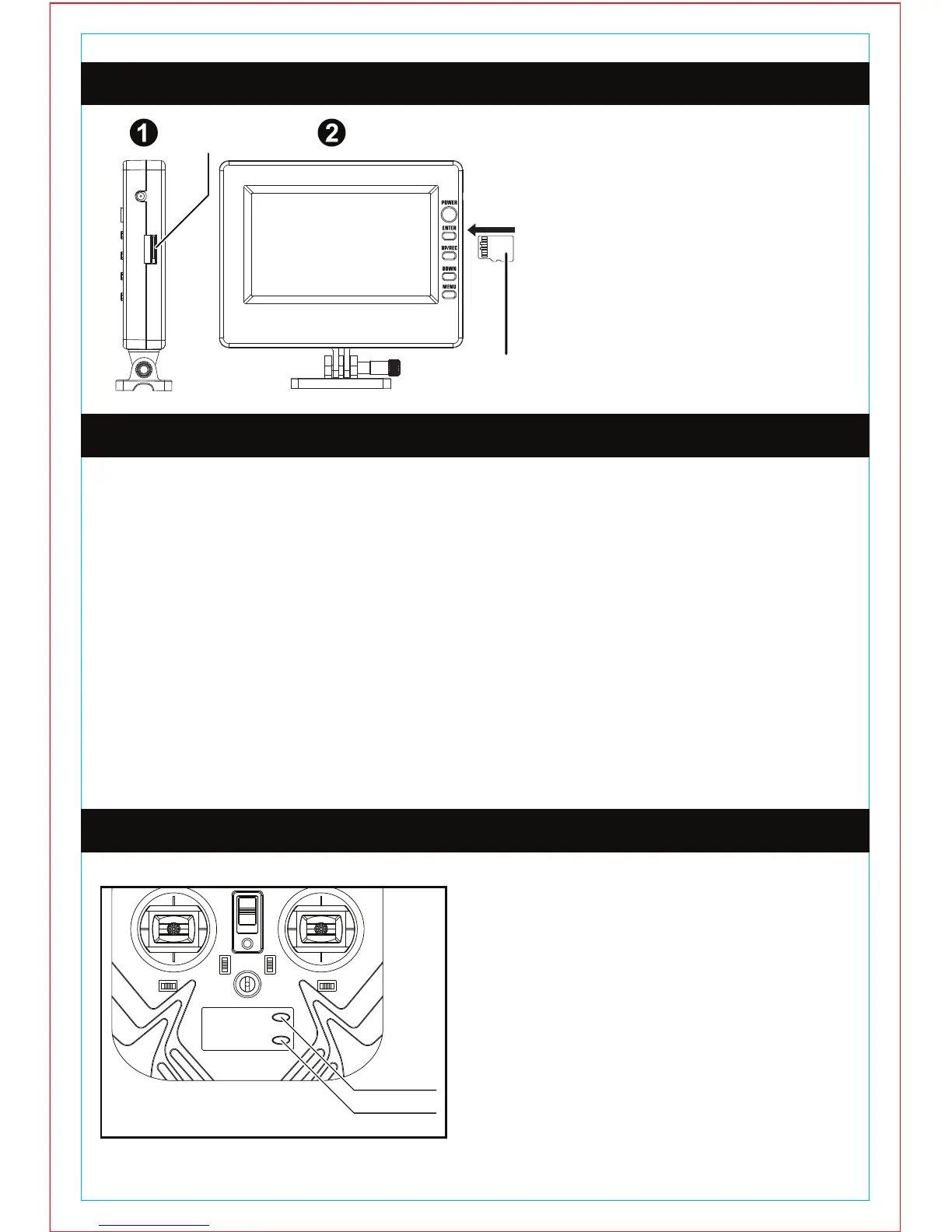
MINI MEMORY CARD INSTALLATION
SYNCING THE DRONE
EASY MODE / ALTITUDE LOCK
1.) Locate the mini memory card
slot on the right side of the live
feed video screen.
2.) Grab the included mini memory
card. The gold contacts on the
mini memory card should be
facing you when you insert it into
the slot. Push the card in until you
hear it click into place. To remove
the card push it in until you hear it
click then you can easily slide it
out.
1.) Plug the battery pack into the bottom of the drone and close the battery
compartment. The drone does not have an ON/OFF switch, connecting the battery
pack turns the drone ON. The LED lights on the drone will flash when the battery is
connected.
2.) Place the drone on a flat surface away from obstacles.
3.) Install 6 AA batteries in the transmitter and close the battery compartment. Make
sure the THROTTLE STICK (Left Joystick) is in the down position before turning on
the transmitter. Turn on the transmitter and you will hear an audible BEEP, the
power indicator light will be flashing. Quickly move the THROTTLE STICK all the
way up and all the way down, you will hear another BEEP and the power indicator
light will stop flashing. The transmitter is now SYNCED with the drone and is ready
to fly.
4.) Slowly push up on the THROTTLE STICK to make the drone ascend.
MINI MEMORY
CARD SLOT
MINI MEMORY
CARD
EASY MODE
ALTITUDE LOCK


 To Next Page