EasyManua.ls Logo

Alpine 3342 - Manufacturers Equalization Preset Selection; Display Mode Selection

Alpine 3342
27 pages
Print Icon
To Next Page IconTo Next Page
To Previous Page IconTo Previous Page
Loading...
Manufacturer's
Equalization
Preset
Selection
1.
Select
and
play
back
your
desired
music
category,
vocal
for
example.
2.
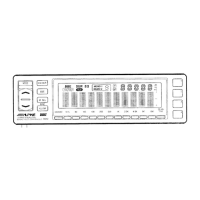
Press
the
EQ/SUR
button
©
to
select
the
Equalizer
mode,
and
make
sure
the
EQ
indicator
lights
up.
Press
the
P/M
button
©
to
enter
the
Manufacturer's
Memory
mode.
The
[M|
indicator
(8
will
illuminate
in
the
display.
4.
Press
the
M.
SEL
button
to
select
the
MEMO
No.
you
the
MEMO
No.
displays
on
the
MEMO
No.
indicator
©.
5.
Press
one
of
the
four
Preset
buttons
[1
to
[4]
©
to
select
the
memory
paitern
you
desire,
and
then
the
Manufacturer's
Equalizer
Response
you
desire
displays
and
activates.
oo
sre,
and
make
sure
Changing
the
Display
1.
Press
and
hold
the
Up
button
®
for
more
than
2
seconds
to
select
the
normal
or
reverse
mode.
2.
Press
and
hold
the
Down
button
©
for
more
than
2
seconds
to
select
the
positive
or
the
negative
display.
3.
Press
the
DISP
button
©
repeatedly
to
select
the
desired
display
mode
from
among
the
10
possible
selections.
*
There
are
36
kinds
of
design
modes
in
total.
Positive
mode
in
Normal
(Standard).............cccccccssscscceceseseeeceesesssesseeeeeseeeeesenes
10
Negative
mode
in
Normal
Mode...
.si.irrsicccesiinn
teeters
nde
isa
eee
10
Positive
mode
in
Reverse
(REVErse)...........ccccccccccccccceeceeeessesssereseserssctersssestseees
8
NEQANVE
Mode
I
REVEse
MOdE
lint
uctineeiiien
Seas
tenes
lie
N
acraeccenk
8
NOTE:
The
Normal/Reverse
mode
can
not
be
selected
on
the
DISP
0
and
DISP
8.
Therefore,
press
the
DISP
button
©
to
set
the
DISP
0
or
DISP
8.
[Display
Examples]
DISP
1,
Normal
Mode
(Positive)
DISP
5,
Normal
Mode
(Positive)

Related product manuals