EasyManua.ls Logo

Alpine 3D Shuttle 7980M - Page 23

Alpine 3D Shuttle 7980M
46 pages
Print Icon
To Next Page IconTo Next Page
To Previous Page IconTo Previous Page
Loading...
CAUTIONS:
e
This
unit
can
be
used
for
the
model
corresponding
to
the
remote
control
unit
manufactured
by
Alpine.
However,
it
must
be
noted
that
the
operational
functions
differ
with
models
to
be
controlled.
e
This
unit
is
small
and
light
weight.
Take
care
not
to
drop
or
hit
it.
Do
not
put
the
unit
in
a
pocket
where
it
might
be
sat
on
or
exposed
to
undue
stress
or
dirt.
This
could
cause
shorter
cell
life
and
circuit
malfunction.
e
To
take
out
a
stain
from
this
unit,
wipe
it
with
a
slightly
damp
cloth.
e
Never
use
a
kind
of
benzine
or
thinner
because
they
cause
the
case
or
the
coating
to
change
in
quality.
e
Protect
this unit
from
dust
and
moisture,
and
take
care
not
to
give
it
a
hard
shock
or
to
pour
drinks
on
it.
e
In
summer,
the
temperature
sometimes
rises
in
the
car.
In
such
a
case,
first
open
the
window
and
use
this
unit
after
driving
the
car
for
a
while
to
cause
the
temperature
to
fall.
e
Take
care
not
to
put
this
unit
on
a
place
exposed
to
the
direct
sunlight,
such
as
the
dashboard.
e
Use
this
unit
so
as
not
to
cause
the
driving
to
be
disturbed.
Cell
Replacement
Applicable
cell...
Use
one
CR2025
or
equivalent.
1.
Opening
the
Cell
case
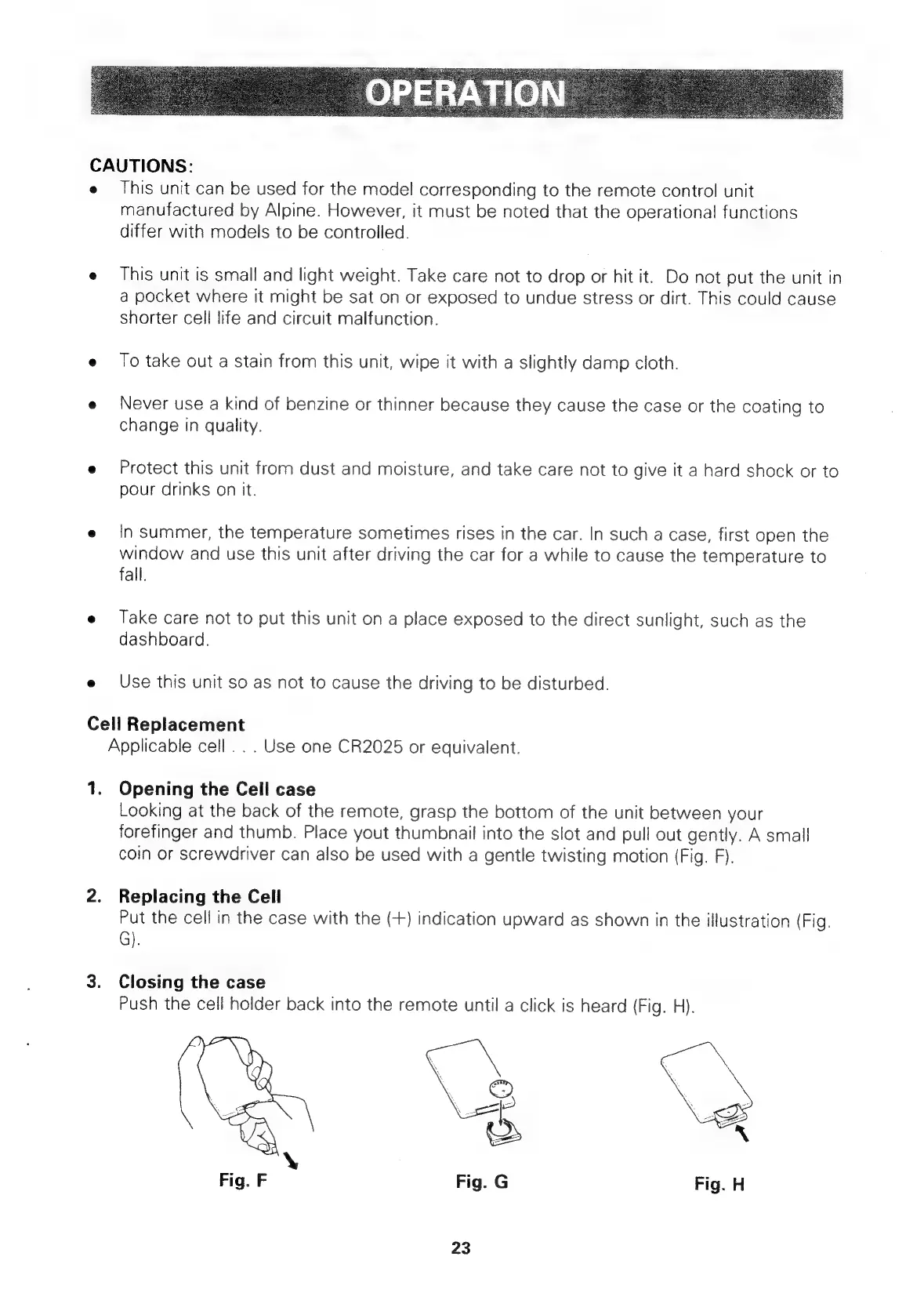
Looking
at
the
back
of
the
remote,
grasp
the
bottom
of
the
unit
between
your
forefinger
and
thumb.
Place
yout
thumbnail
into
the
slot
and
pull
out
gently.
A
small
coin
or
screwdriver
can
also
be
used
with
a
gentle
twisting
motion
(Fig.
F).
2.
Replacing
the
Cell
Put
the
cell
in
the
case
with
the
(+)
indication
upward
as
shown
in
the
illustration
(Fig.
G).
3.
Closing
the
case
Push
the
cell
holder
back
into
the
remote
until
a
click
is
heard
(Fig.
H).
23

Related product manuals