40
English
Radio Operation
1
F1
F2
AM
D.A.P
.
2
BAND
Tuning to Preset Stations
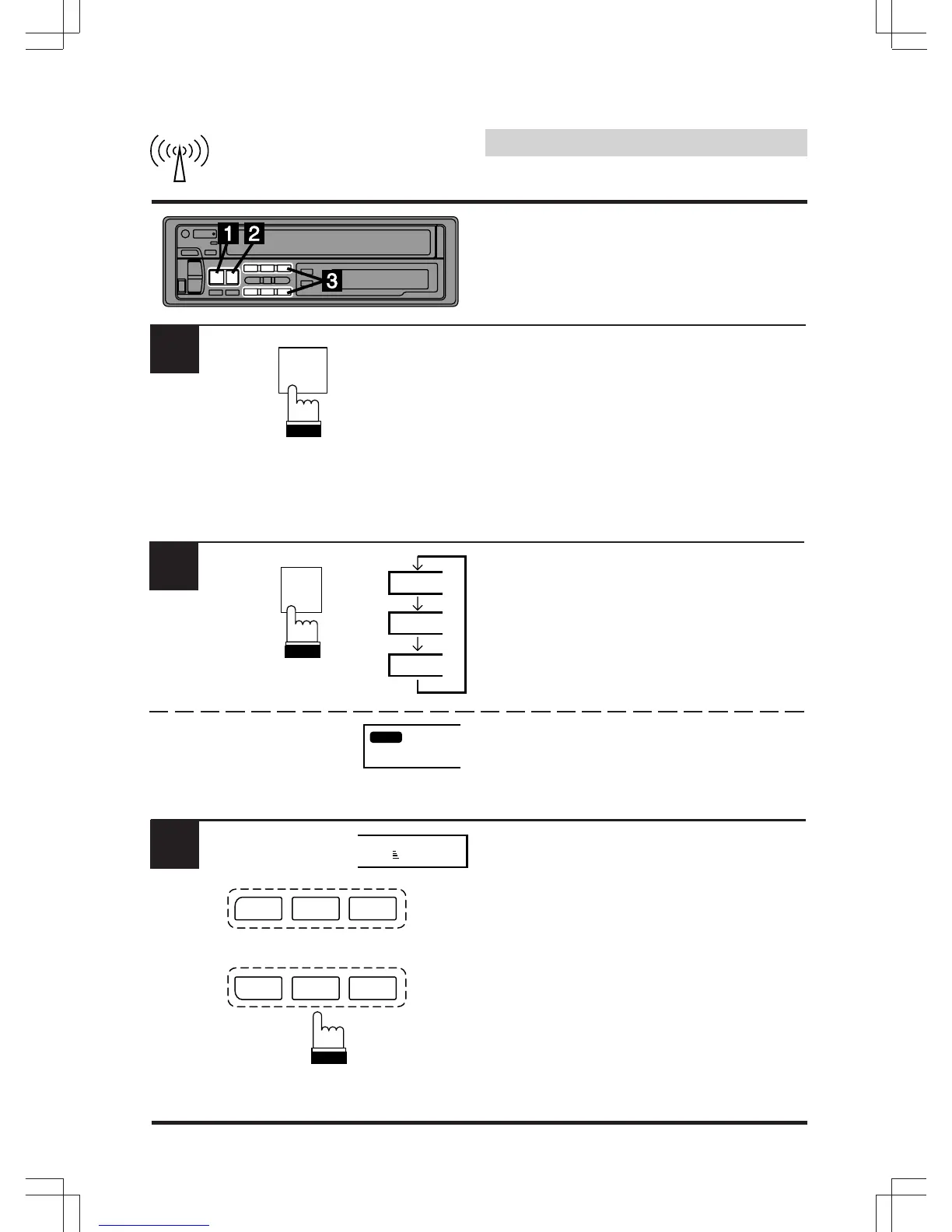
Press the SOURCE button to select the radio
mode.
Press the BAND button repeatedly until the
desired band is displayed.
To select the D.A.P. band, press the "F" button
then the D.A.P. button.
The D.A.P. indicator will appear in the display.
Make sure that the Function indicator
illuminates, and press the station preset button
that has your desired radio station in memory.
The display shows the band, preset number
with a triangle and frequency of the station
selected.
3
90.1
F2 2
CT H M
D.A.P. MONO
12 3
M.I.X. RPT
45 6
SCAN
SOURCE
A.S.U.


 To Next Page