Need help?
Do you have a question about the Alpine 6LQ27TRMXX and is the answer not in the manual?
Pull straight on the release strap to undock. The speaker will be in the off state.
Set speaker on pivot, push to latch. Speaker functions are disabled when docked.
Press the power button for 2-3 seconds to turn the speaker on or off.
Toggle Bluetooth on your device. Speaker auto-pairs. Pair second device by holding button.
Use '+' and '-' buttons to adjust volume. An audio cue indicates max volume.
Avoid rain, moisture, liquids, excessive heat, and open flames to prevent fire or shock.
Handle battery with care; avoid heat, leakage, puncture, or improper replacement.
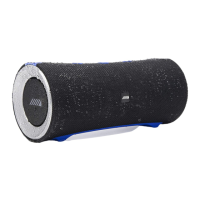
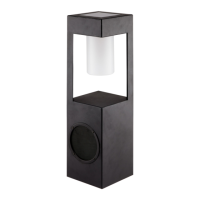
The Jeep Wireless Speaker, model 6LQ27TRMXX, is a portable audio device designed for use both independently and integrated with a Jeep vehicle's sound system. This user guide outlines its functions, usage, and maintenance.
The Jeep Wireless Speaker serves as a versatile audio output device, capable of playing music and handling speakerphone calls. When undocked from a Jeep vehicle, it operates as a standalone Bluetooth speaker, allowing users to stream audio wirelessly from their mobile devices. When docked, it integrates with the vehicle's sound system, utilizing the vehicle's power and audio capabilities while disabling its independent Bluetooth and button functionalities. The speaker features a rechargeable lithium-ion battery, enabling portable use. It is also designed with IP67 waterproof certification, making it suitable for use in wet environments, capable of withstanding submersion in up to 3 feet (1 meter) of water for up to 30 minutes.
To power the speaker on or off, press and hold the power button for 2-3 seconds. Upon powering on, the speaker automatically enters pairing mode. To pair a second device, press and hold the Bluetooth button for 2-3 seconds until an audio cue is heard. Users can then select "Jeep Speaker" from their device's Bluetooth settings. The speaker remembers the last 8 devices it has paired with. If left on with an inactive Bluetooth connection for 30 minutes, the speaker will automatically power off to conserve battery.
Volume can be adjusted using the "+" and "-" buttons. Pressing the "+" button increases the volume, while pressing the "-" button decreases it. An audio cue indicates when maximum volume is reached. To skip to the next track, press the "+" button. To play the previous track, press and hold the "-" button.
The speaker includes a microphone button that allows users to answer and end calls when using the speaker as a speakerphone.
To undock the speaker, pull straight on the release strap. When undocked, the speaker will be in the off state. To dock the speaker, first place it onto the pivot in the bottom center of the vehicle dock. Then, gently push against the speaker to rock it back until the latch is completely closed. While docked, the speaker's Bluetooth, button, and LED functionalities are disabled as it operates as part of the Jeep audio system.
The speaker can be charged in two ways:
The speaker can charge most USB-enabled smartphones and tablets via its full-sized USB port. To use this feature, turn the speaker on, plug a USB power cable into the speaker's USB port, and then connect the other end to the device to be charged. Note that external USB charging is disabled when the speaker's battery level falls to 30% or below (indicated by a red battery status LED) and will re-enable when the battery charges back up to 50%.
The Battery Status LED indicates the speaker's charge level:
To reset the speaker to its original factory settings, press the reset button located under the back cover for 8-10 seconds.
For optimal waterproof performance, ensure all cable connections are removed and the port cover is tightly sealed before using the speaker in a wet environment. Failure to securely fasten the cover may result in water damage.
The speaker's lithium-ion rechargeable battery charges within a temperature range of 32°F to 113°F (0°C to 45°C). It is important to avoid exposing the product or battery to excessive heat, direct sunlight, or fire, as this can cause the battery to generate heat, rupture, or ignite, potentially leading to performance loss and a shortened lifespan.
 General
| Frequency Response | 65 Hz - 22 kHz |
|---|---|
| Impedance | 4 Ohms |
| Sensitivity | 88dB |
| Surround Material | Rubber |
| Voice Coil Diameter | 1 inch |
| Speaker Size | 6.5 inches |


 To Next Page