12-EN
Basic
Setting the Bass Forward
The Bass Forward function shifts the low
frequency's energy component to the front. This
moves the high energy, dynamic bass sound to
the front sound stage.
1 Press the B-FWD button to activate the Bass
Forward setting mode.
2 Press the DN g button or f UP button to
select the Bass Forward level.
OFF ←→ 1 ←→ 2 ←→ 3
(Less ←
....
→ More)
NOTE
If no buttons are pressed within 5 seconds, the setup
menu returns to the normal audio display.
Defeat
By setting Defeat ON, all previously adjusted
settings will return to the factory defaults.
1 Press the DEFEAT button for more than 3
seconds to turn Defeat on.
To cancel Defeat, press the DEFEAT button
again for more than 3 seconds.
Blackout Mode On and Off
CDA- 7876RB/TDA-7588RB only
When the Blackout mode is turned on, the display
will turn off to reduce power consumption.
This additional power enhances the sound quality.
1 Press and hold the B.OUT button for at least 3
seconds to start the blackout mode. By doing so
the display will be turned off.
NOTE
If any button on the unit is pressed during the blackout
mode, the function will be displayed for 5 seconds to
show the operation before returning to Blackout mode.
To cancel the blackout mode, press and hold the
B.OUT button for at least 3 seconds.
Basic Operation
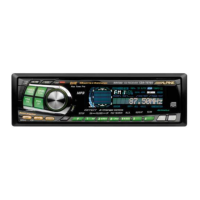
g DN
f UP
DISP/ B.OUT (CDA-7876RB/TDA-7588RB only)
X-OVERB-FWD/DEFEAT



 To Next Page