16-EN
Erasing Disc Title/Station Title
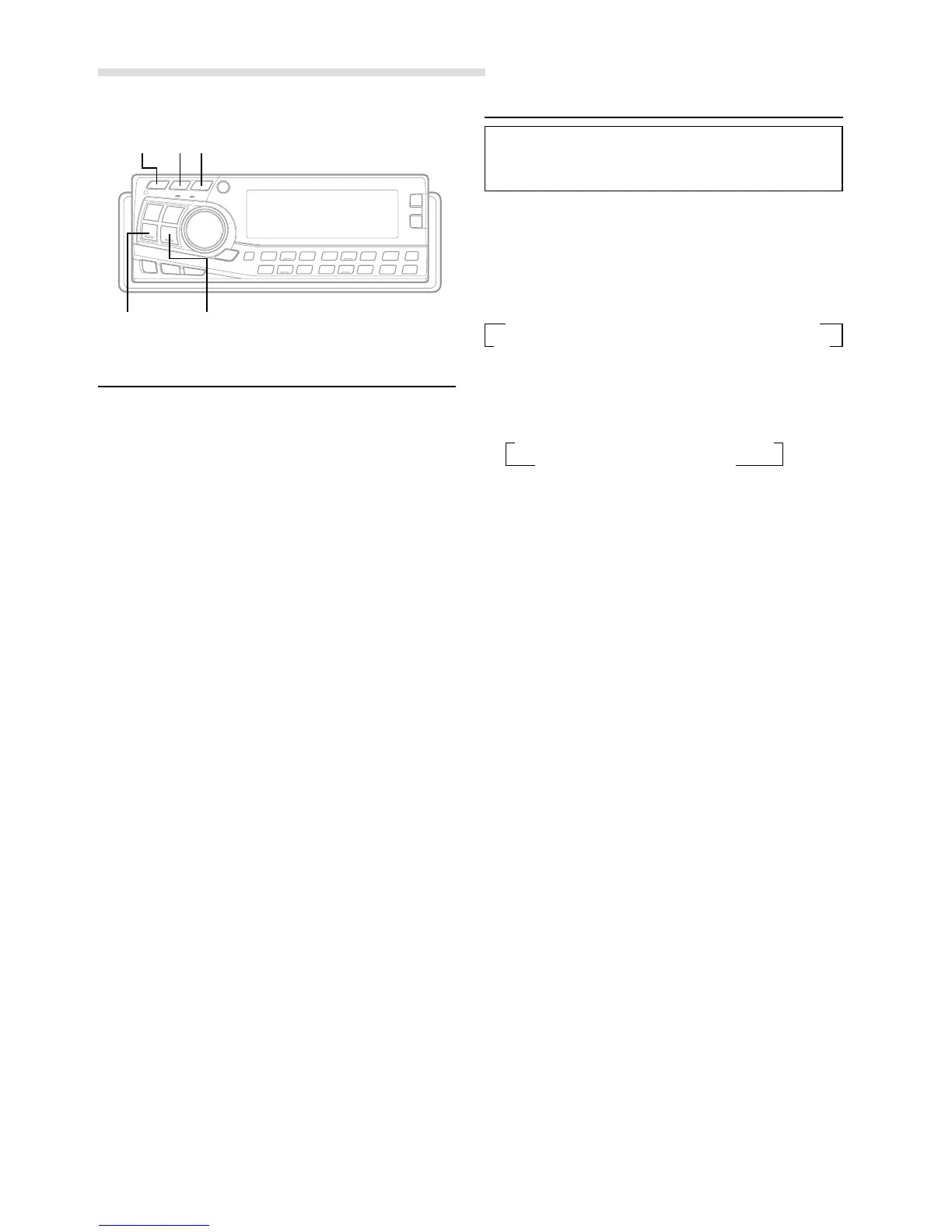
1 Press the TITLE button to select the titling mode. Then,
press and hold for at least 3 seconds.
2 Press and hold the -/J button for at least 2 seconds
to activate the title scanning mode. The title in the
display will blink.
3 Press the g DN or f UP button repeatedly until
the title you want to erase is displayed.
4 Press and hold the -/J button for at least 2 seconds
to erase the title displayed.
5 Press the TITLE button to cancel the title erasing
mode.
NOTE
You cannot erase CD-TEXT.
Basic Operation
-/J
g DN f UP
TITLE DISP
Switching the Display Modes
You can select the display pattern mode from ten display
patterns (six display patterns for CDA-7897). You can
also deactivate the display.
1 Press the DISP(DISPLAY) button to select the desired
Display pattern mode.
Each press changes the display patterns
< CDA-7998 >
NOTE
* Pattern 10 displays Pattern 1 to Pattern 9 repeatedly.
< CDA-7897 >
NOTE
∗ Pattern 6 displays Pattern 1 to Pattern 3 repeatedly.
→
Pattern
1 →
Pattern
2 →
Pattern
3 →
Pattern
4 →
Pattern
5
Pattern
10
∗
←
Pattern
9 ←
Pattern
8 ←
Pattern
7 ←
Pattern
6 ←
→
Pattern
1 →
Pattern
2 →
Pattern
3 →
Pattern
4
Pattern
6
∗
←
Pattern
5
(Silent mode)
←



 To Next Page