26
01.04CDEW235BT-QRG.fm
ALPINE CDE-W235BT 68-21627Z29-A (EN/DE/FR)
Setting the Time / Einstellen der Zeit / Réglage de l’heure
English Deutsch Français
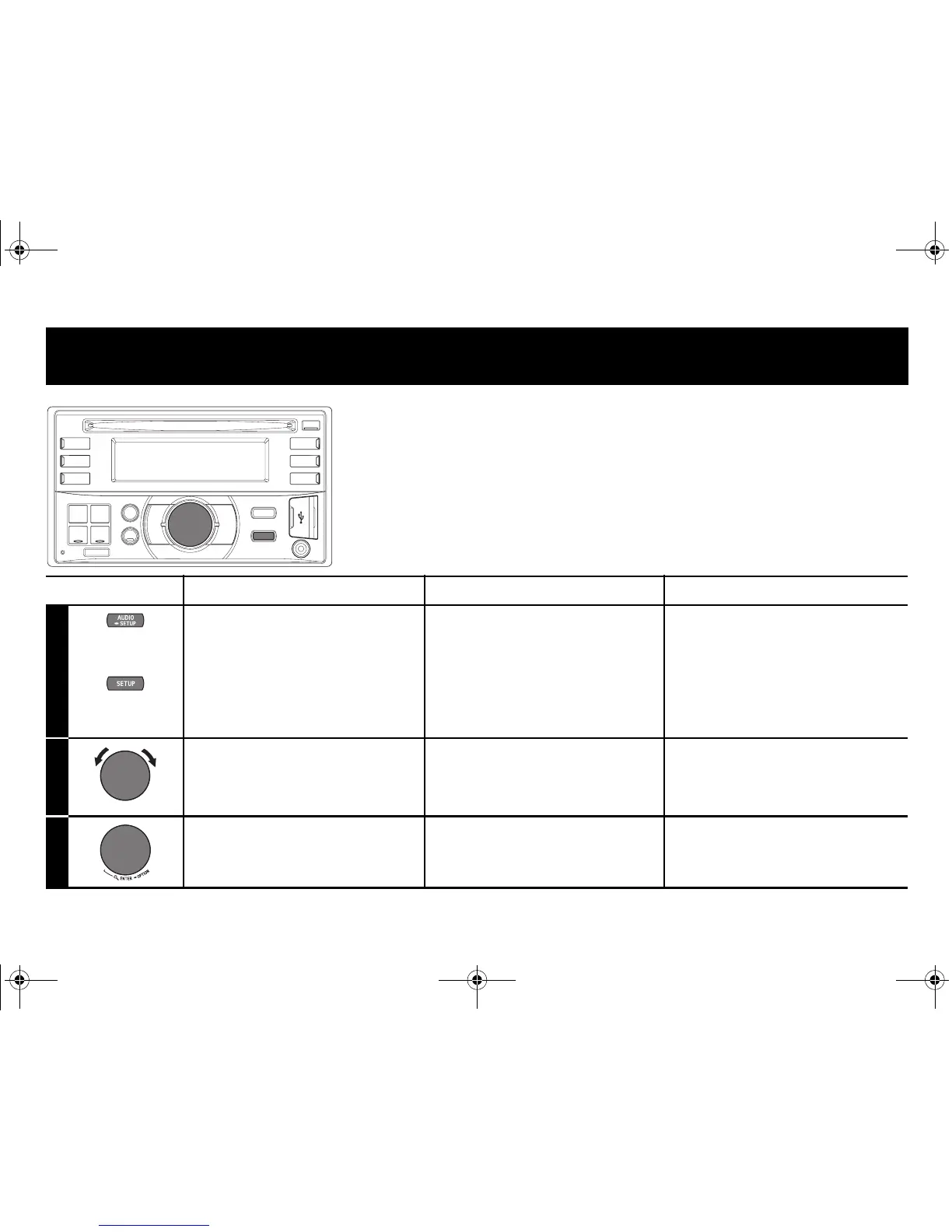
1
Press and hold AUDIO/
SETUP (CDE-W235BT only)
for at least 2 seconds or press
SETUP (CDE-W233R only) to
activate the SETUP selection
mode.
Halten Sie AUDIO/SETUP
(nur CDE-W235BT) mindestens
2 Sekunden lang gedrückt
oder drücken Sie SETUP (nur
CDE-W233R), um den SETUP-
Auswahlmodus zu aktivieren.
Maintenez enfoncée la touche
AUDIO/SETUP (CDE-W235BT
uniquement) pendant au moins
2 secondes ou appuyez sur la
touche SETUP (CDE-W233R
uniquement) pour activer le
mode de sélection SETUP.
2
Select GENERAL mode. Auswählen der GENERAL-
Betriebsart.
Sélectionnez le mode
GENERAL.
3
Enter. Drücken Sie zum Bestätigen
Enter.
Entrée.
(CDE-W235BT only /
nur CDE-W235BT /
CDE-W235BT uniquement)
(CDE-W233R only /
nur CDE-W233R /
CDE-W233R uniquement)
01.00CDEW235BT-QRG.book Page 26 Friday, November 18, 2011 2:40 PM



 To Next Page
 Loading...