36
EspañolFrançais
English
PTY (Programme Type)
Tuning
Accord PTY (Type de
programme)
Sintonía por tipo de
programa (PTY)
1
A página siguiente
A next page
A page suivante
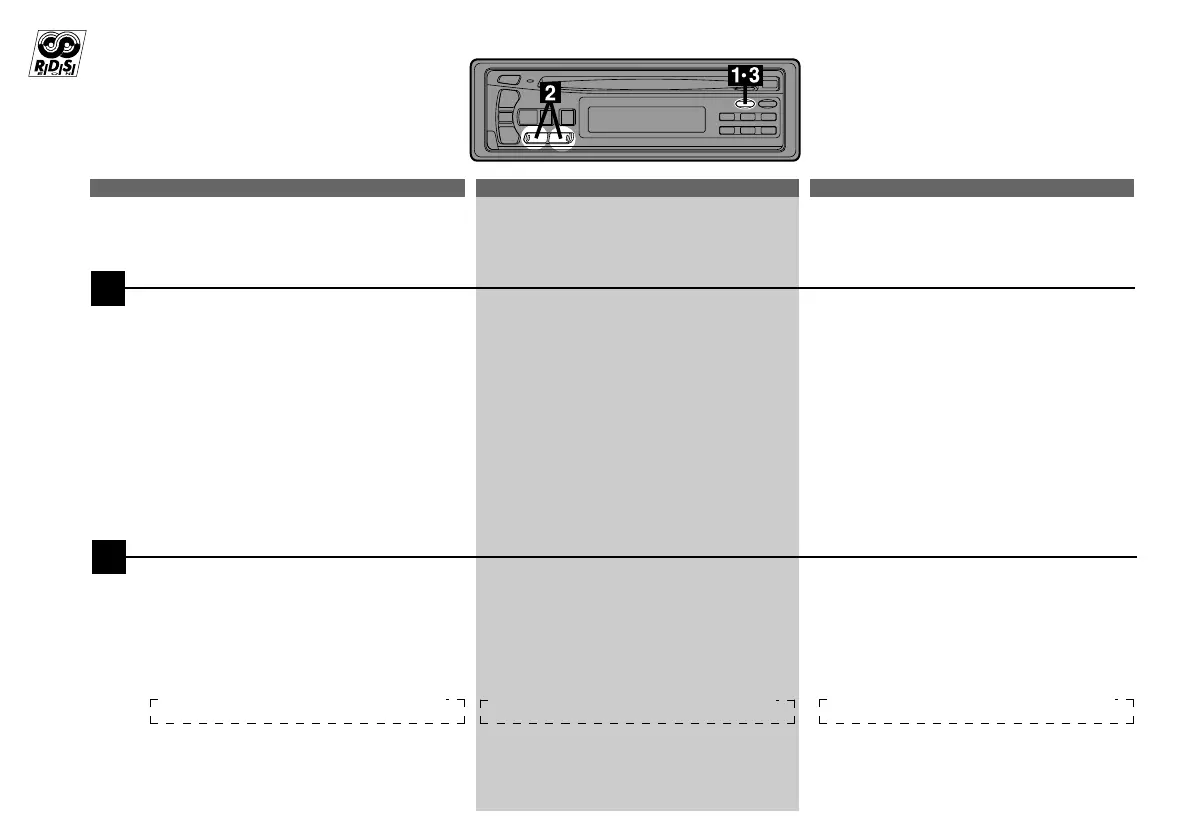
Press and hold the PTY button for at least 2
seconds to activate the PTY mode. The
Programme Type of the station being
currently received will be displayed for 5
seconds.
• If there is no receivable PTY broadcast,
"NONE" will be displayed for 5 seconds.
• If no RDS station can be received, the
display shows "NO RDS."
Note: If no button is pressed within 5
seconds after pressing the PTY
button, the PTY mode will be
automatically cancelled.
Appuyez pendant au moins 2 secondes sur
la touche PTY pour activer le mode PTY.
Le type de programme de la station en
cours de réception est affiché pendant 5
secondes.
• Si aucun programme PTY n'est diffusé,
"NONE" est affiché pendant 5 secondes.
• Si aucune station RDS n'est reçue,
l'affichage indique "NO RDS".
Remarque: Si vous n'appuyez sur aucune
touche dans les 5 secondes
qui suivent une pression sur la
touche PTY, le mode PTY est
automatiquement annulé*.
Mantenga presionado el botón PTY durante
2 segundos por lo menos para activar el
modo PTY. El tipo de programa de la
emisora que esté recibiéndose se visualizará
durante 5 segundos.
• Si no hay ninguna emisión de PTY, se
visualizará "NONE" durante 5 segundos.
• Si no puede recibirse ninguna emisora de
RDS, el visualizador mostrará "NO RDS".
Nota: Si una vez presionado el botón PTY no
presiona ningún botón antes de 5
segundos, el modo PTY se cancelará
automáticamente.
2
Appuyez sur les touches g DN et UP f
dans les 5 secondes après la mise en service
du mode PTY pour choisir le type de pro-
gramme souhaité pendant qu'un type de
programme est affiché. Chaque fois que vous
appuyez sur la touche, un type de programme
défile sur l'affichage.
Presione los botones g DN y UP f
antes de 5 segundos de haber activado el
modo PTY para elegir el tipo de programa
deseado mientras esté visualizándose PTY
(tipo de programa). Con cada presión, el tipo
de programa se desplazará en uno.
Press the g DN and UP f buttons
within 5 seconds after activating the PTY
mode to choose the desired programme
type while the PTY (programme type) is
being displayed. Each press scrolls the
programme type by one.
LIGHT M ← CLASSICS → OTHER M LIGHT M ← CLASSICS → OTHER M
LIGHT M ← CLASSICS → OTHER M



 To Next Page