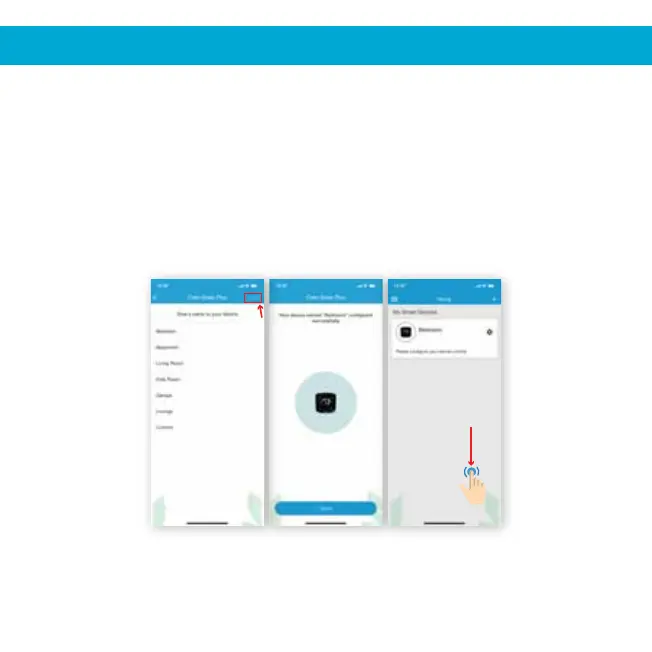
Step 1: Customize your device with a name of your choice (for example,
Step 2: Your device has been configured successfully. Tap on ‘Done’.
Step 3: After successful configuration, your device will display
Step 4: Once the circle around the Cielo device is green, tap on it to start the
9
4. REGISTRATION - iOS / Android
Step 1 Step 2 Steps 3, 4
If circle around
the Cielo device is
not green, refresh
screen by swiping
downwards
Bedroom, Lounge, Office, etc.), and tap on ‘Done’.
on your home screen.
AC remote control configuration process. If circle around the Cielo device
is not green, refresh screen by swiping downwards.


 To Next Page