13
8. CONFIGURING THE RIGHT REMOTE CONTROL FOR YOUR AC
Cielo Device auto detects the relevant remote control
for your AC during the registration process. If it is not
working with your AC, please select your remote model
manually or contact Cielo Support for help at:
+1 (425) 529-5775 or visit our website:
www.cielowigle.com and select ‘Support’.
For manual selection, follow these steps:
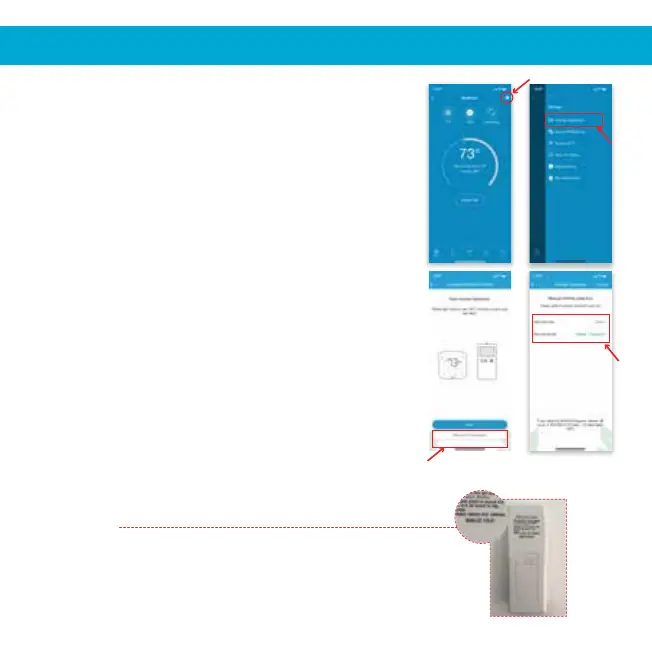
1. Screen A: Go to settings by tapping the
‘Settings’ icon on the
control screen.
2. Screen B: Select 'Change Appliance'.
3. Screen C: Select 'Manual Configuration'.
4. Screen D: Select the ‘Manufacturer’
& ‘Model’ of your AC’s remote
control from the drop
down lists and tap ‘Confirm’.
Quick Tip: Remote control model number is usually
found at the back side of the remote control as shown
in the image.
Screen A Screen B
Screen C Screen D


 To Next Page