EasyManua.ls Logo

Alpine DVR-C310R - User Manual

Alpine DVR-C310R
39 pages
Print Icon
To Next Page IconTo Next Page
Loading...
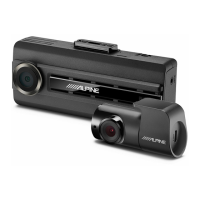
Advanced Dash Cam
DVR-C310R
DVR-C310S
RVC-C310
OWNER’S MANUAL
Please read before using this equipment.
MODE D’EMPLOI
Veuillez lire avant d’utiliser cet appareil.
BEDIENUNGSANLEITUNG
Lesen Sie diese Bedienungsanleitung bitte vor
Gebrauch des Gerätes.
MANUAL DE OPERACIÓN
Léalo antes de utilizar este equipo.
ISTRUZIONI PER L’USO
Si prega di leggere prima di utilizzare il attrezzatura.
РУКОВОДСТВО ПО ЭКСПЛУАТАЦИИ
Прочтите настоящее руководство перед началом
использования оборудования.
FOR CAR USE ONLY/ POUR APPLICATION AUTOMOBILE UNIQUEMENT/ NUR FÜR
AUTOMOBIL GEBRAUCH/ PARA USO EN AUTOMÓVILES/ SOLO PER L’UTILIZZO IN
AUTOMOBILE/ ТОЛЬКО ДЛЯ ИСПОЛЬЗОВАНИЯ В АВТОМОБИЛЯХ

Table of Contents

Questions and Answers

Alpine DVR-C310R Specifications

General IconGeneral
BrandAlpine
ModelDVR-C310R
CategoryDash Cameras
LanguageEnglish

Summary

FCC Statement

Information to user: RSS-247

Compliance information for IC radiation exposure limits and license-exempt transmitters.

Safety and Usage Guidelines

Safe Usage Precautions

Essential guidelines for safe operation and handling of the device.

Safety Symbols Explained

Interpretation of symbols used to convey important safety messages.

Driving Operation Safety

Specific safety advice for using the product while driving.

Power and Installation Safety

Critical safety rules for connecting power and installing the product.

Child Safety Warning

Caution regarding small parts and potential hazards for children.

Product Management and Operation

Guidelines for product handling, cleaning, and maintenance.

1. Product overview

1.1 Included items

Lists all items included in the product box.

1.2 Part names

Identifies and describes the different parts of the front and rear cameras.

1.3 Removing and inserting the memory card

Instructions on how to handle the memory card.

1.4 Overviewing connection diagram

Visual guide for connecting the product components.

2. Installing the product

2.1 Installing the front camera (main unit)

Steps for selecting an installation location and securing the front camera.

2.2 Installing the rear camera

Steps for selecting an installation location and securing the rear camera.

2.3 Installing the external GPS receiver

Instructions for mounting and connecting the external GPS receiver.

3. Using recording features

3.1 Turning the product on or off

How the product powers on and starts recording automatically.

3.2 Learning about file storage locations

Details on how and where video files are stored.

3.3 Using the continuous recording feature

Explains continuous recording mode and its operation.

3.4 Recording manually

How to manually start a recording session.

3.5 Using parking mode

Instructions for using the parking mode features.

4. Using the mobile viewer

4.1 Connect the product to a smartphone

Steps to connect the dash cam to a smartphone via Wi-Fi.

4.2 Viewing the mobile viewer screen layout

Overview of the mobile application's user interface.

5. Using the PC viewer

5.1 System requirements

Hardware and software requirements for the PC viewer.

5.2 Learning about the PC viewer

Introduces the PC viewer software and its functionalities.

6. Settings

6.1 Managing the memory card

Options for partitioning and formatting the memory card.

6.2 Setting the Camera

Adjusting the brightness of the front view recording.

6.3 Setting recording features

Configuring sensitivity, privacy recording, parking mode, and timers.

6.4 Read Safety settings

Setting up safety features like camera alerts and zone warnings.

6.5 Configuring the system settings

Adjusting language, volume, time zone, and speed stamp.

7. Accessing the product information

7.1 Viewing product information

Accessing basic product details like model name and firmware version.

7.2 Accessing and configuring the GPS

Viewing GPS information and initializing the GPS module.

8. Upgrading the firmware

9. Troubleshooting

10. Specifications

Related product manuals