EasyManua.ls Logo

Alpine DVR-C320R - User Manual

Alpine DVR-C320R
46 pages
Print Icon
To Next Page IconTo Next Page
Loading...
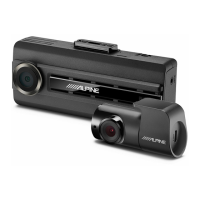
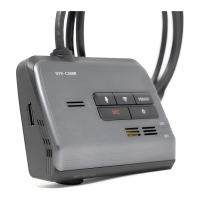
Advanced Dash Cam
DVR-C320R
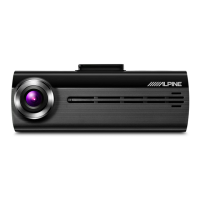
DVR-C320S
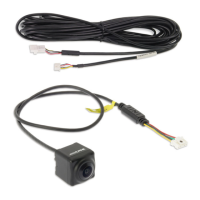
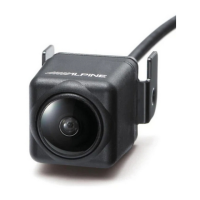
RVC-C320
OWNER’S MANUAL
Please read before using this equipment.
MODE D’EMPLOI
Veuillez lire avant d’utiliser cet appareil.
BEDIENUNGSANLEITUNG
Lesen Sie diese Bedienungsanleitung bitte vor
Gebrauch des Gerätes.
MANUAL DE OPERACIÓN
Léalo antes de utilizar este equipo.
ISTRUZIONI PER L’USO
Si prega di leggere prima di utilizzare il attrezzatura.
РУКОВОДСТВО ПО ЭКСПЛУАТАЦИИ
Прочтите настоящее руководство перед началом
использования оборудования.
FOR CAR USE ONLY/ POUR APPLICATION AUTOMOBILE UNIQUEMENT/ NUR FÜR
AUTOMOBIL GEBRAUCH/ PARA USO EN AUTOMÓVILES/ SOLO PER L’UTILIZZO IN
AUTOMOBILE/ ТОЛЬКО ДЛЯ ИСПОЛЬЗОВАНИЯ В АВТОМОБИЛЯХ

Table of Contents

Questions and Answers

Alpine DVR-C320R Specifications

General IconGeneral
BrandAlpine
ModelDVR-C320R
CategoryDash Cameras
LanguageEnglish

Summary

Product Overview

Basic Connection Diagrams

Illustrates how to connect the dash cam components, power, and rear camera.

Installing the Product

Installing the Front Camera (Main Unit)

Guides on selecting an installation location and securing the main dash cam unit.

Installing the Rear Camera

Details the process for selecting a location and securing the rear camera unit.

Using Recording Features

Using Parking Mode

Explains how the dash cam records when the vehicle is parked using Motion Detection, Time Lapse, or Energy Saving.

Using the Road Safety Features

Covers lane departure and collision warning systems (LDWS, FCWS, BCW, FVDW).

Operating on the Alpine Navigation;Display Audio System

Settings

Setting Road Safety Features

Customizes ADAS features including safety cameras, speed zones, and vehicle type settings.

Using the Mobile Viewer

Connect the Product to a Smartphone

Steps to download the app and link the dash cam with a mobile device via Wi-Fi.

Related product manuals