EasyManua.ls Logo

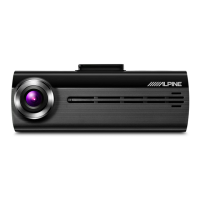
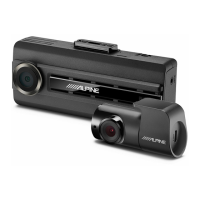
Alpine DVR-F200 - User Manual

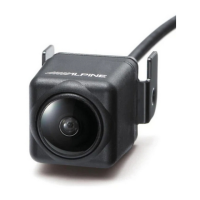
Alpine DVR-F200
49 pages
Print Icon
To Next Page IconTo Next Page
Loading...
In store "130" you can find and buy almost all necessary goods for your auto in
Kyiv and other cities, delivery by ground and postal services. Our experienced
consultants will provide you with exhaustive information and help you to chose
the very particular thing. We are waiting for you at the address
https://130.com.ua
PHONES
0 (800) 800 130
(050) 462 0 130
(063) 462 0 130
(067) 462 0 130
Internet store of
autogoods
CAR RECEIVERS Receivers Media receivers and stations Native receivers CD/DVD changers FM-modulators/USB adapters Flash memory Facia plates and adapters Antennas Accessories |
CAR AUDIO Car audio speakers Amplifiers Subwoofers Processors Crossovers Headphones Accessories | TRIP COMPUTERS Universal computers Model computers Accessories |
GPS NAVIGATORS Portable GPS Built-in GPS GPS modules GPS trackers Antennas for GPS navigators Accessories | VIDEO DVR TV sets and monitors Car TV tuners Cameras Videomodules
Transcoders Car TV antennas Accessories | SECURITY SYSTEMS Car alarms Bike alarms Mechanical blockers Immobilizers Sensors Accessories | OPTIC AND LIGHT Xenon Bixenon Lamps
LED Stroboscopes Optic and Headlights Washers Light, rain sensors Accessories | PARKTRONICS AND MIRRORS Rear parktronics Front parktronics Combined parktronics Rear-view mirrors
Accessories | HEATING AND COOLING Seat heaters Mirrors heaters Screen-wipers heaters Engine heaters Auto-refrigerators Air conditioning units Accessories | TUNING Vibro-isolation
Noise-isolation Tint films Accessories | ACCESSORIES Radar-detectors Handsfree, Bluetooth Windowlifters Compressors Beeps, loudspeakers Measuring instruments Cleaners Carsits
Miscellaneous | MOUNTING Installation kits Upholstery Grilles Tubes Cable and wire Tools Miscellaneous | POWER Batteries Converters Start-charging equipment Capacitors
Accessories | MARINE AUDIO AND ELECTRONICS Marine receivers Marine audio speakers Marine subwoofers Marine amplifiers Accessories | CAR CARE PRODUCTS Additives Washer fluid
Care accessories Car polish Flavors Adhesives and sealants | LIQUID AND OIL Motor oil Transmission oil Brake fluid Antifreeze Technical lubricant
SKYPE
km-130

Table of Contents

Questions and Answers

Alpine DVR-F200 Specifications

General IconGeneral
BrandAlpine
ModelDVR-F200
CategoryDash Cameras
LanguageEnglish

Summary

Before Using the Product

About the Product

Details the product's function, limitations, and intended use for recording vehicle incidents.

About the User Guide

Explains the purpose and potential limitations of the user guide itself.

Copyrights and Trademarks

Legal information regarding content ownership and registered product names.

1. Product Overview

1.1 Included Items

Lists all standard items included in the product packaging.

1.2 Part Names

Identifies and describes the various components of the dash cam system.

2. Installing the Product

2.1 Installing the Front Camera (Main Unit)

Step-by-step guide for mounting and connecting the primary dash cam unit.

2.2 Installing the Rear Camera (Optional)

Instructions for installing the optional rear camera for extended coverage.

3. Using Recording Features

3.1 Turning the Product On or Off

Explains the procedure for powering the dash cam on and off.

3.2 File Storage Locations

Details the folders on the memory card where different types of recordings are stored.

3.3 Continuous Recording

Describes how the dash cam continuously records video while driving.

3.4 Manual Recording

Guides users on how to manually start recording specific events.

3.5 Parking Mode

Explains how to enable and use the parking mode for surveillance when parked.

4. Using the Mobile Viewer

4.1 Connecting to a Smartphone

Provides instructions for connecting the dash cam to a smartphone via Wi-Fi.

4.2 Mobile Viewer Screen Layout

Illustrates and explains the different elements of the mobile app interface.

4.3 Playing Recorded Videos

Guides users on how to view recorded video files using the mobile application.

5. Using the PC Viewer

5.1 System Requirements

Specifies the necessary hardware and software for running the PC viewer application.

5.2 PC Viewer for Windows

Details on installing, using, and navigating the PC viewer software on Windows.

5.3 PC Viewer for Mac

Details on installing, using, and navigating the PC viewer software on macOS.

6. Settings

6.1 Managing the Memory Card

Covers operations related to the memory card, such as partitioning and formatting.

6.2 Setting the Camera

Allows adjustment of camera settings, including brightness for front and rear views.

6.3 Setting Recording Features

Configuration options for recording modes, sensitivity, and timers.

6.4 Setting Road Safety Features

6.4.1 Setting the Safety Cameras

Enables or disables alerts for safety cameras and speed zones.

6.4.2 Setting the Mobile Zone Alert

Configures alerts for mobile speed cameras or other zones.

6.5 Configuring System Settings

6.5.1 Setting the Display Language

Allows selection of the user interface language for the device.

6.5.2 Adjusting System Volume

Controls the volume level for voice guidance and audio alerts.

6.5.3 Setting the Time Zone

Sets the correct time zone for accurate video timestamps.

6.5.4 Setting Daylight Saving Time

Enables or disables the daylight saving time adjustment for the clock.

6.5.5 Setting the Speed Unit

Selects the unit for displaying vehicle speed (km/h or mph).

6.5.6 Setting the Speed Stamp

Enables or disables the display of vehicle speed on recorded videos.

7. Accessing Product Information

7.1 Viewing Product Information

Displays basic product details such as model name and firmware version.

7.2 Accessing and Configuring the GPS

Details how to view GPS status and configure GPS-related settings.

8. Upgrading the Firmware

9. Troubleshooting

10. Specifications

Related product manuals