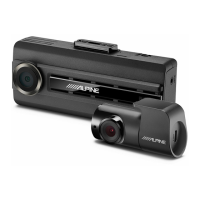
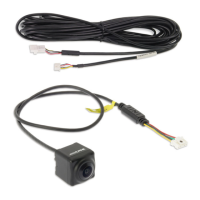
Product overview
15
1.4.3 Setting the auxiliary (AUX) name of the navigation/display audio system
On the Source setting screen, set AUX to On, and then set the AUX name to Dash Cam. For details on
operating the navigation/display audio system, refer to its owner manual.
The latest AV(N) firmware must be installed.
1.4.4 ADAS warning message
WhentheFrontVehicleDepartureWarningorBackCollisionWarningSystemfeaturesareenabled,the
ADAS warning message will be displayed on the navigation/display audio system depending on the
vehicle’s status in traffic.
• For your safety, the Dash Cam’s screen or movies are not displayed on the navigation/display audio system
while driving.
• The ADAS warning message is displayed on the navigation/display audio system while driving.



 To Next Page