•
Be
sure to connect the color coded leads according to the
diagram. Incorrect connections may cause the unit to
malfunction
or
damage to the vehicle's electrical system.
• When making connections to the vehicle's electrical system,
be aware
of
the factory installed components (e.g. on-board
computer). Do not tap into these leads to provide power for this
unit.
When
connecting the HCE-Cl57D to the fuse box, make
sure the fuse for the intended circuit
of
the HCE-Cl57D has the
appropriate amperage. Failure to do so may result in damage to
the unit and/or the vehicle.
When
in doubt, consult your Alpine
dealer.
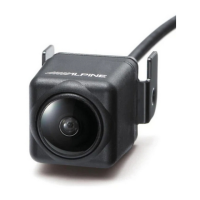
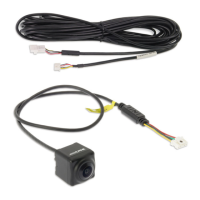
• About Rear Camera
The rear camera
of
this camera system
is
a dedicated product.
Do not connect it to other cameras.
• About Power Connection
Connect a reverse input cable (orange/white) to the power cable
of
the rear lamp. For details, consult a dealer purchased camera,
or
car dealer. Connect this to a power cable
of
the rear lamp, but
not to the positive
of
the rear lamp signal cable.
•
Do
not use mobile phones and wireless devices near the
camera.
• Doing so may result in noise on the screen
or
malfunction.
It
is
recommended to use mobile phones
or
wireless devices away
from the camera.
• About Camera Installation Location
Before installing, make sure there
is
a enough space to be able
to install the camera. If possible, install the camera in the center
of
the
bumper
or
other fitting. If the camera
is
installed at a
distance left
or
right
of
center, the image may differ from the
real view.
• Confirming the Display Function
To
connect the unit, confirm that the monitor will require a
compatible RCA pin jack.


 To Next Page
 Loading...