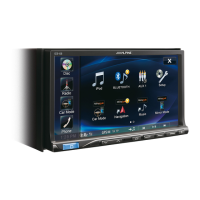
ALPINE iLX-F509 68-41657Z87-A_QRG (EN)
21-EN
EN
FR
ES
To USB flash drive, iPhone or Android smartphone.
To iPhone or Android smartphone (For charging
For more information on how to install the SiriusXM
Connect Vehicle tuner, consult the installation guide
Steering Remote Control Interface Connector
For details about connections, consult your nearest
Connect this lead to the remote input lead of your
Connect this lead to the remote input lead of your
Subwoofer RCA Connectors
RED is right and WHITE is left.
Front Output RCA Connectors
Can be used as Front Output RCA Connectors. RED is
right and WHITE is left.
Rear Output RCA Connectors
Can be used as Rear Output RCA Connectors. RED is
right and WHITE is left.
Left Rear (+) Speaker Output Lead (Green)
Left Rear (–) Speaker Output Lead (Green/Black)
Left Front (+) Speaker Output Lead (White)
Left Front (–) Speaker Output Lead (White/Black)
Right Front (–) Speaker Output Lead (Gray/Black)
Right Front (+) Speaker Output Lead (Gray)
Right Rear (–) Speaker Output Lead (Violet/Black)
Right Rear (+) Speaker Output Lead (Violet)
Remote Turn-On Lead (Blue/White)
Connect this lead to the remote turn-on lead of your
amplifier or signal processor.
Reverse Lead (Violet/White)
Parking Brake Lead (Yellow/Blue)
Connect this lead to the power supply side of parking
brake switch to transmit the parking brake status
signals to the unit.
Power Antenna Lead (Blue)
Connect this lead to the +B terminal of your power
antenna, if applicable.
• This lead should be used only for controlling the
vehicle’s power antenna. Do not use this lead to turn
on an amplifier or a signal processor, etc.
Switched Power Lead (Ignition) (Red)
Connect this lead to an open terminal on the vehicle’s
fuse box or another unused power source that
provides (+) 12V only when the ignition is turned on or
in the accessory position.
Battery Lead (Yellow)
Connect this lead to the positive (+) post of the
vehicle’s battery.
Ground Lead (Black)
Connect this lead to a good chassis ground on the
vehicle.
Make sure the connection is made to bare metal and is
securely fastened using the sheet metal screw
provided.
Fuse Holder (15A)
USB Connector (2.4A)
To USB flash drive, iPhone or Android smartphone.
USB Connector (1.5A)
To iPhone or Android smartphone (For charging only).
REAR CAMERA Input Connector
Use when connecting a rear camera.
FRONT CAMERA Input Connector
Use when connecting a front camera or side camera.
iDataLink Connector
To Interface Box
(sold separately).
LIN Connector
Connect this lead to the LIN connector of the Dash
Cam.
Drive Recoder Input Connector
Input lead for Dash Cam video signal.
Speed Sensor Lead (Green/White)
Improper connection of the speed pulse line may
cause important safety features of the vehicle to fail
(such as the brakes or air bags). Such failures may result
in an accident and loss of life. We strongly recommend
that the installation be performed by a trained,
authorized Alpine dealer.



 To Next Page
 Loading...