Before Using This System
14
Switching the display on/off
With this system, when the display monitor is set in the navigation display mode or external input display
mode and the ignition key is turned to the ACC or ON positions, the opening screen will automatically appear.
When the system is used for the first
time, the language selection menu is
displayed. Select (highlight) the
desired language by tilting the joystick.
Then press the ENTER button.
Note: For English, you can select the distance indications in either
M (Mile) or km (Kilometre). For other languages, only
kilometer is used for the distance indications.
The opening screen is displayed.
After the opening screen is dis-
played, important information saying
"Please be sure to read this!" is dis-
played. Be sure to read it.
1-1
After you have read this important
information, press the ENTER button.
The map screen is displayed.
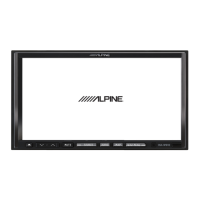
With the map displayed, press the OFF
button to turn off the monitor.
If you press the POWER button, the opening screen is
displayed.
3
aIf there is no disc in the navigation system, "Please insert map DVD ROM" is
displayed. For details on how to load the disc, see "Inserting the DVD-ROM" and
"Removing the DVD-ROM" on page 12.
aIf the disc cannot be read, the "DVD ROM unreadable. Please check DVD ROM"
message is displayed. Try reloading the disk and if the problem cannot be cured,
return to an authorized Alpine dealer.
aIf the monitor is kept on with the engine off for an extended period of time, the
vehicle’s battery may discharge.
aOperation varies depending upon the disc version in use. For details, refer to the
manual for the DVD ROM.
Tips
2
ENTER
OFF
1-2
ENTER


 To Next Page
 Loading...