4-EN
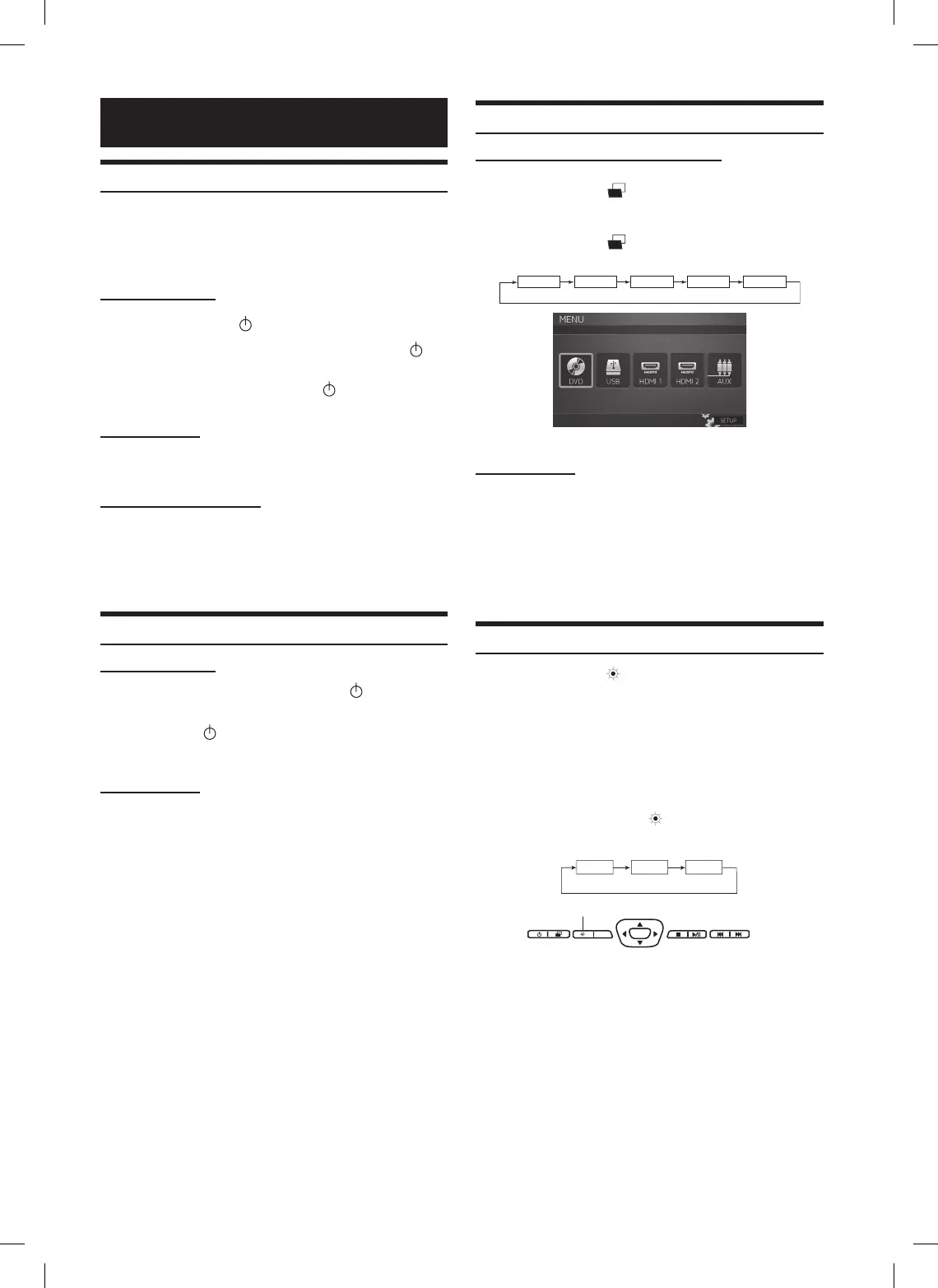
Switching the Source
Main Control Keys and Remote Control
1 Press SELECT (
) to display the Source Select
Menu.
2 Press SELECT (
) again to cycle through the
different sources.
DVD
USB
HDMI1
HDMI2 AUX
Remote Control
Press source buttons (DVD, USB, HDMI1, HDMI2 and
AUX) to select the source instantly.
• OSD (On Screen Display) will turn OFF automatically after 5
seconds without use.
• When the source is changed, the power is turned OFF or the ACC
is turned OFF, the device remembers the scene where the internal
DVD stopped and playback will resume from that point.
Setting the Backlight Brightness
1 Press Dimmer (
) on the Main Control Keys or
the remote control to cycle through High/Mid/Low.
• OSD will disappear in 3 seconds.
It is also changed from the backlight tab in the
Picture Setting Menu with < or > buttons. (refer to
Monitor Setup instructions page 6)
• OSD will disappear in 8 seconds.
• Press and hold the DIMMER (
) button for at least 2 seconds to
access the monitor setup menus.
ENT
DVD
Dimmer
Main Control Keys
Basic Operations
Turning Power ON/OFF
The power state of the monitor is memorized when Ignition/ACC
is turned off. When Ignition/ACC is turned back on, the monitor
returns to the memorized power state (either ON or OFF),
including DVD playback position.
Main Control Keys
•PressPOWER (
) to turn ON the monitor.
•Toturnoffpower,pressandholdPOWER (
)
again.
• While the power is ON, press POWER (
) to activate the Mute
function.
Remote Control
•PressPOWER to turn ON and OFF.
Front Passenger Controls
•PressPLAY/PAUSE button to turn ON.
•Toturnoffthepower,pressandholdPLAY/
PAUSE.
Muting the Audio
Main Control Keys
While the power is ON, press POWER (
) to activate
the Mute function.
Press POWER (
) again to turn OFF the Mute
function.
Remote Control
Press MUTE to turn it ON and OFF.















 To Next Page