5-EN
Loading and Unloading Discs
Turn on the power before loading and unloading discs.
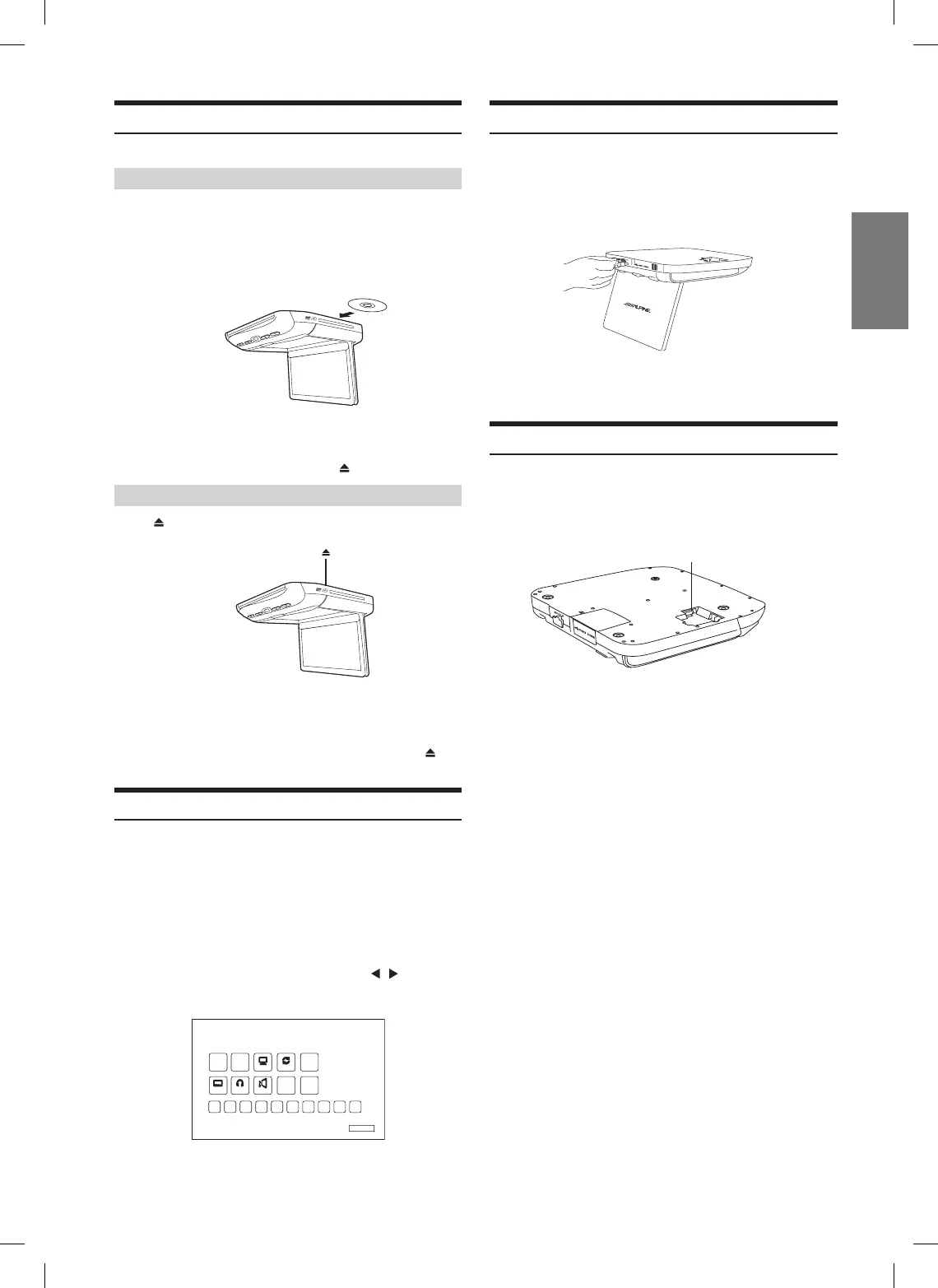
Loading discs
1 Insert the disc with the label side facing upwards.
2 Once the disc is partially inserted, source is
changed to DVD from current source and the disc
is drawn in automatically. Playback starts.
• For two-sided DVDs, play one side of the disc to the end, then
unload the disc, turn it over and reload it to play the other side.
• If wrong disc, upside-down discs or dirty discs have been
inserted, “Bad Disc” is displayed. Press and eject the disc.
Unloading discs
Press .
Be sure to remove the disc.
• If the disc is not removed within a few moments, it will be
reloaded automatically.
• During ACC OFF or while the disc is being loaded (“LOADING”
is displayed), the disc will not be ejected even if you press .
DVD Commands
DVD control commands may also be accessed from within the
monitor itself. This is useful if the remote control batteries are
dead or the remote control is misplaced.
1 Press the DVD button on the Main Control Keys or
press DVD.CMD on the Remote Control to access
the DVD Command menu.
2 Press the four directional keys ( s t
) and
Enter to select the command.
DVD CONTROL
MENU
TOP
DISPLAY REPEAT
CLEAR
MENU
SUBTITLE
1
ANGLE
ENTER
RETURN
DVD SETUP
AUDIO
2 3 4 5 6 7 8 9 0
USB
1 Pull the USB Media Play cover out, plug the USB
storage device into the USB port.
2 Change the source to USB. Contents (video, music
and picture) will be played.
• Play order is depending on le structure in the USB storage.
• If an external HDD is connected, USB power may not be enough
and additional power may be required.
HDMI1 Input
One of two HDMI input ports is located on mount side of the
overhead monitor. Your installer may connect to any HDMI
compatible devices such as DVD head unit, stand-alone DVD
player or Digital TV Tuner. (In Europe)
HDMI1














 To Next Page