
 Need help?
Do you have a question about the Alpine SEA-8081 and is the answer not in the manual?
Do not disassemble or alter the unit to prevent accidents, fire, or electric shock.
Keep small articles out of the reach of children; consult a physician immediately if swallowed.
Use the correct ampere rating when replacing fuses to prevent fire or electric shock.
Stop using the unit immediately if any problem appears, such as lack of sound or video, smoke, or noxious odors.
Do not operate or look at the screen while driving; always stop the vehicle in a safe location before operating.
Do not use the equipment for purposes other than stated for the vehicle to prevent electric shock or injury.
Do not expose the remote control to rain or water, and do not drop or apply shock to it.
Description of the functions of each component of the SEA-8481 remote control transmitter.
Press and hold EXT1/VALET and EXT2/EXT3 buttons to initialize the transmitter for time setting.
Press and hold DATE button to set the hour, then EXT1/VALET for hour and EXT2/EXT3 for minutes.
Press DATE button to activate Date mode, then EXT1/VALET for month and EXT2/EXT3 for day.
Press the DATE button repeatedly to switch between time and date displays.
Press TX/PANIC button immediately after initialization and time setting to update the main unit's clock.
Set an appointment chime time using the CHIME/CAR# and DATE buttons.
Follow steps to register the remote control transmitter's ID code with the main unit.
Press and hold PROG/MEMO button, then use TX/PANIC button to cycle through stored memories.
Select memory number with TX/PANIC, then input characters for the desired memory using EXT1/VALET and EXT2/EXT3.
Repeat steps 4 and 5 to input characters for desired memory location.
Configure silent arming/disarming, multi-sensor scan, and silent alarm output using EXT1/VALET and EXT2/EXT3 buttons.
Change chirp mode (ON/OFF) using the EXT SELECT button.
Operate up to four compatible security systems with one SEA-8481 remote control.
Arm the system by pressing the TX button after removing the key and closing doors.
System arms automatically 10 seconds after ignition off and last door closed (requires AUTO switch position).
Observe siren beep, parking lights flash, doors lock, and Extension LED flash when system is armed.
Disarm the system by pressing the TX/PANIC button. System displays 'SYSTEM IS DISARMED'.
Enter vehicle, turn ignition ON, then turn Disarm/Valet switch ON to disarm.
Intentionally activate siren for attention in emergencies.
Press and hold TX/PANIC for over 2 seconds to activate panic mode; siren and lights will flash.
Press the TX/PANIC button to deactivate panic mode.
System provides external outputs for additional convenience and security items like trunk release or window control.
Press EXT1/VALET button to activate EXT-1 output; LED blinks to indicate operation.
Press EXT2/EXT3 button to activate EXT-2 output; LED blinks to indicate operation.
Press and hold EXT2/EXT3 for 2 seconds to activate EXT-3 output; output stays active while held.
Use EXT SELECT button to change mode; press and hold EXT SELECT for 2 seconds to control audio systems.
Label each EXT output by pressing PROG/MEMO and CHIME/CAR# simultaneously and selecting labels.
System temporarily on hold; cannot be armed but other functions remain operational.
When placed in valet via switch, sensors are disabled; panic function remains active.
Turn Disarm/Valet switch ON for one second to enter complete valet mode.
Valet mode via remote; only hood/trunk sensors active. Not recommended for service due to siren activation.
Press and hold EXT1/VALET for 2 seconds (system disarmed) to enter protected valet mode.
Press and hold EXT1/VALET for 2 seconds (in valet mode) to exit valet mode.
Press TX/PANIC button while in valet mode to lock/unlock doors.
Detects mass movement (radar) and vibrations (impact) to protect vehicle.
Controls coverage type for radar and impact sensors, allowing adjustment of sensitivity and modes.
Press TX/PANIC and EXT1/VALET simultaneously (disarmed, not valet) to turn Warning Mode ON.
Press TX/PANIC and EXT1/VALET simultaneously (disarmed, not valet) to turn Warning Mode OFF.
Press TX/PANIC and EXT1/VALET simultaneously (disarmed, not valet) to toggle Pre-Warn Mode ON/OFF.
Rapidly toggle Disarm/Valet switch 3 times (disarmed, not valet) to enable/disable siren chirps.
Add an optional SEC-8345 Dual Sector Radar Sensor for increased protection and flexibility.
Arm system, then press TX/PANIC and EXT1/VALET to turn second radar sensor ON or OFF.
Explains radar sensor operation with Warning Mode ON, including outer sector expansion and detection.
Detects vehicle vibrations; provides warning for light impacts and full alarm for heavy impacts.
Adjust exterior radar sector sensitivity using TX/PANIC (UP) and EXT1/VALET (DOWN) buttons.
Adjust interior radar sector sensitivity using TX/PANIC (UP) and EXT1/VALET (DOWN) buttons.
Adjust impact sensor sensitivity using TX/PANIC (UP) and EXT1/VALET (DOWN) buttons for pre-warn and trigger.
Adjust impact trigger sensitivity using TX/PANIC (UP) and EXT1/VALET (DOWN) buttons.
Configure EXT outputs (1-12) by selecting mode (Continuous/Latched) using TX/PANIC and EXT SELECT buttons.
Configure EXT outputs (1-12) by selecting mode (Continuous/Latched) using TX/PANIC and EXT SELECT buttons.
Configure EXT outputs (1-12) by selecting mode (Continuous/Latched) using TX/PANIC and EXT SELECT buttons.
Activate Anti Car-Jack mode: arm system with TX/PANIC after EXT2/EXT3 & EXT SELECT buttons are pressed.
Activate Anti Car-Jack mode: Press EXT2/EXT3 & EXT SELECT, then press and hold EXT1/VALET for panic mode.
Activate Anti Car-Jack mode: Press EXT2/EXT3 & EXT SELECT, then press and hold EXT1/VALET for panic mode.
Deactivate Anti Car-Jack mode by turning the Disarm/Valet switch ON.
Follow code number procedures to deactivate Anti Car-Jack mode using button sequences.
Describes the functions of the LED Indicator, TX Button, EXT Button, and combined button operations.
Select between first and second car operation by pressing TX/PANIC and EXT 1/VAL buttons simultaneously.
If the remote control LED flashes once, it controls the first car; twice, it controls the second car.
Arm the system by removing the key, exiting the vehicle, closing doors, and pressing the TX/PANIC button.
Disarm the system by pressing the TX/PANIC button. LED indicates car operation.
Intentionally activate siren for attention in emergencies.
Press and hold TX/PANIC for over 2 seconds to activate panic mode; siren and lights will flash.
Press the TX/PANIC button to deactivate panic mode.
Controls external outputs like trunk release, sunroof, or power windows via remote.
Press EXT 1/VAL button to activate EXT-1 output; LED blinks to indicate operation.
Press EXT 2/EXT 3 button to activate EXT-2 output; LED blinks to indicate operation.
Press and hold EXT 2/EXT 3 button to activate EXT-3 output; output stays active while held.
Valet mode where only hood/trunk sensors are active. Not recommended for service due to siren activation.
Push and hold EXT 1/VAL until remote LED illuminates to place system in protected valet.
Push and hold EXT 1/VAL (in valet mode) until remote LED illuminates to exit valet mode.
Press TX/PANIC and EXT 1/VAL simultaneously (disarmed, not valet) to turn Warning Mode ON.
Press TX/PANIC and EXT 1/VAL simultaneously (disarmed, not valet) to turn Warning Mode OFF.
Press TX/PANIC and EXT 1/VAL simultaneously (disarmed, not valet) to toggle Pre-Warn Mode ON/OFF.
Add an optional SEC-8345 Dual Sector Radar Sensor for increased protection and flexibility.
Arm system, then press TX/PANIC and EXT 1/VAL to turn second radar sensor ON or OFF.
Settings must be made with SEA-8081 Main Unit. Consult Alpine dealer for details.
Remove key, exit vehicle, close doors, press TX/PANIC. Siren beeps once, lights flash, doors lock.
Press TX/PANIC to disarm. Toggle Disarm/Valet switch to view sensor bypass or tripped sensor info.
Press TX/PANIC to disarm. Siren chirps 3 times if system was tripped during absence.
Toggle Disarm/Valet switch to ON again. CVA-1000 displays next screen showing sensor status.
Adjust exterior radar sector sensitivity using TX/PANIC (UP) and EXT1/VALET (DOWN) buttons.
Adjust inner radar sector sensitivity using TX/PANIC (UP) and EXT1/VALET (DOWN) buttons.
Adjust impact sensor sensitivity using TX/PANIC (UP) and EXT1/VALET (DOWN) buttons for pre-warn and trigger.
Adjust impact trigger sensitivity using TX/PANIC (UP) and EXT1/VALET (DOWN) buttons.
Enter vehicle, turn ignition ON, power CVA-1000. Press and hold Disarm/Valet switch, then press Reset switch.
CVA-1000 acknowledges TX/PANIC press with new screen. Repeat step 6 for additional transmitters.
Enter vehicle, power CVA-1000. Press EXT2/EXT3 & EXT SELECT. Use TX/PANIC and EXT1/VALET to configure features.
Change setup features (1-2) using TX/PANIC and EXT1/VALET buttons. Toggle Disarm/Valet to advance screens.
Change setup features (1-2) using TX/PANIC and EXT1/VALET buttons. Toggle Disarm/Valet to advance screens.
Control radio and CD functions via remote using TX/PANIC, EXT1/VALET, EXT2/EXT3, EXT SELECT buttons.
Adjust audio processor settings (Treble/Bass) using TX/PANIC and EXT SELECT buttons.
Settings must be made with SEA-8081 Main Unit. Consult Alpine dealer for details.
Remove key, exit vehicle, close doors, press TX/PANIC. Siren beeps once, lights flash, doors lock.
Press TX/PANIC to disarm. Toggle Disarm/Valet switch to view sensor bypass or tripped sensor info.
Press TX/PANIC to disarm. Siren chirps 3 times if system was tripped during absence.
Toggle Disarm/Valet switch to ON again. CDA-7949 displays next screen showing sensor status.
Adjust exterior radar sector sensitivity using TX/PANIC (UP) and EXT1/VALET (DOWN) buttons.
Adjust inner radar sector sensitivity using TX/PANIC (UP) and EXT1/VALET (DOWN) buttons.
Adjust impact sensor sensitivity using TX/PANIC (UP) and EXT1/VALET (DOWN) buttons for pre-warn and trigger.
Adjust impact trigger sensitivity using TX/PANIC (UP) and EXT1/VALET (DOWN) buttons.
Enter vehicle, turn ignition ON, power CDA-7949. Press and hold Disarm/Valet switch, then press Reset switch.
CDA-7949 acknowledges TX/PANIC press with new screen. Repeat step 6 for additional transmitters.
Enter vehicle, power CDA-7949. Press EXT2/EXT3 & EXT SELECT. Use TX/PANIC and EXT1/VALET to configure features.
Change setup features (1-2) using TX/PANIC and EXT1/VALET buttons. Toggle Disarm/Valet to advance screens.
Change setup features (1-2) using TX/PANIC and EXT1/VALET buttons. Toggle Disarm/Valet to advance screens.
Set arming mode to Auto (automatic) or Manu (manual using remote).
Configure doors to lock automatically when system arms or ignition is turned on.
Enable or disable siren chirps for arming and disarming.
Assign a car number to the security system for remote control operation.
Assign a car number to the security system for remote control operation.
Set door lock/unlock pulse duration to default or 700ms.
Enable Anti Car-Jack mode for added security; system enters alarm if deactivation procedure is not followed.
Connect security system to CVA-1000 or CDA-7949 via Ai-NET.
Configure system to rearm and relock doors 30 seconds after disarming if conditions are met.
Set starter cut relay to normally open or normally closed type for engine immobilization.
Adjust warning/pre-warn chirp duration and level.
Connect additional sensors like second radar or impact sensor for expanded coverage.
Configure doors to unlock automatically when ignition is turned off.
Set door lock/unlock pulse duration to default or 700ms.
Set door lock pulse duration to default or 15 seconds.
Configure door sensor to negative or positive type door switch.
Set siren alarm duration for 30 or 60 seconds after tripping.
Determine system behavior after panic mode completion (return to original or enter arm mode).
Defines one of four procedures for deactivating Anti Car-Jack mode.
Defines one of four procedures for deactivating Anti Car-Jack mode.
Enable/disable SEC-8343 EXT Extender module, which adds 8 additional EXT outputs.
Specify Ai-NET head unit type (CVA-1000 or CDA-7949) for system connection.
Select alarm output behavior (constant or pulsed) during alarm cycle.
Enable/disable impact and ignition sensors for 20 minutes when EXT-1 is activated for engine start.
Details the system's sensor inputs: Doors, Hood/Trunk, Dual Sector Radar, Dual Stage Impact, Optional Sensor.
Mountable LED to warn thieves of system presence; flashes when system is armed.
Starter Cut Relay prevents engine start when system is tripped; configurable as normally open or closed.
System alerts for alarm activation during absence via Extension LED, siren, and parking lights.
If door/trunk opened during exit delay, timer resets and restarts when closed.
System bypasses faulty sensors (except door) when armed, warns with chirps, then monitors working sensors.
SEA-8481 controls up to four main units; SEC-8448A controls up to two.
Doors lock automatically 10s after ignition ON; can be programmed to unlock on ignition OFF.
Siren chirps and parking lights flash for outer sector violation; chirp duration adjustable.
Connects to SEC-8205 Digital Paging System to notify user of system anomalies up to one mile away.
Replace battery by removing cover with a coin, inserting new CR2032 battery with correct polarity.
Cautions for remote transmitter use: change battery if display is blank, blinking, dim, or transmission is short.
Replace SEC-8448A battery by removing cover with Phillips screwdriver, inserting new CR2025 battery.
Parking lights flash once when armed, twice when disarmed, three times after alarm trip.
Connect system to lock/unlock doors via TX button or ignition status.
Install additional LEDs to warn potential thieves; up to five can be interfaced.
Hermetically sealed switch for hood/trunk, protects against moisture and salt.
Protects vehicle body against any type of shock.
Controls power windows remotely; two windows up/down per direction.
Optional pager system notifies user of system anomalies up to one mile away.
Ideal as a replacement or additional remote control.
Adds one or two additional EXT outputs for trunk, windows, or remote start.
Adds 8 additional EXT outputs for trunk, windows, or remote start.
System bypasses defective sensors (except door) when armed, warns with chirps, then monitors working sensors.
Doors lock automatically 10s after ignition ON; can be programmed to unlock on ignition OFF.
Arm the system using the remote control transmitter.
Intentionally activate siren for attention in emergencies.
Valet mode where only hood/trunk sensors are active; siren sounds if tampered with.
Mode requiring two sensors (impact/radar) to be activated for full alarm.
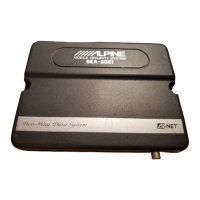
Specifications for the main unit including design, voltage, current, dimensions, and operating temperature.
Specifications for remote transmitters including type, range, battery, and dimensions.
Specifications for SEA-8481 transmitter: type, range, battery, battery life, operating temp, dimensions.
Specifications for SEC-8448A transmitter: type, range, battery, battery life, operating temp, dimensions.
General specifications including net weight and important record-keeping information.

 To Next Page
 General