10-EN
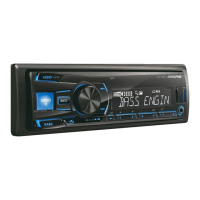
With the BASS ENGINE SQ function on this unit, several parameters
affecting Bass performance are adjusted simultaneously. The BASS
ENGINE SQ Level adjustment varies these parameters uniformly for
optimum Bass effect at different levels.
Setting BASS ENGINE SQ ON/OFF
Press and hold BASS for at least 2 seconds to switch the
sound mode.
BASS ENGIN MANUAL SET (Initial setting)
BASS ENGINE SQ On (BASS ENGIN):
Adjust the relavant Bass parameters uniformly by adjusting the
BASS ENGINE SQ Level (page 10).
BASS ENGINE SQ Off (MANUAL SET):
Adjust each audio effect setting separately.
Notes
• This operation can also be performed by selected BASS ENGIN in
Audio Setup mode. (Page 9)
• “ ” indicator lights up when BASS ENGINE SQ mode is ON.
Adjusting BASS ENGINE SQ Level
With BASS ENGINE SQ ON, adjusting the BASS ENGINE SQ Level
uniformly effects various sound parameters for optimum Bass effect.
1
Press BASS to display the BASS ENGINE SQ Level
adjustment screen.
2
Turn the Rotary encoder to select the desired level
(0 ~ +6) (initial setting: +3), and then press ENTER.
Notes
• Adjustable only when DEFEAT is OFF.
• The Bass parameters affected contain EQ PRESETS, LOUDNESS and
3BAND EQ. These items are set uniformly in BASS ENGINE SQ mode
and cannot be adjusted separately.
• From Level 0 to Level 6, the effect of BASS ENGINE SQ increases level
by level.
• “ ” indicator displays the current BASS ENGINE SQ Level .
• If no operation is performed for 5 seconds, the unit automatically
returns to normal mode.
Displaying the Text
Text information, such as the folder name, the file name and the tag, etc.,
while playing MP3 files.
Press VIEW.
The display will change every time the button is pressed.
Note
• When the TEXTSCROLL is set to SCR MANUAL (refer to “Scroll
Setting (TEXTSCROLL)” on page 13), press and hold VIEW for at least
2 seconds, the current text will be scrolled one time.
The display in MP3 mode:
FILE NO./ELAPSED TIME FOLDER NO./FILE NO.
FOLDER NAME
*1
FILE NAME
*1
ARTIST NAME
*2
ALBUM NAME
*2
SONG NAME
*2
FILE NO./ELAPSED TIME
*1 If there is no text (Folder Name or File Name), “FOLDER”/
“FILE” is displayed.
*2 If an MP3 file contains ID3 tag information, the ID3 tag
information is displayed (e.g., song name, artist name, and
album name). All other tag data is ignored.
If there is no tag information, “ARTIST”/“ALBUM”/“SONG”
is displayed.
Notes
• Some characters may not be displayed correctly with this device,
depending on the character type.
• “NO SUPPORT” is displayed if text information is not supported by the
unit.
• The text or tag information may not be correctly displayed, depending
on the contents.
BASS ENGINE SQ Function



 To Next Page
