16-EN
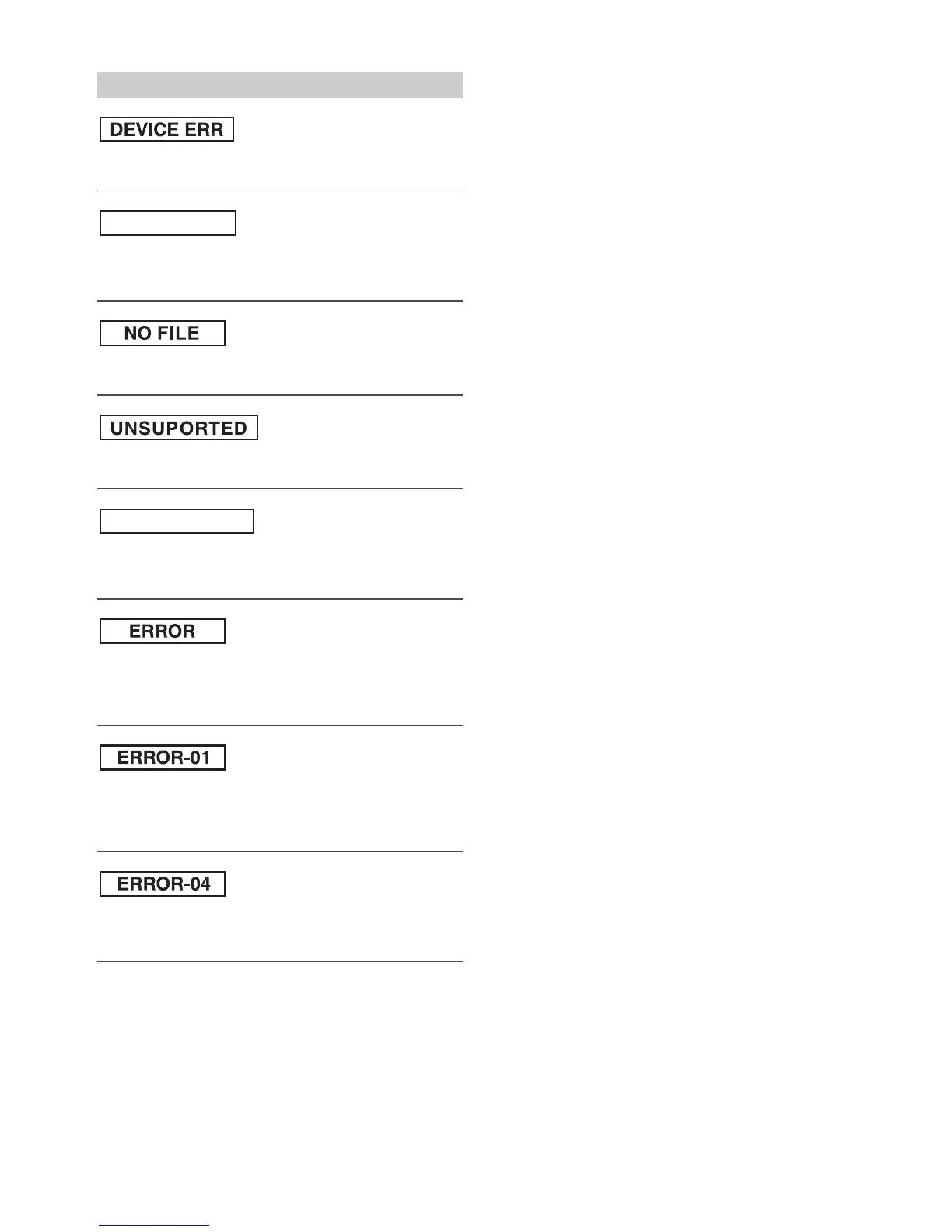
• A USB device that is not supported by the unit is connected.
– Connect a USB device that is supported by the unit.
• A USB Memory Device is not connected.
– Make sure the USB Memory device is correctly connected and the
cable is not excessively bent.
• No MP3 (file) is stored in the USB Memory.
– Connect the USB Memory device after storing songs (files).
• A sampling rate/bit rate not supported by the unit is used.
– Use a sampling rate/bit rate that is supported by the unit.
• Text information that is not recognisable by the unit has been input.
– Use a USB Memory device with input text information that is
supported by the unit.
• Communication error or others
– Change to other source.
–Turn the power off.
– Turn the ignition key off, and then set to ON again.
• Communication error
– Turn the ignition key off, and then set to ON again.
– Check the display by reconnecting between the USB Memory and
this unit.
• Power surge error
Excessive voltage/current is supplied to the USB Memory.
– Try another USB Memory, if available.
Indication for USB Memory



 To Next Page