32
Setting
Setting
You have the flexibility to set the Media Player to suit your preferences and use. From the general settings menu,
you can change the general settings, display settings, etc.
Use Steps 1 to 5 to select any setting mode to change. For details on the selected setting items, please refer
to the applicable sections below.
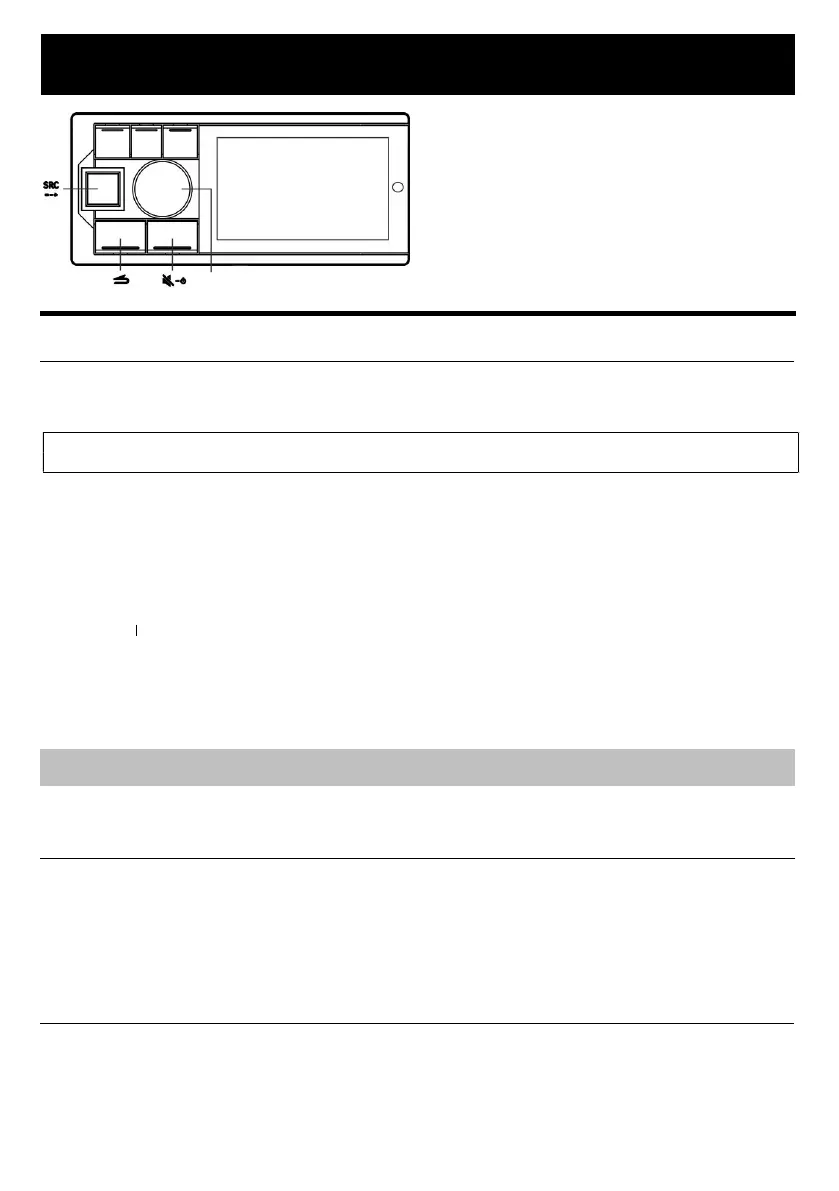
1. Press and hold the knob for at least 2 seconds to enter the settings menu.
2. Turn the button to select the desired item, and then press the knob.
Preset Equalizer Sound Settings Sound Clear Settings General Bluetooth
3. Turn the knob to select General, and then press the knob.
Auxiliary Audio Language Settings Dimmer Control About Alpine System Matching Steering Control
Learning Built-in Amplifier Coax/Fiber Restore Factory Settings
4. Turn the knob to change the setting, and then press the knob.
5. Press SRC/→ to release the settings mode.
6. In the settings menu, press and hold , press and hold the knob, press and hold for more than 2 seconds to
call up the electrical inspection mode.
Firmware update Dealer setting Serial no.
Note:
•Press
to return to the previous setting mode.
General Setting
Select “General” in the settings main menu.
Auxiliary Audio Source
An auxiliary audio source can be selected as required. The level of main source attenuation is used to determine
how much the main source needs to be attenuated when mixing audio sources.
Setting item : Auxiliary audio source
Setting content : Auxiliary audio source selection: Bluetooth music High-level AUX Close
Main audio source attenuation: 0, 30%, 50% (initial setting), 80%, 100%
Language Settings
You can choose a Chinese or English display menu according to your preference.
Setting item : Language settings
Setting content : Simplified Chinese (initial setting) / English
Knob



 To Next Page