12-EN
Switching the Audio Sources Screen to a Dedicated Screen
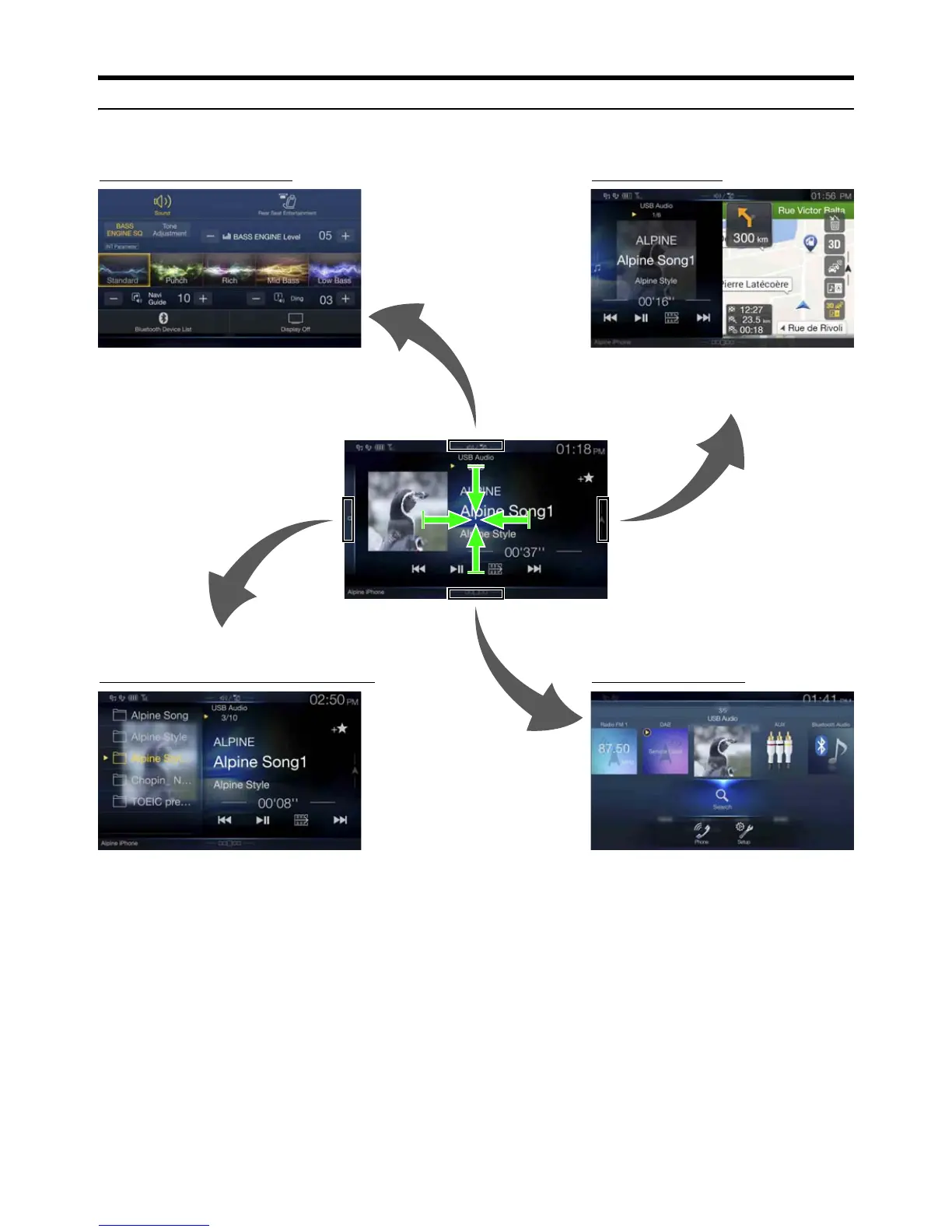
You can switch the Audio Sources screen to a dedicated screen by touching the icon on one of the four edges of the screen, or by swiping vertically or
horizontally. For details on how to swipe the screen, see “Touch Screen Operation” (page 16).
*1 The Search mode differs depending on the audio source. For details, see the operating instructions of the audio source.
*2 The screen also switches by pressing the Menu button.
You can set the Sound Setup or Rear Seat Entertainment
System.
<Audio Sources Screen>
(USB Audio)
Dual Screen (page 13)
You can switch between the displayed screens on
the Dual Screen.
Menu Screen (page 19)



 To Next Page