EasyManua.ls Logo

Alptop Security AT-200BW - User Manual

Default Icon
31 pages
Print Icon
To Next Page IconTo Next Page
Loading...
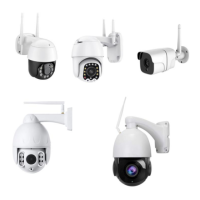
Wi-Fi IP CAMERA
OPERATION GUIDE
www.alptopsecurity.com
support@alptopsecurity.com
Apply for Model: AT-100BW/200BW/500BW,AT-200DW/PW/TW,AT-500PW/20
Note: Due to the continuous updating of the product and software, there may be a discrepancy between the
operating guide and the APP interface. All the instructions are subject to the actual operation interface.
Question and Answer IconNeed help?

Do you have a question about the Alptop Security AT-200BW and is the answer not in the manual?

Summary

Installation Guide

Accessing via Camhipro APP

LAN Mode Configuration

Connects the camera to the router using a network cable for WiFi setup.

AP Mode Configuration for iOS

AP Mode Configuration for Android

CamHipro APP Functions

Time and Alarm Settings

Alarm Management and Notifications

Enables alarm notifications, motion detection, and sets sensitivity for alerts.

SD Card Recording Features

Scheduled Recording Setup

Computer Browsing Access

IP Camera Search and Browser View

Locates cameras on the network and accesses live video via web browsers.

Parameter Settings

Network Settings

Alarm and Advanced Settings

Video Management Software (HIP2 P Client)

Frequently Asked Questions

Alptop Security AT-200BW Specifications

General IconGeneral
Connectivity TechnologyWireless
Lens3.6mm
Night VisionYes
ConnectivityWi-Fi
Weather ResistanceIP65
Special FeaturesMotion Detection, Two-Way Audio
Resolution1920x1080 (1080p)
Viewing Angle90 degrees
Operating Temperature-10°C to 50°C

Related product manuals