2
How to enter night vision mode ?
1. After powering on, press the "OK" button to enter the night vision mode
2. Photos and videos taken in night vision mode are black and white
3. Press "OK" again to exit the night vision mode
How to enter webcam mode ?
1. Use the mini USB cable to connect the camera to the computer
2. After the computer recognizes the camera, a dialog box will pop up, please select "Camera
Mode"
3. When you turn on social media, the computer will automatically recognize this camera. If not,
please select "USB Video Device" in the external camera settings of your social media software.
4. When you want to exit "Camera Mode", please press the "POWER" button to shut down.
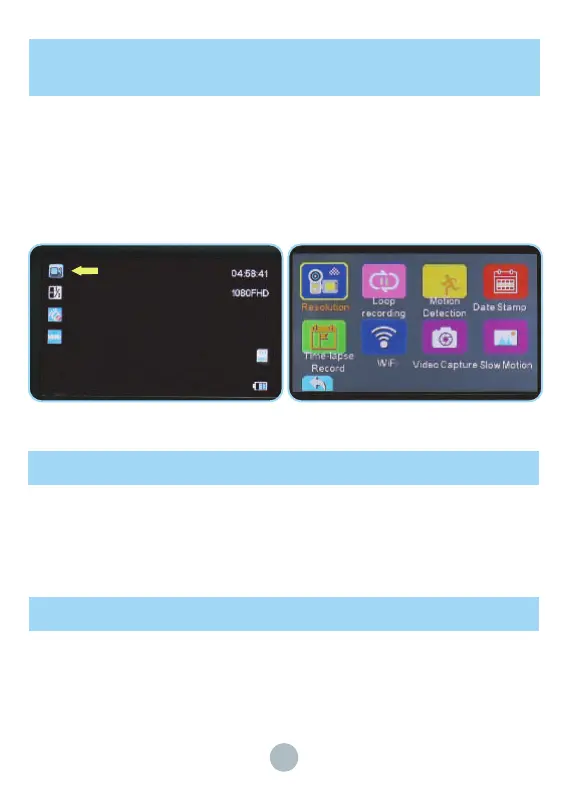
How to take a video, playback and delete the
video ?
1.Please enter the video mode first: After opening the camera, enter the video interface.
2.After entering the video mode, please press the red dot button (START/STOP) at the end of
the camera to start recording video, and press the red dot button (START/STOP) again to end
video recording. You can adjust the white balance by pressing the "UP" and "DOWN" keys.
During recording, you can press "MENU" key to pause the recording and press "MENU" key
again to continue recording in the same file.
3.The digital focus can be adjusted through the focus lever (W/T key) on the top of the camera.


 To Next Page