3
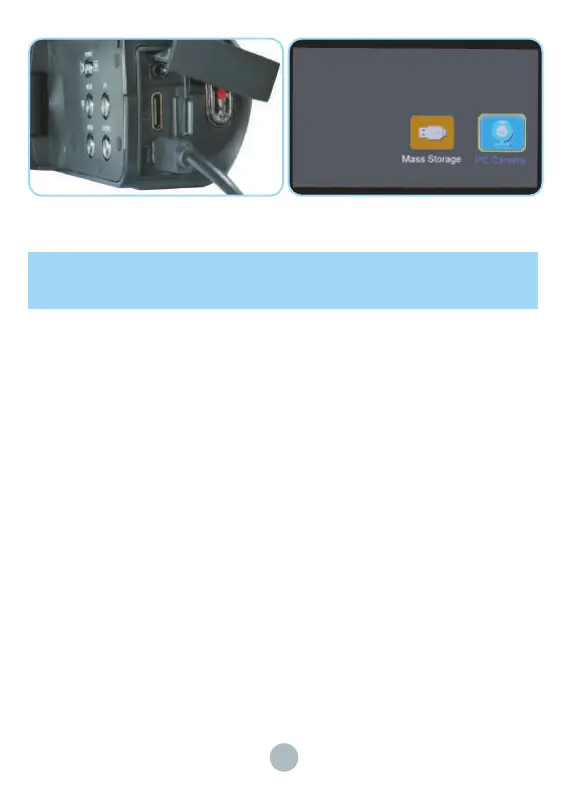
1. Please use the mini USB cable to connect the camera and the computer
2. After the computer is connected, Please choose "Mass storage Mode" and press "ok" to
confirm.
2. After connecting, you can upload the camera files to the computer. When you want to exit
"Mass storage Mode", please press the "POWER" button to shut down.
4. You can also connect the camera's SD card to a card reader to facilitate the operation of
videos and photos in the SD card on the computer.
How to take a video, playback and delete the
video ?


 To Next Page