BLISS REMOTE CONTROL | REFERENCE GUIDE
5
BLISS Remote Function
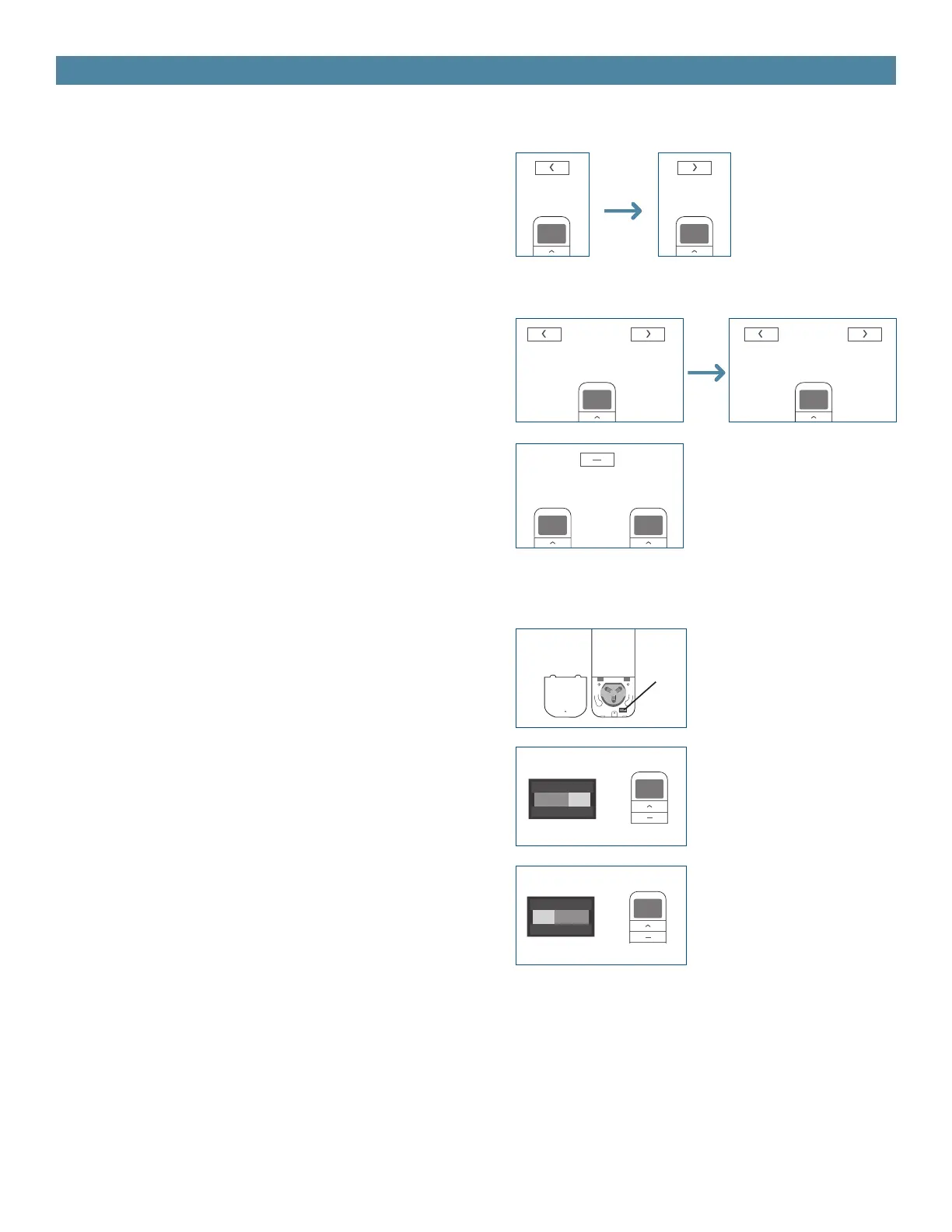
1. Channel Options
Select A Channel
a. Press “<” button on the remote to select a lower
channel.
b. Press “>” button on the remote to select a higher
channel.
Hide Unused Channels
a. Press and Hold (about 3 sec) “<” and “>” buttons
simultaneously until remote control displays “C”
(channel).
b. Press “<” or “>” button to select required quanti-
ty of channel (between 1 to 15).
c. Press “Stop” button to conrm selection (the
example shows a 5-channel selection). The LED will
display “O” (OK) once to conrm selection.
Action on
Remote Control
Action on
Remote Control
Action on
Remote Control
Remote Re-
sponse
Remote Re-
sponse
Remote Re-
sponse
a.
a.
b.
b.
c.
+ or
Higher
Channel
Higher
Channel
Higher
Channel
Lower
Channel
Lower
Channel
Lower
Channel
1
5
15
0
C 11
Stop
2. Advanced Setting - Disable Limit Setting
a. Remove the cover from the backside of remote,
the lock switch is in the right corner.
b. Move the switch to the “Lock” position to disable
the following commands, remote will show “L”
(lock):
- Change Motor Direction
- Setting the Upper and Lower Limit
- Adjust Limit
- Roller Mode or Sheer Mode
c. Move the switch to “Unlock” position to assess all
remote functions, remote will show “U” (unlock).
a.
b.
c.
Switch
Switch
LockUnlock
Switch
Lock
Unlock
*This advanced feature is intended to be used after
all shade programming is completed. User Mode will
prevent accidental or unintended changing of limits.
L
U


 To Next Page