BLISS REMOTE CONTROL | REFERENCE GUIDE
7
Initial Set-up
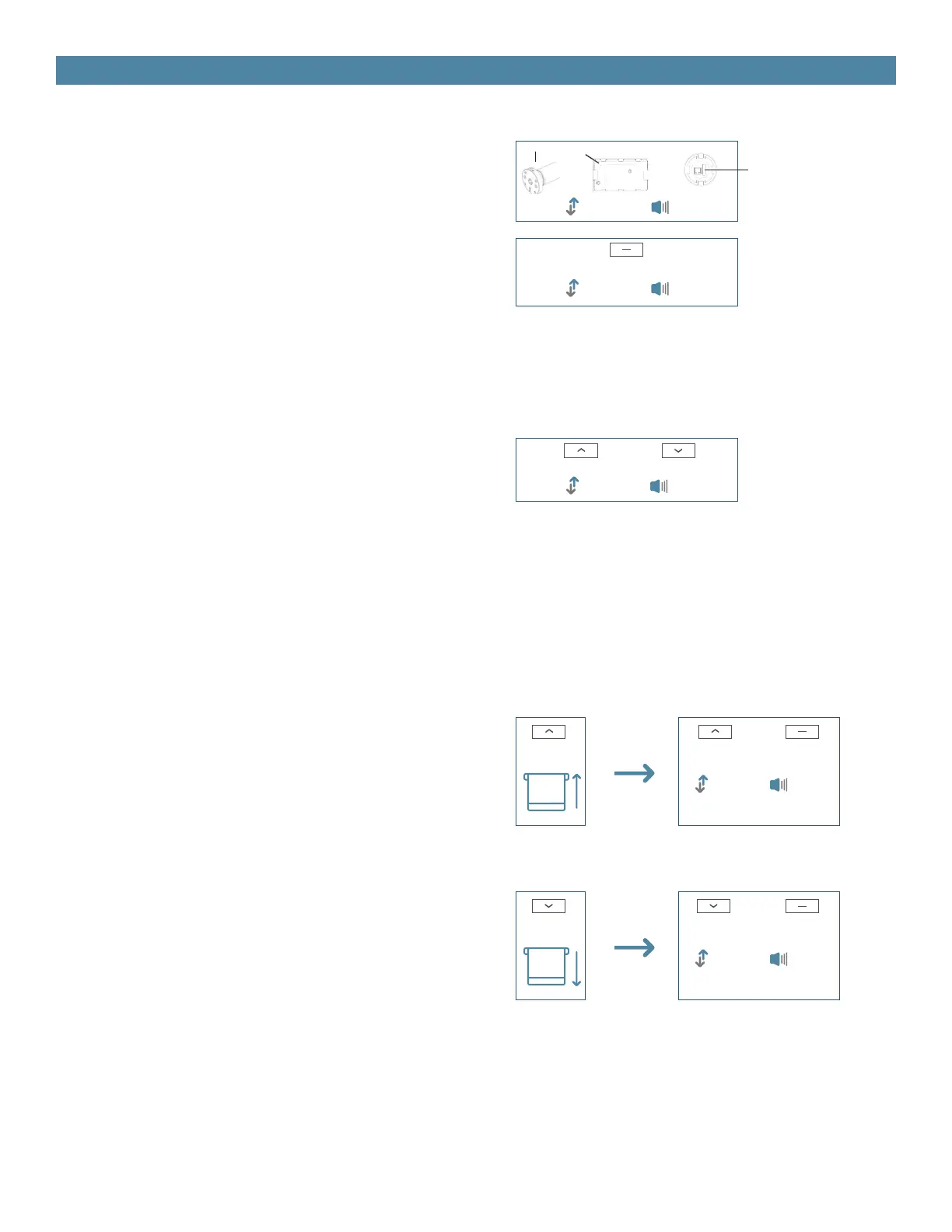
1. Pair / Unpair Remote Control
2. Change Motor Direction (if necessary)
3. Setting the Upper and Lower Limits
Press “Up” or “Down” button to check if the shade
moves in the desired direction.
If you need to reverse the direction, press and hold
(about 2 sec) “Up” and “Down” buttons simultane-
ously until motor jogs x1 and beeps x1.
Set Upper Limit
a. Press “Up” button to raise the shade, then press
“Stop” button when it is in the desired upper limit.
b. Press and hold (about 5 sec) “Up” and “Stop”
buttons simultaneously until motor jogs x2 and
beeps x3.
Set Lower Limit
a. Press “Down” button to lower the shade, then
press “Stop” button when it is in the desired lower
limit.
b. Press and hold (about 5 sec) “Down” and “Stop”
buttons simultaneously until motor jogs x2 and
beeps x3.
a. Press “P1” button (about 2 sec) on the motor
head until motor jogs x1 and beeps x1.
b. In the next 10 secs, press and hold “Stop” button
on the remote control until motor jogs x2 and beeps
x3.
* Repeat the same procedure to unpair remote
control.
*The operation is only valid when there are no lim-
its. If the motor has already set the upper and lower
limit, then you can only switch direction by pressing
P1 button (See P1 button instructions).
*If you exit the limit setting status before you nish
the limit settings, the motor will take the previous
existing limits.
Action on
Remote Control
Action on
Motor
Action on
Remote Control
Action on
Remote Control
Action on
Remote Control
Motor Response
Motor Response
Motor Response
Motor Response
Motor Response
b.
a.
a.
a.
b.
b.
+
+
+
Jog x1
Jog x2
Jog x2
Jog x1
Beep x1
Jog x2
Beep x3
Beep x3
Beep x3
Beep x1
Stop
Up
Up Up Stop
Stop
Down
Down Down
BLISS Lift and BLISS Tilt motors DO NOT Beep
P1
P1
P1


 To Next Page
 Loading...