EasyManua.ls Logo

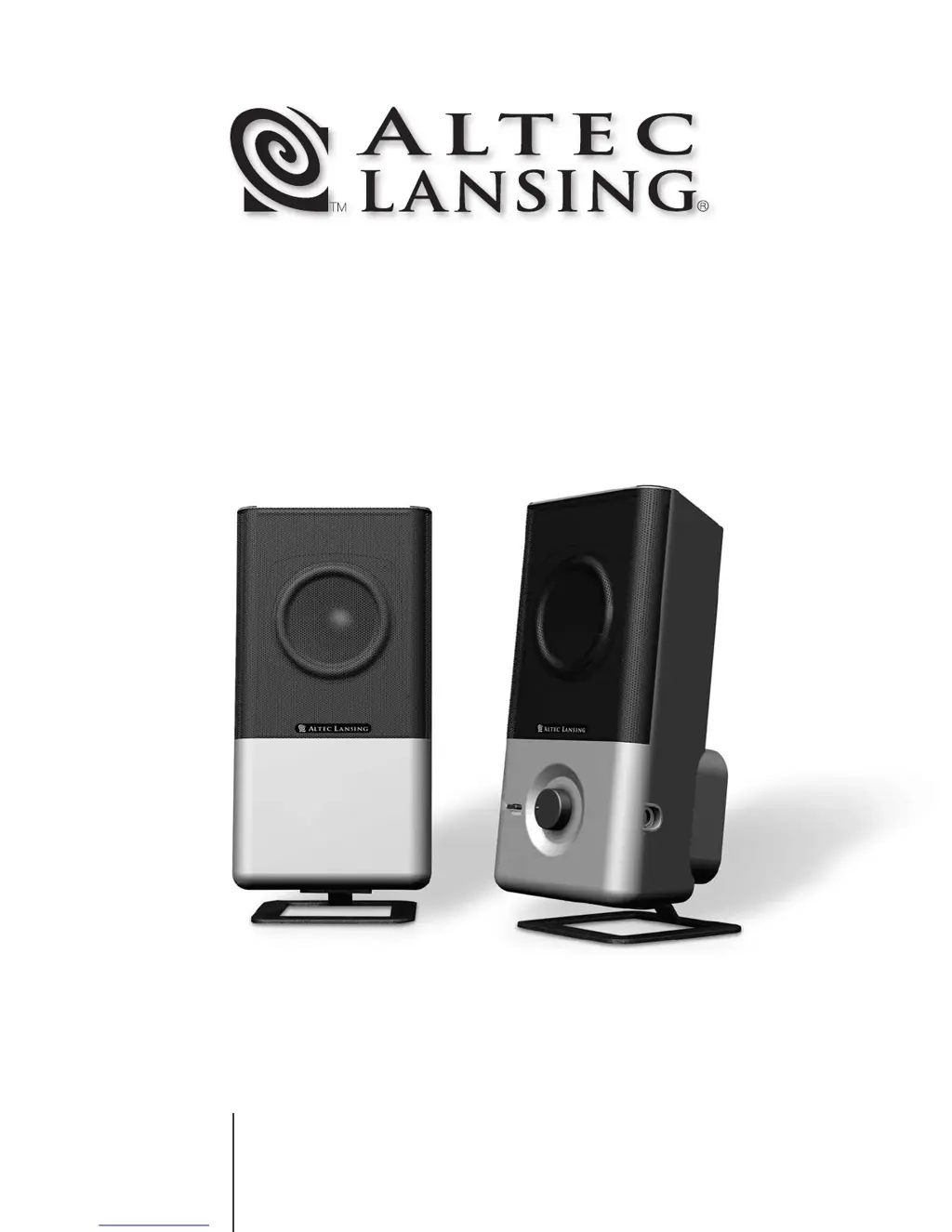
Altec Lansing 220 - User Manual

Altec Lansing 220
18 pages
Print Icon
To Next Page IconTo Next Page
Loading...
220
MODEL
User's guide
Mode d'emploi
Guida per l'utente
Gebrauchsanleitung

Questions and Answers

  • J
    Jeffrey SharpJul 25, 2025
    How to fix Altec Lansing Speakers when no LEDs are lit?
    • L
      Larry EstesJul 25, 2025
      If no LEDs are lit on your Altec Lansing Speakers, it indicates a power issue. Here's what to check: * Ensure the power is turned on by pressing the Power button on the right speaker. * Verify the AC cord is securely connected to the wall outlet and that the power LED on the right satellite is illuminated. If it's not, connect the AC power. * If you're using a surge suppressor, make sure it's switched on. * Test the wall outlet by plugging another device into the same jack to confirm it's functioning correctly.
  • B
    Brian BookerJul 31, 2025
    Why is there no sound from my Altec Lansing Speakers?
    • J
      James PerezJul 31, 2025
      If you're not getting sound from your Altec Lansing Speakers, there are several things to check: * Ensure the AC power cord is plugged into the wall outlet and the power button has been pressed so that the green LED is illuminated. * Make sure the volume isn't too low by turning the volume knob clockwise. * Verify the volume level on your computer's sound card (or other audio source) is set to a mid-level. * Confirm the audio cable is properly connected to the audio source, ensuring it's firmly inserted into the correct jacks. * Check that the lime green 3.5 mm stereo cable is connected to the 'line-out' or 'audio-out' jack on your sound card or audio source. * Test the speakers with another audio source (like a CD player) to rule out a problem with your original source.
  • R
    Ryan NealAug 6, 2025
    What to do if Altec Lansing Speakers have a crackling sound?
    • T
      Tammy AguilarAug 6, 2025
      If you're hearing a crackling sound from your Altec Lansing Speakers, here's how to troubleshoot it: * Check all cable connections to ensure they are securely plugged into the 'line-out' or 'audio-out' jack on your sound card or audio source, and not the 'speaker-out' jack. * Examine the Windows volume control and decrease the volume if it's set too high. * Test with an alternate audio source (like a Walkman or FM radio) by unplugging the lime green 3.5 mm stereo cable from the original source and plugging it into the headphone jack of the alternate source.
  • M
    Michael MillerAug 12, 2025
    Why is the sound distorted on my Altec Lansing Speakers?
    • T
      Tanner CrawfordAug 12, 2025
      If the sound from your Altec Lansing Speakers is distorted, consider these possible solutions: * Reduce the volume level, as it may be set too high. * Check the Windows volume control and decrease it if necessary. * The sound source itself might be the issue. Try a different audio source, such as a music CD, as .WAV and .MID files can sometimes be of poor quality and cause distortion.
  • S
    steven91Aug 18, 2025
    How to stop radio interference on Altec Lansing Speakers?
    • A
      Angela TannerAug 18, 2025
      If your Altec Lansing Speakers are experiencing radio interference, it might be due to proximity to a radio tower. Try moving your speakers to see if the interference disappears. You might also consider purchasing a shielded cable from an electronics store.

Summary

Safety Instructions

General Safety Precautions

Covers essential safety warnings, usage precautions, and environmental considerations for safe operation.

Maintenance, Servicing, and Warranty

Guidance on cleaning, storage, servicing procedures, and details of the two-year limited warranty.

Getting Started

Welcome and Box Contents

Introduces the Altec Lansing 220 system and lists included components.

Speaker Placement and Connections

Instructions on positioning speakers and making initial audio connections.

Connecting Audio Sources

Details connections for consoles, portable devices, and PC audio.

System Operation

Power On and Volume Control

Steps for turning the system on and adjusting the master volume.

Headphone Usage

How to connect and use headphones with the speaker system.

System Specifications and Troubleshooting

Technical Specifications

Details system power, frequency response, input impedance, and driver information.

Troubleshooting Common Issues

Guidance on resolving common setup and performance problems with the speakers.

Altec Lansing 220 Specifications

General IconGeneral
Input Impedance10k Ohms
TypeSpeaker System
Signal-to-Noise Ratio70 dB
Inputs3.5mm stereo jack
ControlsVolume

Related product manuals