EasyManua.ls Logo

Altec Lansing ACS54 - Setup and Connection; Connecting the Power Cord; Audio Input Connections

Altec Lansing ACS54
4 pages
Print Icon
To Next Page IconTo Next Page
To Previous Page IconTo Previous Page
Loading...
Setup
Instructions
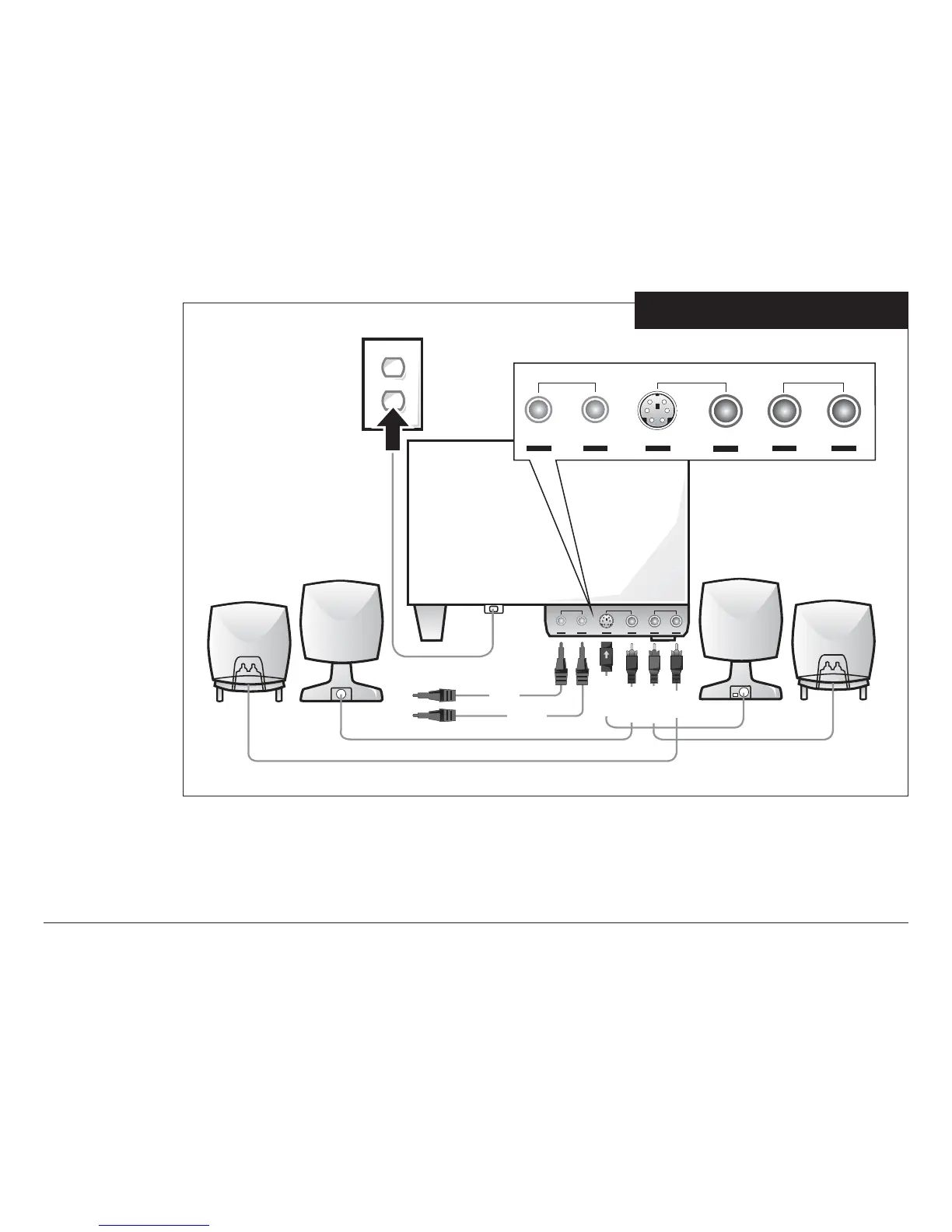
(See Figure 1)
Do not insert the
power plug into
an AC outlet
until all
connections are
made.
Notice that the input
jacks on the
subwoofer are
color-coded. The
plugs that are
inserted into these
jacks have matching
colors to avoid
mistakes. The RIGHT
FRONT jack is a
mini-DIN connector
which is different
from the other
jacks. Notice that
the DIN plug has an
arrow. The arrow
should face up
before inserting
into the jack. The
input plugs 1 and 2
should be inserted
into the back of the
computer outputs 1
and 2. If your computer only has a stereo output, insert the plug (lime) indicated as number 1 into the computer stereo output. The ACS54 will
automatically decode the stereo information so that the left front and left surround will become one stereo channel and the right front and right
surround the other channel.
Figure 1
ACS54 Setup Instructions
FRONT
INPUTS
FRONTS SURROUNDS
SURROUND
LEFT
RIGHT
LEFT
RIGHT
POWER
ON/OFF
FRONT
INPUTS FRONTS SURROUNDS
SURROUND
LEFT
RIGHT LEFT
RIGHT
LIME
BLACK
ORANGE
BROWN
PURPLE
GOLD

Related product manuals