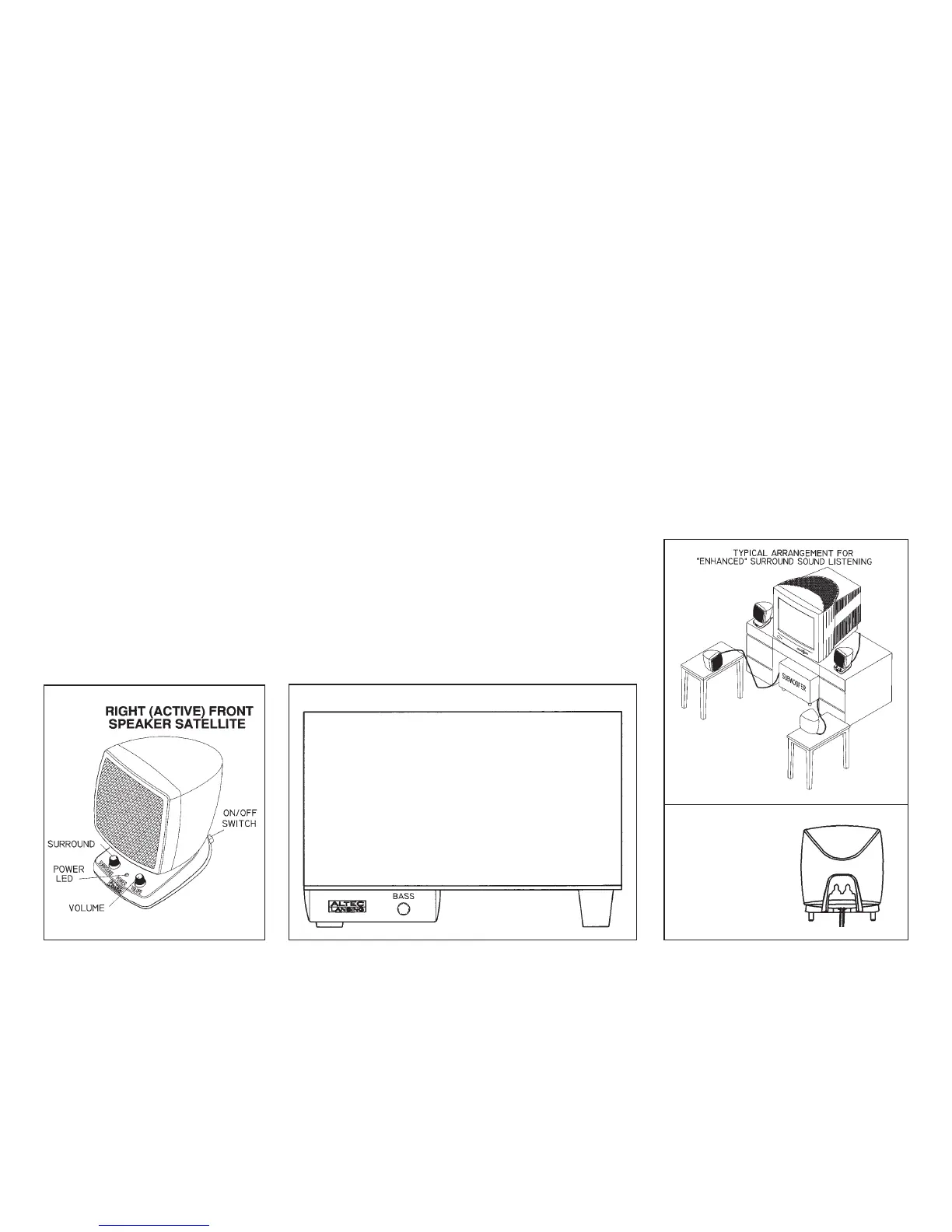
Figure 2
Figure 4
Figure 3
Use of Controls (See Figure 2
and 3)
Power On/Off: Press the on/off switch on
the surround of the right satellite. The
power LED on the front panel will glow to
indicate the unit is turned on. Press this
switch again to turn the unit off.
Volume Up/Down: Turn the volume
control clockwise to increase volume and
counter-clockwise to decrease volume.
Surround Control: The SURROUND
Control varies the volume of the left and
right surround speakers. The adjustment of
this control is made at the users discretion.
Adjust this control until the surround affect
is enhanced for best realism.
This control operates in the same manner
when computers only have stereo outputs.
Bass Control: The BASS Level Control is
located on the front of the subwoofer.
Rotating this control clockwise, increases
the bass response and rotating the control
counter-clockwise, decreases the bass.
Most usually, this control is set by blending
the subwoofer output with satellites and is
not intended to be used often. Some
experimentation is required to obtain a
proper balance between the subwoofer and
satellites. It is best to use a wide variety of
music for setting the control.
Placement of Speakers (See
Figure 4)
Figure 4 shows a typical placement of the
speakers to obtain the 3D spatial effect.
The listener sits in the center of the four
satellite speakers. The satellite speakers
have notches on the back, which also
allows them to be mounted on a wall. The
subwoofer does not have to be placed as
shown, but the subwoofer is not shielded
and should not be placed near the monitor.
Subwoofer sound is non-directional and
therefore does not have to be placed in any
special relationship to the satellites.
Back
View of
Satellite
ACS54 SUBWOOFER (FRONT VIEW)







 To Previous Page