
 Need help?
Do you have a question about the Altec Lansing ROCKBOX XL and is the answer not in the manual?
Identifies key buttons and ports on the speaker.
Lists the items included with the speaker.
Details the charging process and indicators.
Guides on turning on the device and initial Bluetooth connection.
Explains how to play, pause, and navigate tracks.
Covers receiving, ending, and rejecting calls.
Instructions for pairing multiple speakers for a party mode.
Details for activating voice assistant, changing light modes, and resetting.
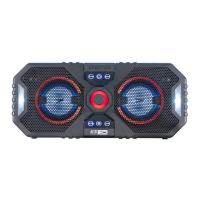
The Altec Lansing RockBox XL (IMW999-STL) is a rugged Bluetooth speaker designed for portable audio enjoyment, featuring various functionalities for music playback, call management, and ambient lighting. It is built to withstand different environments, making it suitable for outdoor and indoor use.
The primary function of the RockBox XL is to provide high-quality audio playback wirelessly via Bluetooth. It can connect to a single device or multiple speakers for an expanded audio experience, known as "House Party Mode." Beyond music, the speaker integrates call management features, allowing users to answer, end, or reject incoming calls directly through the device. It also supports voice assistant activation (Siri or Google Assistant) through its "Just Ask" feature, providing hands-free control and information access. A unique aspect of the RockBox XL is its integrated lighting system, which offers multiple modes to enhance the user experience with visual effects that can synchronize with music or provide ambient illumination.
To power on the speaker, users press and hold the power button for 2-4 seconds. Upon activation, a "Welcome to Altec Lansing" message is heard, and the blue LED will slowly flash, indicating it's ready to pair. For Bluetooth pairing, users can either manually connect through their device's Bluetooth settings by selecting "RockBox XL" or utilize NFC (Near Field Communication) for quicker pairing with compatible phones. For NFC pairing, the user simply touches the back of their phone to the Altec Lansing logo on the speaker. Once paired, the speaker will announce "Bluetooth Paired."
The speaker is charged via an AC adapter. During charging, a red LED light indicates the charging status. Once fully charged, the LED light will turn off. A full charge typically takes 4-5 hours.
Music playback is managed through dedicated buttons on the speaker. The play/pause button allows users to start or stop music. Volume can be adjusted using the "+" (volume up) and "-" (volume down) buttons. To skip to the next track, users press and hold the ">>" button, and to go back to the previous track, they press and hold the "<<" button.
When an incoming call is received, users can answer it by pressing the dedicated call answer button. To end a call, the same button is pressed. To reject an incoming call, the user presses and holds the call answer button for 2 seconds. Volume during calls can be adjusted using the "+" and "-" buttons.
To activate the "Just Ask" feature and access Siri or Google Assistant, users press the dedicated "Just Ask" button. This allows for voice commands and queries directly through the speaker.
The speaker offers various light modes to suit different moods or environments. Users can cycle through these modes by pressing the light change button. The available modes include: multi-color slow fade, white pulse to music, multi-color pulse to music, white slow fade, solid blue, multi-color change, and off. After a reset or initial power-on, if no light mode is selected, the light will automatically turn off after 20 seconds.
For an immersive audio experience, the RockBox XL supports "House Party Mode," allowing multiple speakers to play the same audio simultaneously. To initiate this mode, after connecting the parent speaker via Bluetooth, the user presses and holds the Bluetooth link button on the parent speaker for 2-3 seconds. The parent speaker's LED will then flash green, indicating it's ready to pair with additional speakers. For each additional speaker, the user simply taps the Bluetooth link button once. The green light on the additional speakers will continue to flash when connected, signifying they are part of the House Party network.
To disconnect the current Bluetooth device from the speaker, users press and hold the Bluetooth link button for 5 seconds. The device will emit a beep to confirm the disconnection. This is useful when switching between different audio sources or preparing for a new pairing.
For a complete reset of all Bluetooth connections and settings, users press and hold the Bluetooth link button for 10 seconds. The speaker will beep three times to indicate that all connections have been reset. This feature is helpful for troubleshooting connectivity issues or preparing the speaker for a new user.
The overall battery performance of the RockBox XL is dependent on various factors, including usage patterns, chosen settings (e.g., volume level, light mode), and environmental conditions. For more detailed information regarding battery life and care, users are directed to visit the Altec Lansing website.
 General
| Battery Life | Up to 20 hours |
|---|---|
| Type | Portable Bluetooth Speaker |
| Wireless | Yes |
| AUX Input | Yes |
| Built-in Microphone | Yes |
| Bluetooth Version | Bluetooth 5.0 |
| Bluetooth Range | Up to 100 feet |
| Frequency Response | 20kHz |
| Waterproof Rating | IP67 Waterproof, snowproof, and dirtproof |





 To Next Page