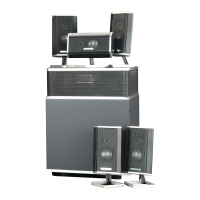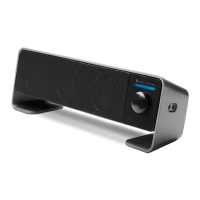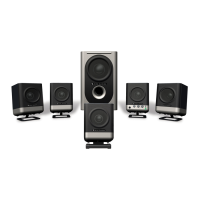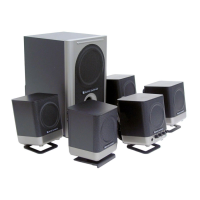
How to decrease bass on Altec Lansing FX6021 subwoofer?
- KKyle BallSep 12, 2025
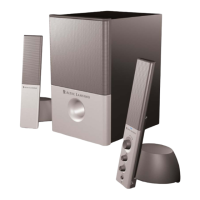
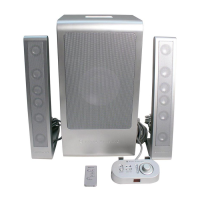
If you're getting too much bass from the subwoofer on your Altec Lansing Speaker System, decrease the bass level on the wired controller or remote.
How to decrease bass on Altec Lansing FX6021 subwoofer?
If you're getting too much bass from the subwoofer on your Altec Lansing Speaker System, decrease the bass level on the wired controller or remote.
What to do if I can’t insert DIN connector into Altec Lansing FX6021?
If you can’t insert the wired controller’s DIN connector into the subwoofer of your Altec Lansing Speaker System, try to gently straighten the pins with tweezers or very small pliers. If this does not work, contact the Altec Lansing Consumer Support Department for further instructions.
Covers general warnings, water avoidance, cleaning, ventilation, and heat source proximity.
Ensures correct plug insertion, cord protection, and use of specified attachments.
Details warranty coverage, limitations, and customer support contact information.
Guidelines for positioning the subwoofer and satellite speakers for optimal performance.
Instructions for connecting satellites, controller, and audio sources to the subwoofer.
Steps to connect power, turn on the audio source, and activate the speaker system.
Using the wired controller or remote to adjust master volume and bass levels.
Adjusting the treble level using the master volume knob or remote control buttons.
Muting the system or performing a complete power shutdown.
Solutions for problems with the wired controller, power, or LED indicators.
Troubleshooting steps for no sound, crackling, distortion, or radio interference.
Resolving subwoofer hums, low/high bass, and no sound from the subwoofer.
Covers general warnings, water avoidance, cleaning, ventilation, and heat source proximity.
Ensures correct plug insertion, cord protection, and use of specified attachments.
Details warranty coverage, limitations, and customer support contact information.
Guidelines for positioning the subwoofer and satellite speakers for optimal performance.
Instructions for connecting satellites, controller, and audio sources to the subwoofer.
Steps to connect power, turn on the audio source, and activate the speaker system.
Using the wired controller or remote to adjust master volume and bass levels.
Adjusting the treble level using the master volume knob or remote control buttons.
Muting the system or performing a complete power shutdown.
Solutions for problems with the wired controller, power, or LED indicators.
Troubleshooting steps for no sound, crackling, distortion, or radio interference.
Resolving subwoofer hums, low/high bass, and no sound from the subwoofer.
| Number of satellite speakers | 2 |
|---|---|
| Subwoofer dimensions (WxHxD) | 216 x 406 x 198 mm |
| Satellite speaker driver diameter | 1 \ |
| Surround speaker dimensions (WxHxD) | 64 x 365 x 191 mm |
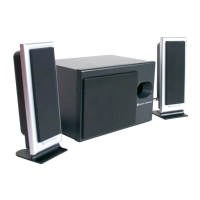
| Audio output channels | 2.1 channels |
| Subwoofer driver diameter (imperial) | 6.5 \ |
| Frequency range | 32 - 18000 Hz |
| RMS rated power | 75 W |
| Signal-to-Noise Ratio (SNR) | 105 dB |
| Product color | Silver |
| Connectivity technology | Wired |