EasyManua.ls Logo

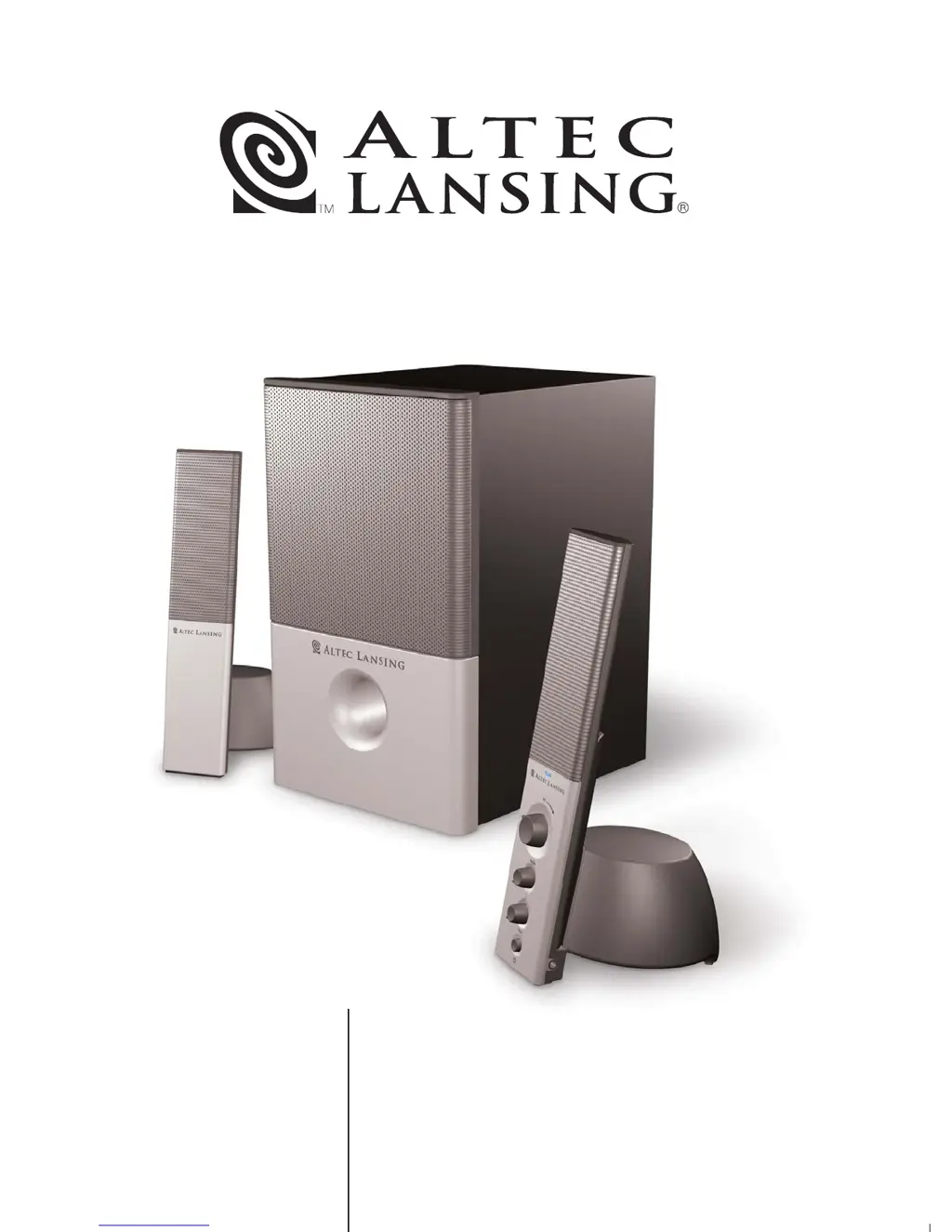
Altec Lansing VS4121 - User Manual

Altec Lansing VS4121
20 pages
Print Icon
To Next Page IconTo Next Page
Loading...
VS4121
MODEL
User's guide
Mode d'emploi
Guía del usuario
Guia do Usuário

Other manuals for Altec Lansing VS4121

Questions and Answers

  • M
    Mrs. Dana AdamsJul 30, 2025
    What to do if there is no sound from Altec Lansing VS4121?
    • D
      Dylan LeeJul 30, 2025
      If you're not getting any sound from your Altec Lansing Speaker System, start by checking that the AC power cord is properly connected to the wall outlet. Then, make sure the volume isn't set too low by turning the volume knob clockwise. Verify the audio cable is securely connected to your audio source, ensuring it's fully inserted into the correct jack. Also, confirm that the lime green 3.5 mm audio input cable is connected to the 'line-out' or 'audio-out' jack on your sound card. If the issue persists, test the speakers with another audio source to rule out any problems with your original source.
  • J
    Jeffrey LewisAug 6, 2025
    Why is my Altec Lansing VS4121 making a crackling sound?
    • N
      Nicole ReedAug 7, 2025
      If your Altec Lansing Speaker System is producing a crackling sound, the issue might stem from a bad connection. Check all cables to ensure they are properly connected to the 'line-out' or 'audio-out' jack on your sound card or audio source, and not the 'speaker-out' jack. Also, the crackling might be because the volume control in Windows is set too high, so try decreasing it if necessary. Finally, it could be related to your audio source, so test with an alternate source like a portable CD or FM radio.
  • M
    Mrs. Victoria Mitchell DVMAug 14, 2025
    How to fix Altec Lansing Speaker System when LED is not lit?
    • V
      Vanessa LongAug 15, 2025
      If the LED on your Altec Lansing Speaker System is not lit, first ensure the power is turned on by pressing the Power button on the right satellite. Next, check that the AC cord is properly connected to the wall outlet. If you're using a surge protector, make sure it is switched on. Finally, plug another device into the same wall outlet to confirm that the outlet is functioning correctly.
  • C
    Crystal PughAug 22, 2025
    Why does my Altec Lansing Speaker System sound distorted?
    • K
      Kelly WestAug 22, 2025
      If the sound from your Altec Lansing Speaker System is distorted, try decreasing the volume level. If that doesn't resolve the issue, check the Windows volume control and adjust the volume and balance controls to the center as a starting point, then use the speaker controller to adjust as needed. The distortion might also be due to the sound source itself; for example, .WAV and .MID files are often of poor quality. Try using a different audio source, such as a music CD, to see if the problem persists.

Summary

Safety Instructions

Caution and Warnings

Important safety precautions regarding electric shock, fire, and proper usage to prevent hazards.

Connecting the Power Cord

Instructions on how to properly connect the AC power cord to the wall socket for safe operation.

General Safety Precautions

A list of general safety guidelines for operating and maintaining the audio system to prevent damage or injury.

One-Year Limited Warranty

VS4121 System Setup and Operation

Box Contents

Lists all the items included in the product packaging for the audio system.

Speaker Placement Guidelines

Guidelines for positioning the subwoofer and satellite speakers for optimal sound and safety.

Making Connections

Step-by-step instructions on how to connect the audio system components correctly.

Connecting Different Audio Sources

How to connect PCs, portable devices, and game consoles to the audio system using appropriate cables.

Powering On the System

Instructions on the correct sequence for powering on the audio system and connected sources.

System Operation Controls

Explanation of how to use the master volume, treble, bass controls, and headphone jack on the satellite speaker.

System Specifications

Technical Specifications Overview

Details on sound pressure level, power output, and driver specifications for the audio system.

Troubleshooting - Power and Audio Issues

Power and Indicator Light Issues

Solutions for power not turning on or the LED indicator not illuminating on the satellite speaker.

No Sound or Volume Problems

Troubleshooting steps for lack of sound, low volume, or incorrect audio cable connections.

Audio Quality Issues

Resolving crackling sounds, distorted audio, and issues with sound source quality.

Troubleshooting - Subwoofer and Interference

Subwoofer Sound and Bass Adjustment

How to fix no sound from the subwoofer or adjust bass levels for optimal performance.

Interference and Hum Resolution

Guidance on eliminating radio interference and hum from the audio system.

Monitor Distortion and Speaker Placement

Solutions for monitor distortion and advice on subwoofer placement to avoid interference.

Contact Information

Corporate Headquarters

Contact details for Altec Lansing's main corporate office, including address and phone numbers.

Asia;Pacific Office

Contact information for the Altec Lansing office in the Asia/Pacific region.

Altec Lansing VS4121 Specifications

General IconGeneral
TypeTV/Monitor speakers
Subwoofer frequency range20 - 150 Hz
Number of satellite speakers2
Satellite speakers RMS power12 W
Satellite speaker driver diameter3 \
Satellite speaker frequency range150 - 20000 Hz
Audio output channels2.1 channels
Subwoofer driver diameter (imperial)6.5 \
Frequency range25 - 15000 Hz
RMS rated power31 W
Signal-to-Noise Ratio (SNR)73 dB
Total Harmonic Distortion (THD)10 %
Product colorBlack

Related product manuals