9
EN
Change audio source Press the “SOURCE” button to cycle through the audio sources: iPod 1, iPod 2, or AUX.
Enter the menu on the iPod In “iPod 1” or “iPod 2” mode, press the
button to enter the menu on the active iPod.
Navigate up in the menu
In “iPod 1” or “iPod 2” mode, press the
button to scroll up within a menu screen on the active iPod.
Navigate down in the menu
In “iPod 1” or “iPod 2” mode, press the
button to scroll down within a menu screen on the active iPod.
Navigate back in the menu
In “iPod 1” or “iPod 2” mode, press the
button to move back one level within a menu on the active iPod.
Make a selection in the menu In “iPod 1” or “iPod 2” mode, press the “SELECT” button to make a selection within a menu on the active iPod.
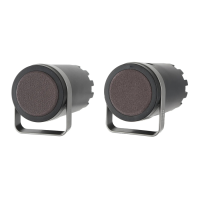
NOTE For best results, aim the full-featured remote toward the Octiv Duo speaker system.
Full-featured Remote Details






 To Next Page