11
EN
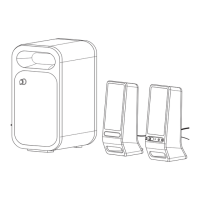
If you have a third audio device, you can enjoy it through your Altec Lansing
Octiv Duo speaker system as well. Just connect it via the AUX jack.
Here’show:
1 Locate a 3.5mm stereo
cable (notincluded).
2 Plug one end of the stereo
cable into your device.
Your device should have either
a headphone or LINE OUT
jack for you to plug into.
3 Plug the other end of
thestereo cable into
yourspeaker system’s AUXjack.
The AUX jack is located on the back ofthe unit.
4 Turn on your speaker system.
Press the
button.
5 Select “AUX” mode.
Press the “SOURCE” button on your speaker system or the full-
featured remote until the “AUX” LED lights up.
6 Turn on your device and start it playing.
7 Adjust the volume.
Use the “+” and “–” buttons on the speaker system or the “VOL +”
and “VOL –” buttons on the full-featured remote to adjust the volume.
NOTE You may need to adjust the device volume also. Your device’s
volume should be set to approximately ¾ volume.
8 When you are finished listening to your portable audio device,
please remember to turn both it and your speaker system off
to conserve electricity.
Listening to Your Non-docking iPod or Other Portable Audio Device






 To Next Page