EasyManua.ls Logo

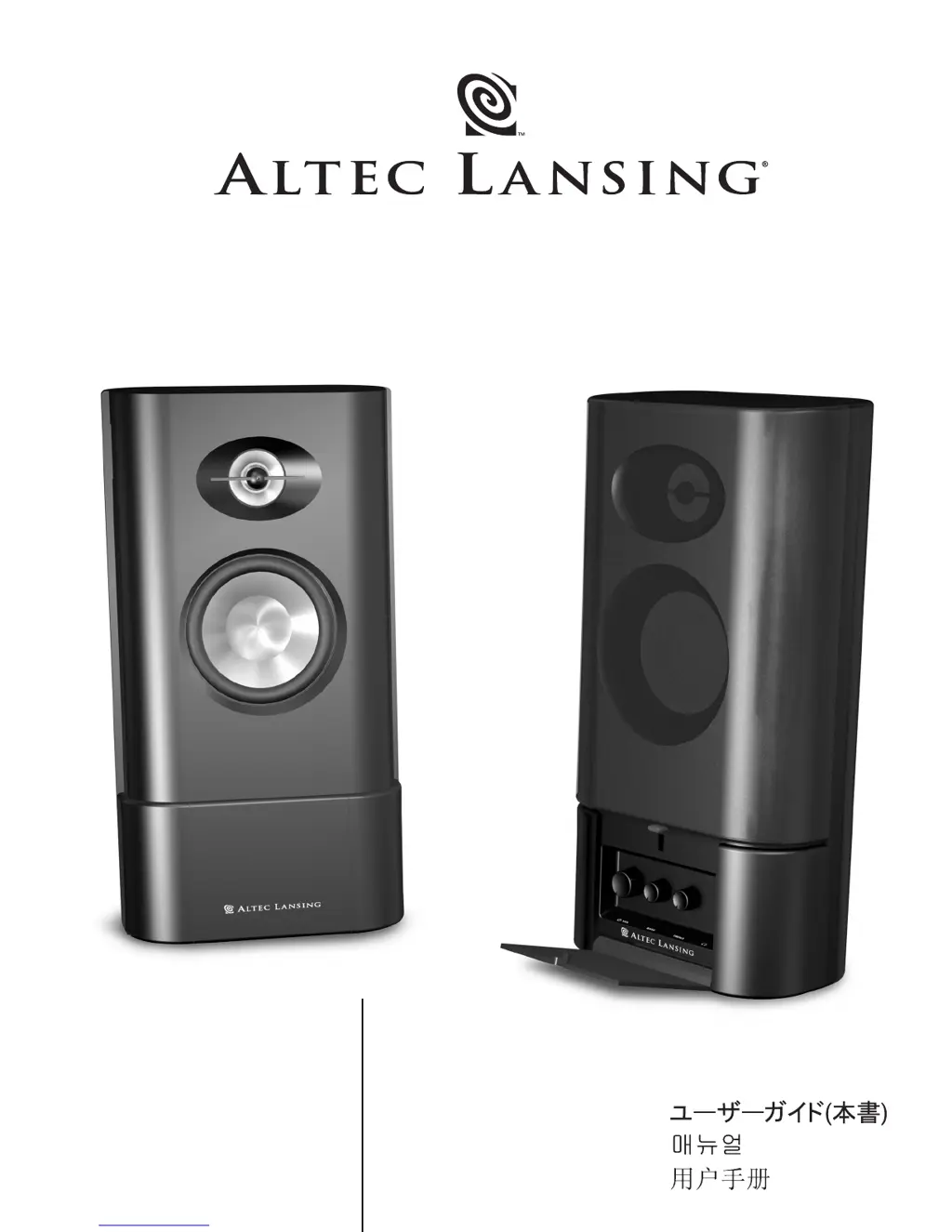
Altec Lansing MX-5020 - User Manual

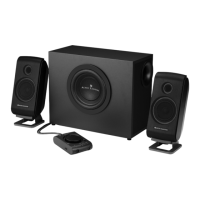
Altec Lansing MX-5020
33 pages
Print Icon
To Next Page IconTo Next Page
Loading...
MX
5020
User's guide
Mode d'emploi
Guía del usuario
O Guia do operador
Guida per l'utente
Gebrauchsanleitung
Buku Petunjuk

Other manuals for Altec Lansing MX-5020

Questions and Answers

  • S
    Stacy PalmerJul 29, 2025
    How to fix distorted sound on Altec Lansing Speaker System?
    • G
      Gabriella DodsonJul 29, 2025
      If the sound from your Altec Lansing Speaker System is distorted, try turning the VOLUME knob counterclockwise to lower the volume. Also, adjust the computer operating system volume and balance levels to the center as a starting point, then fine-tune the speaker level using the volume control. If you are using WAV files, they might be of poor quality; try using a different sound source such as a music CD.
  • D
    David Johnson MDAug 3, 2025
    What to do if no LEDs are lit on my Altec Lansing Speaker System?
    • E
      erik83Aug 3, 2025
      If the Altec Lansing Speaker System's LEDs are not lit, first ensure the power is on by turning the VOLUME knob on the right speaker until you hear a click. An LED should light up next to the knob. If that doesn't work, check the AC power cord to ensure it's connected to both the wall outlet and the back of the subwoofer. Also, if you're using a surge protector, make sure it's switched on. Finally, test the wall outlet by plugging in another device to confirm it's working.
  • M
    Melissa OlsonAug 8, 2025
    Why is there no sound coming from my Altec Lansing MX-5020 Speaker System?
    • H
      Hannah DawsonAug 8, 2025
      If you're not getting any sound from your Altec Lansing Speaker System, make sure the AC power cord is properly plugged into the wall outlet. Also, check that the volume isn't set too low by turning the VOLUME knob clockwise. Verify the 3.5mm stereo cable is securely connected to the correct jacks on your audio source, specifically the “line-out,” “audio-out,” or headphone jack. To rule out issues with your audio source, test the speakers with another device.
  • J
    Jennifer JacobsonAug 13, 2025
    What to do if Altec Lansing MX-5020 has crackling sound?
    • J
      Jane RodriguezAug 14, 2025
      If your Altec Lansing Speaker System is producing a crackling sound, check all the cables to ensure they are correctly connected to the “line-out” or “audio-out” jack on your sound card or audio source, and not the “speaker-out” jack. If the volume level in your computer's operating system is too high, decrease it. You can also test by unplugging the stereo cable from your current audio source and plugging it into the headphone jack of an alternate audio source, like a Walkman, Discman, or FM radio.
  • J
    Jason GriffinAug 18, 2025
    How to troubleshoot Altec Lansing MX-5020 when no LEDs are lit?
    • C
      Christopher HuntAug 18, 2025
      If no LEDs are lit on your Altec Lansing Speaker System, start by turning the VOLUME knob on the right speaker until you hear a click sound, which indicates the power is on. An LED should light up next to the knob. Check that the AC power cord is connected to both the wall outlet and the back of the subwoofer. If you're using a surge protector, make sure it's switched on. To ensure the wall outlet is working, plug another device into the same jack.
  • F
    franciskristenAug 23, 2025
    Why is my Altec Lansing MX-5020 picking up radio interference?
    • J
      James AdkinsAug 23, 2025
      If your Altec Lansing Speaker System is experiencing radio interference, try moving the speakers around until the interference disappears. The speakers might be too close to a radio tower.

Summary

Safety and Warranty Information

Important Safety Instructions

Essential guidelines for safe operation, installation, and maintenance to prevent hazards.

Two-Year Limited Warranty

Details the limited warranty period and terms for Altec Lansing speaker systems.

Customer Service and Support

Provides contact information and resources for customer support and assistance.

Connecting and Setting Up Your Speaker System

Speaker Placement Guidelines

Guidance on positioning satellite speakers for optimal stereo imaging and sound quality.

Audio Source Connections

Instructions for connecting the speaker system to PCs, portable devices, and game consoles.

Powering On and System Operation

Steps to safely power on the system and access primary controls like volume.

Audio Controls: Volume, Bass, Treble

Explanation of how to adjust the master volume, bass, and treble settings for sound customization.

Headphone and Auxiliary Input Usage

Information on using headphones and connecting additional audio sources via the auxiliary input.

System Specifications

Troubleshooting Common Issues

No Power or Indicator Lights

Steps to resolve issues when the power indicator LEDs are not illuminated.

No Sound from Speakers

Troubleshooting steps for when one or more speakers are not producing sound.

Crackling Sound

Solutions for addressing crackling or popping sounds from the speakers.

Distorted Sound

Guidance on fixing distorted audio playback.

Radio Interference

Steps to resolve issues caused by external radio frequency interference.

Altec Lansing Contact Information

Altec Lansing MX-5020 Specifications

General IconGeneral
Speaker System Type2.1 Speaker System
Frequency Response40 Hz - 20 kHz
Input Impedance10 kOhms
Connectivity3.5mm
Signal-to-Noise Ratio75 dB
Driver Size3 inches

Related product manuals