EasyManua.ls Logo

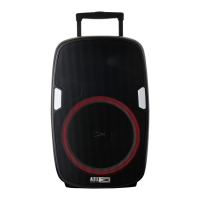
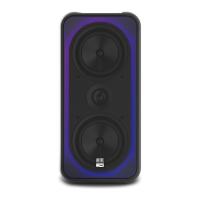
Altec Lansing SOUNDROVER - User Manual

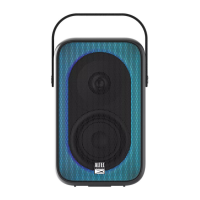
Altec Lansing SOUNDROVER
12 pages
Print Icon
To Next Page IconTo Next Page
Loading...
ITEM: IMT7002
QUICK START GUIDE
SOUNDROVER
WIRELESS PARTY SPEAKER
180W PEAK POWER
WIRELESS PARTY SPEAKER
Question and Answer IconNeed help?

Do you have a question about the Altec Lansing SOUNDROVER and is the answer not in the manual?

Summary

Input and Output Ports

Microphone Input

Connect the included microphone to the MIC IN port for audio input.

Speaker Controls Overview

Master Volume Control

Adjust the overall speaker volume using the VOLUME knob.

Audio Modes and Bluetooth Pairing

Bluetooth Device Pairing

Connect your device to the speaker wirelessly via Bluetooth.

True Wireless Stereo Pairing

Pairing Two Speakers

Connect two SoundRover speakers for a True Wireless stereo experience.

Microphone Usage

Safety Precautions

General Safety Warnings

Important warnings and symbols to ensure safe product usage.

Product Specifications

Warranty Information

Summary

Input and Output Ports

Microphone Input

Connect the included microphone to the MIC IN port for audio input.

Speaker Controls Overview

Master Volume Control

Adjust the overall speaker volume using the VOLUME knob.

Audio Modes and Bluetooth Pairing

Bluetooth Device Pairing

Connect your device to the speaker wirelessly via Bluetooth.

True Wireless Stereo Pairing

Pairing Two Speakers

Connect two SoundRover speakers for a True Wireless stereo experience.

Microphone Usage

Safety Precautions

General Safety Warnings

Important warnings and symbols to ensure safe product usage.

Product Specifications

Warranty Information

Altec Lansing SOUNDROVER Specifications

General IconGeneral
BluetoothYes
Bluetooth RangeUp to 100 feet
WirelessYes
BrandAltec Lansing
ModelSOUNDROVER
CategoryPortable Speakers
Frequency Response50Hz - 20kHz
LightingMulti-color LED lights
Inputs3.5mm AUX
Charging TimeApproximately 5 hours

Related product manuals