EasyManua.ls Logo

Altec Lansing XT2 - User Manual

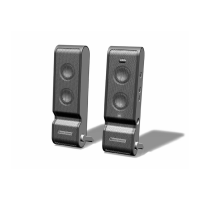
Altec Lansing XT2
24 pages
Print Icon
To Next Page IconTo Next Page
Loading...
User’s guide Guía del usuario
Mode d’emploi Guia do Usuário
XT2

Other manuals for Altec Lansing XT2

Questions and Answers

  • E
    Elizabeth HarveyJul 25, 2025
    How to fix distorted sound on Altec Lansing Speaker System?
    • J
      Joseph HarmonJul 25, 2025
      Sound distortion can occur for several reasons. First, check the volume level and decrease it if it's too high by using the “–” button on the right speaker. If you're using a computer, adjust the computer operating system's master volume and balance levels to the center. If you're using an alternate audio source like an MP3 or CD player, reduce the volume level on that device. The audio source itself might be the issue; WAV files are often of poor quality, so try a different audio source like a music CD. Also, make sure that the audio source EQ levels are set to “flat.”
  • B
    Brett SpencerAug 2, 2025
    How to fix crackling sound from Altec Lansing Speaker System?
    • J
      Jared GloverAug 2, 2025
      If you are hearing a crackling sound, and you're using a computer, adjust the computer operating system master volume and balance levels to the center as a starting point, then adjust the level on the speaker using the volume control. If you're using an alternate audio source, such as an MP3 or CD player, the volume level on the MP3 or CD player may be set too high, reduce the volume level on the alternate audio source. Finally, the problem might be with your audio source, so test the speakers on another audio device by connecting it to “line-out,” “audio-out,” or the headphone jack of another audio source.
  • J
    Justin WhiteAug 10, 2025
    Why is there no sound from my Altec Lansing Speaker System?
    • D
      daniel71Aug 10, 2025
      Several factors could be at play. Ensure the retractable speaker-to-speaker cable is properly connected at the rear of both speakers. Also, the volume might be too low; use the “+” button on the right speaker to increase it. If using an alternate audio source, verify that the 3.5 mm stereo cable is fully inserted into both the audio source's “line-out,” “audio-out,” or headphone jack and the speaker system's auxiliary input (AUX). If using a laptop or PC to power the speaker system with an alternate audio source, make sure to set the Mic in/Wave in input slider on your laptop to its minimum position. Finally, the problem might be with your audio source, so test the speakers on another audio device.
  • A
    alexander83Aug 17, 2025
    Why are no LEDs lit on my Altec Lansing Speaker System?
    • J
      Jennifer AdamsAug 17, 2025
      The speaker system might not be turned on. Turn on the speaker system by pushing the power button on the right speaker. An LED will light on the front of the right speaker when the power is on. Also, the speaker system may not be connected to a power source, refer to the "Powering Your Speakers" section. If you're using the USB port on your laptop computer or PC to power your speaker system and your laptop computer or PC is in sleep mode, make sure the computer is active.

Summary

Safety Instructions

General Safety Guidelines

Essential safety guidelines for operating the audio system, including usage, cleaning, and placement.

Electrical Safety Precautions

Details on preventing electric shock, risks of fire, and proper plug usage to ensure user safety.

Warranty and Service

Limited Warranty Terms

Explains what the warranty covers, its limitations, and the procedure for obtaining repair or replacement service.

Customer Service Contact

Provides contact methods (phone, email) and website for customer assistance and locating distributors.

FCC Compliance

Product Overview

Box Contents

Lists all items included in the package with the speaker system.

Setting Up Your Speakers

Speaker Placement

Guidance on positioning speakers for optimal stereo imaging and listening experience.

Powering Your Speakers

Making Connections

Laptop Computer or PC Connection

Instructions for connecting the XT2 system to computers via USB for power and audio.

Portable Audio Device Connection

Guide for connecting MP3 players, CD players, etc., using the auxiliary input.

Console Gaming Connection

Steps for connecting the speaker system to game consoles using an adapter.

System Operation

Powering On

Procedure for turning the speaker system on and off, including LED indicator.

Volume Control

How to adjust the master volume using the speaker's control buttons.

Treble and Bass Adjustment

Instructions for adjusting bass and treble levels directly on the speaker system.

Troubleshooting

No Sound Issues

Solutions for common problems causing no audio output from the speakers.

No Sound from Drives

Troubleshooting steps for issues with CD/DVD ROM drive audio playback.

Audio Distortion

Resolving issues related to crackling sounds or distorted audio from the speakers.

Interference and Volume Control Issues

Addressing buzzing, radio interference, and problems with system volume control.

System Specifications

Registration and Contact

Altec Lansing XT2 Specifications

General IconGeneral
TypePortable speakers
Surround speaker dimensions (WxHxD)57 x 35 x 188 mm
Audio output channels2.0 channels

Related product manuals