EasyManua.ls Logo

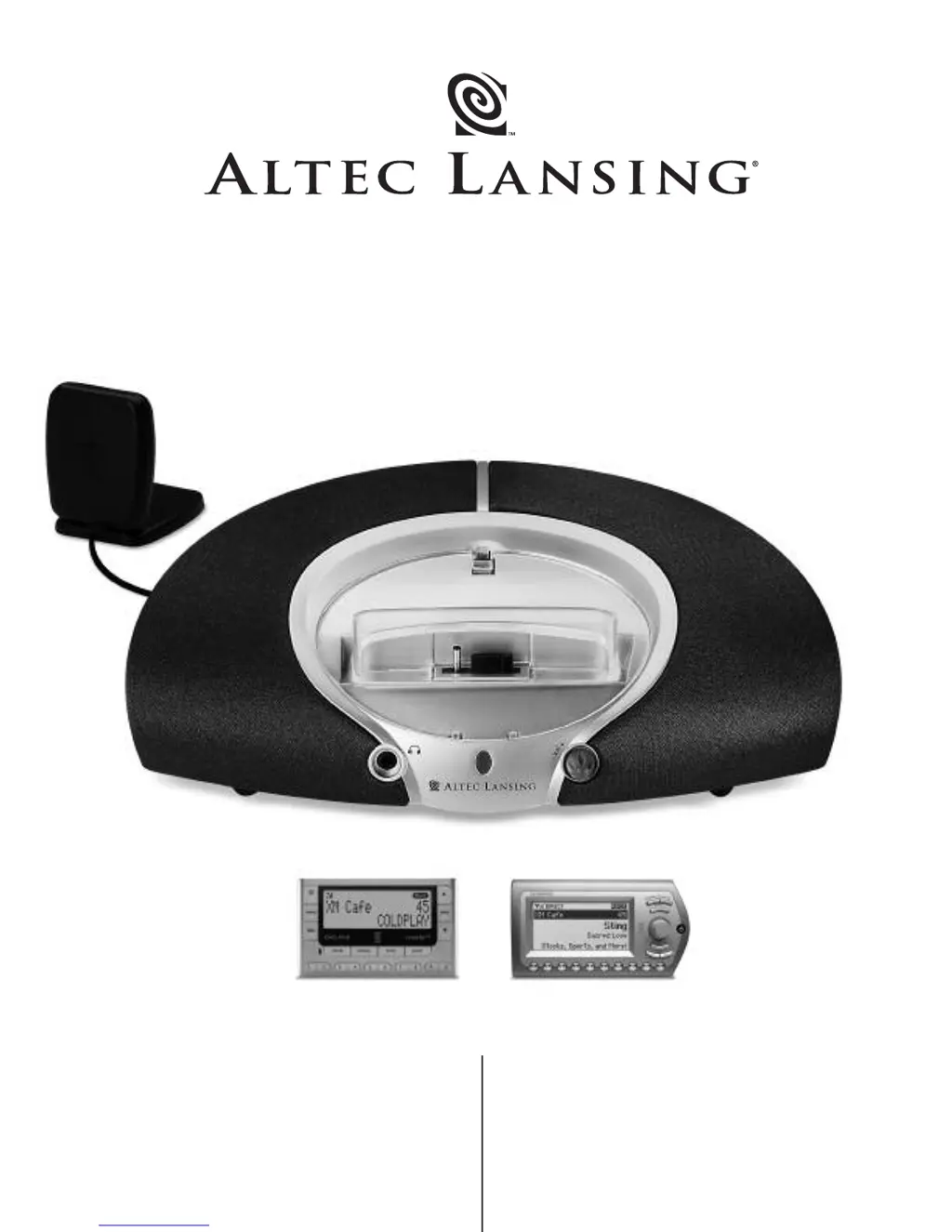
Altec Lansing XM3120 - User Manual

Altec Lansing XM3120
10 pages
Print Icon
To Next Page IconTo Next Page
Loading...
User’s guide
Guía del usuario
XM3120
Audiovox Xpr
ess
XM Receiver
Delphi Roady XT
XM Receiver
Works
with:

Other manuals for Altec Lansing XM3120

Questions and Answers

  • K
    Kenneth BrownJul 26, 2025
    Why is there no sound from my Altec Lansing Stereo System?
    • K
      Kelly MartinJul 26, 2025
      There could be several reasons why you're not getting any sound. First, the XM Radio home antenna might not be getting a signal; ensure the antenna points south outdoors or through a window. Also, check that the volume isn't set too low by turning the VOLUME knob on the XM3120 receiver clockwise. Another potential cause is that the XM receiver isn't correctly seated in the docking station; try removing and re-seating it. Finally, the XM receiver might be in “mute” mode; turn off the mute function on the XM device by pressing the mute button on the receiver or your remote control.
  • M
    michaelbryantAug 5, 2025
    What to do if the power LED is not lit on my Altec Lansing Stereo System?
    • E
      elizabethchambersAug 5, 2025
      If the power LED isn't lit, it could be due to a few reasons. First, check that the power supply cord is properly connected to both a functioning wall outlet and the power supply jack on the back of the XM3120 system. If you're using a surge protector, ensure it is switched on. To rule out a faulty wall outlet, plug another device into the same outlet to confirm it's working.
  • A
    Angela SmithAug 14, 2025
    How to fix distorted sound on Altec Lansing Stereo System?
    • C
      Cynthia PearsonAug 14, 2025
      If the sound is distorted, the volume level on the XM3120 system might be set too high. Try turning the VOLUME knob on the XM3120 receiver counter-clockwise to decrease the volume.

Summary

Connecting the Power Cord

Important Safety Instructions

Warranty and Customer Service

One Year Limited Warranty

Details coverage, exclusions, and service procedures for the limited warranty period.

Customer Service

Provides contact information for setup and performance assistance via phone and web.

Making Connections

Start Playing

Volume Control

System Specifications

Troubleshooting

No Power LED Lit

Addresses issues when the power indicator light is not illuminated.

No Sound From Speakers

Solutions for when no audio output is heard from the speakers.

Sound Is Distorted

Troubleshooting steps for audio distortion or clipping issues.

Altec Lansing XM3120 Specifications

General IconGeneral
TypePortable speakers
Dimensions (WxDxH)316 x 176 x 216 mm
Audio output channels1.0 channels
Frequency range80 - 20000 Hz
Signal-to-Noise Ratio (SNR)65 dB
Weight and Dimensions IconWeight and Dimensions
Weight1770 g

Related product manuals