Altice One | TV
5
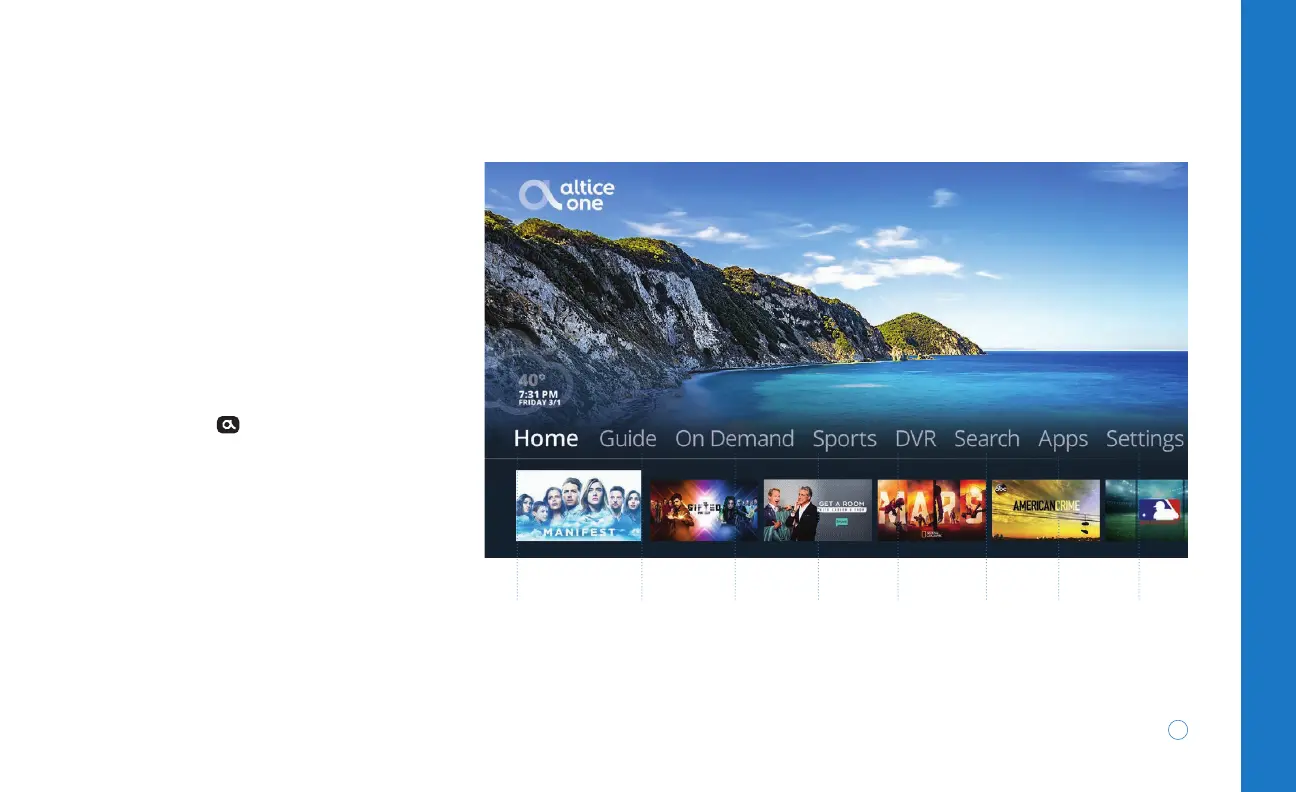
Main Menu
This is the starting point for your
experience. To bring up the main
menu, press
on your remote and
use the left, right, up and down
ARROWS to navigate to and in each
of the menu options.
To learn more about the main menu
visit suddenlink.com/onemenu
Home
Recently started
and recorded
programs, what’s
trending on
YouTube and more
DVR
Watch and
manage
your DVR
recordings
Apps
Access
popular
in-TV apps
Guide
Channel
lineup and
listings
Search
Search
across live
TV and
On Demand
at the same
time
Settings
Adjust parental
controls, pay
your bill, watch
helpful tutorials
and more
On Demand
Library of
TV shows,
movies, kids
programming
and more
4K Ultra HD
Altice One delivers a brilliant 4K
Ultra HD experience, so you can
watch movies and shows with 4x the
resolution of standard HD.
Sports
Single
destination
for
everything
sports


 To Next Page