EasyManua.ls Logo

Altius AT4GR-BCF - User Manual

Altius AT4GR-BCF
12 pages
Print Icon
To Next Page IconTo Next Page
Loading...
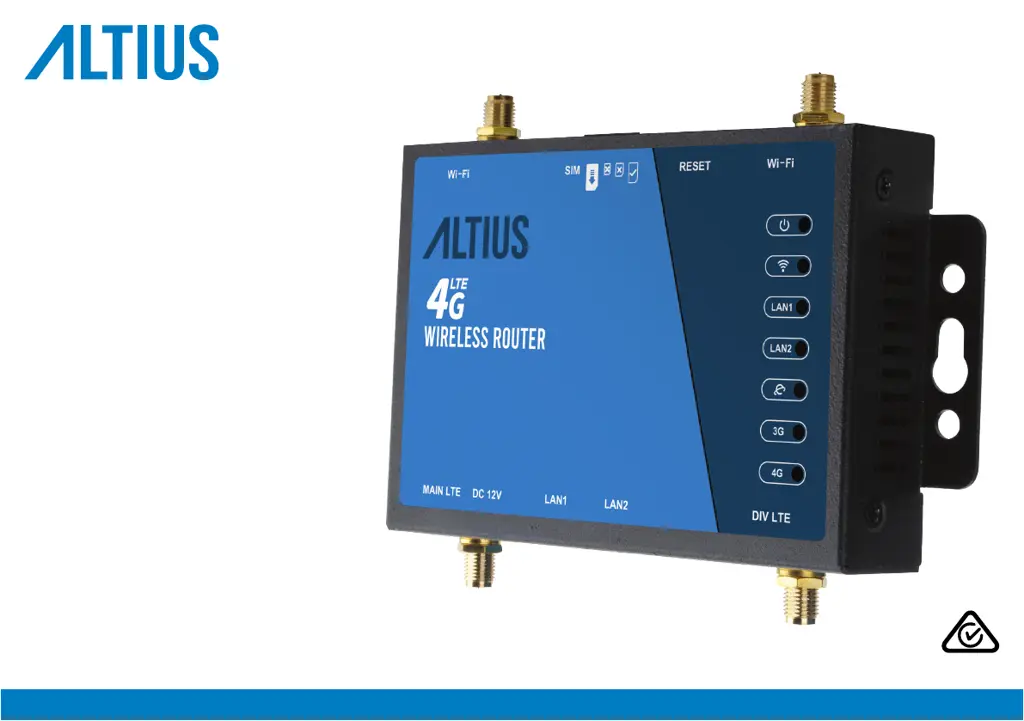
AT4GR-BCF
USER MANUAL
4G WiRELESS RoUTER

Questions and Answers

  • H
    Heather HolmesAug 12, 2025
    What to do if my Altius Network Router cannot access internet?
    • W
      Wayne CampbellAug 12, 2025
      If your Altius Network Router cannot access the internet, ensure the SIM card is correctly inserted. Check with your ISP to confirm your SIM card is within their service area. If you're in a roaming area, verify with your ISP that data roaming is enabled. For prepaid SIMs, check if you have sufficient balance. Also, verify the APN settings with your ISP and examine your PC’s firewall settings, or temporarily disable it for troubleshooting purposes.
  • P
    pcookAug 19, 2025
    Why is my Altius Network Router's signal weak and data transmission speed slow?
    • J
      Jessica CarneyAug 19, 2025
      If you are experiencing a weak signal and slow data transmission speed with your Altius Network Router, check the Wi-Fi and LTE antenna connections, making sure the correct antennas are connected to their corresponding ports. When you are far from a mobile network, consider using the external Main LTE Antenna.
  • C
    Colleen YoungAug 27, 2025
    How to reset Altius Network Router if I forgot settings?
    • T
      Tammy MooreAug 27, 2025
      If you forgot the settings, SSID, username, or password for your Altius Network Router, use a paper clip to press and hold the reset button for 5 seconds, then release it. Keep in mind that the router will need to be set up again after resetting to the factory default.
  • B
    Bradley ConleySep 2, 2025
    What to do if Altius Network Router is not switching on?
    • N
      Nicole DavisSep 2, 2025
      If your Altius Network Router is not switching on, ensure that the AC-DC power adapter is securely plugged into the wall outlet and check if the power indicator of the router is lit. When using the 12V accessory adapter in a vehicle, make sure the power supply is 12V to avoid damaging the router.

Altius AT4GR-BCF Specifications

General IconGeneral
BrandAltius
ModelAT4GR-BCF
CategoryNetwork Router
LanguageEnglish